ToxicTranceChamber ToxicTranceChamber

OK BRANIAC NOW WHAT??

OK BRANIAC NOW WHAT??

K I downloaded it so now what should I do?
42,074 views 137 replies
Reply #76 Top
Ok I will definatly have to sit down and mess with photoshop then and I will keep you informed on how I am doing, LOL. I'm sure I'll need your help again. But once again thank you soooo very much!!! You handsome man u! LOL Well i AM GONNA BE LAYING DOWN SOON, SO i HOPE THAT YOU HAVE A GOOD NIGHT! OOPs caps again


myspace layouts
Reply #77 Top
I will keep an eye out.  
Reply #79 Top
Pleasant screams.  
Reply #80 Top
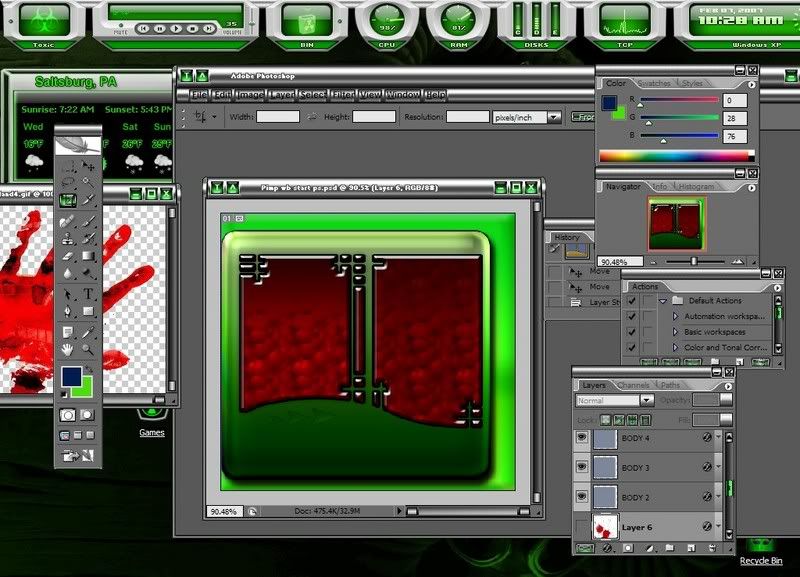
Ok I figured out how to change the colors and shit but what should I do with the shapes and I'm not sure what do to with the boxes and how to change how they look, do I just delete them and start over with a blank image? HELP??? LOL

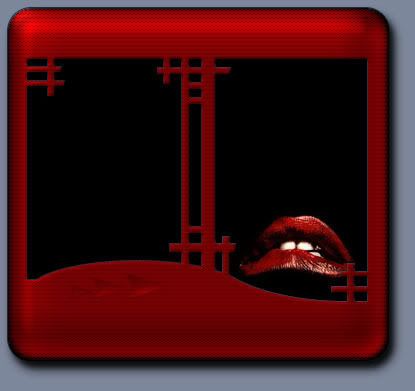
This is what I got going on....

Photobucket - Video and Image Hosting
Reply #81 Top
I just got up so brain need coffee...
If you turn off everything but those 2 shapes and turn off the style effects on them you can see just the flat shapes.

You can alter them by adding or subtracting from them with the selction tool or just create new shape layes...rectangles,rounded rectangles..etc..

I'll be back in a hour or so...looks like your getting a handle on it.  
Reply #82 Top
Ok so once I figure out what I want and do what u said then is this the one I'll me slicin up and puttin back together?
Reply #83 Top
Yes,you will turn off the background color so that just the start menu is there on a transparent background.Select all>new>paste onto a transparent background and now you have an image you can slice.

Check your settings at photobucket,I cant resize your images,the little yellow bar is missing from the top.

I saw a setting checkbox for that when I was there.  
Reply #84 Top
Well thats b/c I made it smaller with code u know height="??" width="??" would u like me to put up the whole image?
Reply #85 Top
From now on yes,use full resolution images.They should have the resize bar for viewing biggerized.  

Once you slice it into the 5 sections...open Skinstudio and replace each section either by opening each in photoshop and putting your new piece over the old and deleting the old layer.Old image dimensions must be changed to the new image dimensions first.(edit>image size)

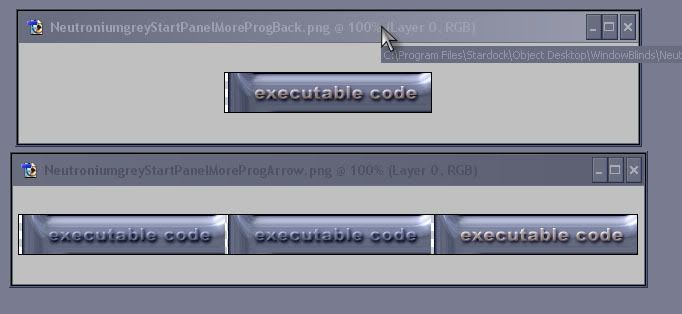
The more programs arrow is actually 3 versions of the More Programs background image.2 exactly like the More programs image and 1 that is used during the mouseover.(you go back to your main PS document and create a slightly different More programs area(glowy,raised,whatever) and use it for the mouseover state.
Reply #86 Top
The more programs graphic is actually completely covered by the arrow graphic.

  
Reply #87 Top
Easiest way to make a graphic 3 times wider is to start with your More programs image and go to image>canvas size>width=300 percent(not pixels)

Dont change the heighth.
Reply #88 Top
Ok this will we my homework! LOL I will work on it a lil before I go to bed tonight, and tomarrow and hopefully all will turn out well thanks to you!!
Reply #89 Top
  
Reply #90 Top
Whatta guy! ..Good onya Brainy, nice tut'n bud!
Reply #91 Top
Well Erk,hopefully others are following this rather long winded tutorial.  
Reply #92 Top
Hows it coming FO?You have been mighty quiet.  
Reply #93 Top
Hey Brain?
Could you repeat that all over again one more time from the beginning for me?
  
Just kiddin' you 'ole Brainster.  
Oh by the way, if she wants, there's a program that's suppose to be very close to being just like PhotoShop out there. It's even suppose to be able to use all of PhotoShop's Plugins.
And best of all, it's free!
You may of hear of it. It's called GIMP.
Acronym for GNU Image Manipulation Program.
Here's the Link to the site from where it can be downloaded.
GIMP's Website
Reply #94 Top
How's it coming, FO? You have been mighty quiet.


Hope she hasn't cut 'n' sliced more than just the images.

...you should know how SkinStudio can push one over the edge.
Reply #95 Top
 Skinstudio works very well...until you try something stupid.(or something WB wont apply)   
You know...I've never given the gimp a try...PS7 here tho,so,well,you know.  
Reply #96 Top
This makes a supurb tutorial   
Reply #99 Top
Ok, I've decided to use paint shop instead, b/c I find it easier. So do I need to have a certain amount of layers?