Start 11 - incorrectly displayed icons on the taskbar

Start 11  - incorrectly displayed icons on the taskbar

start 11 1.47

windows 11


I have a problem, only the icons do not disappear, they just turn into others.

After every restart of the computer. For example, the PS icon looks like the Firefox icon and the opera icon is replaced by the Viber icon
  And so all the icons on the taskbar

This has been happening for two days

example

23,225 views 37 replies
Reply #1 Top

Hello,
Sorry to hear you are having issues. Not sure why, today I also have Windows 11 version 22621.2215 on my system, which I though was insider preview release. Anyway, your issue not appearing on my system. So please try this, uninstall Start11, reboot immediately (important), reinstalled Start11, reboot immediately again. Retest and report back.

Thanks
Basj,
Stardock Community Assistant.

Reply #2 Top

Re-Instal of the program has not changed anything

After turning on the computer, when the "Start 11" program loads, the icons on the taskbar are automatically changed

Reply #3 Top

Do you have any other 3rd party application running that change how your taskbar work? If yes, please uninstall those first, reboot and see if the issue still there. If no other 3rd party application installed. Please try Cleanboot to see if there is any other application conflict.: https://forums.stardock.com/505872/start11-support-faq#cleanboot

Thank you,

Basj,
Stardock Community Assistant

Reply #4 Top

I don't have any other programs that work in a similar way
unfortunately nothing helps

the icons are still randomly swapped
only in the taskbar

Reply #5 Top

Hello,
I have forwarded your problem/question to Stardock Support Team for their assistance. Please keep an eye on this thread for any updates. We appreciate your feedback and patience.

Basj,
Stardock Community Assistant

Reply #6 Top

Hello,

Need to know if you have test the issue with the Start11 Taskbar Enhance turn "on" or "off"? Please check it and report back.

Thank you,

Basj,
Stardock Community Assistant

Reply #7 Top

I'm having the same issue. On reboot the icons are incorrect. Using the "Restart Explorer" button in the start11 settings will fix it.   


I've cleared the windows icon cache and it didn't help.

Reply #8 Top

I've also noticed this issue over the last couple of days. Also tried clearing the windows icon cache - this worked for a few minutes and then I got the wrong icons again.

I've turned off Start11's taskbar "enhancement" and it's now back to normal. I'll maybe try it again after the next product update.

Reply #9 Top

Add me to the taskbar icon issue. I have Start11 v 1.47; on Windows 11 Home, v 10.0.22621 Build 22621.

Since yesterday (Oct 20) five of my taskbar icons come up generic I removed them from the taskbar, then re-added to get the icons back.

However, when i logged on this morning, the problem was back. I use Start11 to position my taskbar to the top. Hope this can be resolved.

Taskbar broken icons

I turned off the Start11 taskbar enhancement, but several icons remain generic.

Reply #10 Top

Quoting Barney556180, reply 9

Add me to the taskbar icon issue. I have Start11 v 1.47; on Windows 11 Home, v 10.0.22621 Build 22621.

Since yesterday (Oct 20) five of my taskbar icons come up generic I removed them from the taskbar, then re-added to get the icons back.

However, when i logged on this morning, the problem was back. I use Start11 to position my taskbar to the top. Hope this can be resolved.

Taskbar broken icons

I turned off the Start11 taskbar enhancement, but several icons remain generic.
End of Barney556180's quote

It might not be a Start11 issue.  As you said, even after disabling the taskbar enhancements, the icons stay the same.  I've had Windows do that to some of my taskbar icons when I never even had Start11 installed.  So it might not be an issue with the app itself

Reply #11 Top

Quoting Envisaged0ne, reply 10


Quoting Barney556180,

Add me to the taskbar icon issue. I have Start11 v 1.47; on Windows 11 Home, v 10.0.22621 Build 22621.

Since yesterday (Oct 20) five of my taskbar icons come up generic I removed them from the taskbar, then re-added to get the icons back.

However, when i logged on this morning, the problem was back. I use Start11 to position my taskbar to the top. Hope this can be resolved.

Taskbar broken icons

I turned off the Start11 taskbar enhancement, but several icons remain generic.


It might not be a Start11 issue.  As you said, even after disabling the taskbar enhancements, the icons stay the same.  I've had Windows do that to some of my taskbar icons when I never even had Start11 installed.  So it might not be an issue with the app itself

End of Envisaged0ne's quote

To clarify, I have the problem with the Start11 enhancement on or off. But they do not stay the same; there are different icons affected, and three vs four generic icons appearing.

Reply #12 Top

Quoting Barney556180, reply 11

To clarify, I have the problem with the Start11 enhancement on or off. But they do not stay the same; there are different icons affected, and three vs four generic icons appearing.
End of Barney556180's quote

Hello,
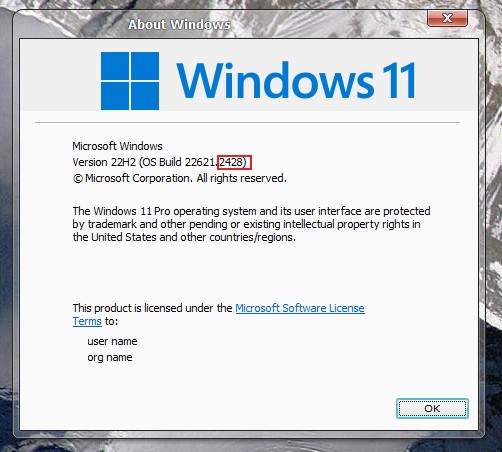
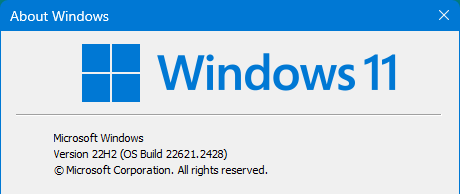
Sorry to hear you are having issues. But, I don't see this issue on my Windows 11 system. Please post your full Windows 11 version numbers. Use Windows own Winver.exe to get those 4 figure at the end of build something like the screenshot below.

Also, do you have any other 3rd party application installed that change your explorer behaviour and/or change your taskbar in anyway. Application such as Explorer patcher, Open Shell, StartAllBack etc.

Thanks
Basj,
Stardock Community Assistant.

Reply #13 Top

Well this is curious: I fired up my PC and all the taskbar icons are presented correctly. There were no Windows, Start11 or other updates. Self-healing?...

Reply #14 Top

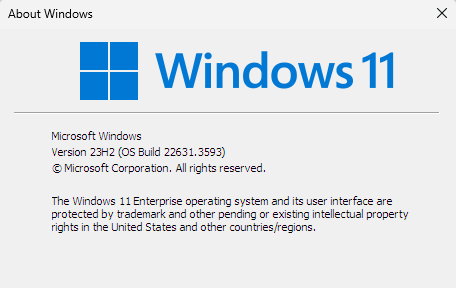
Windows 11 version

As I posted, when I booted up, the icons all appear normally. I have not had any Windows, Start11 or other updates.

Reply #15 Top

Quoting basj, reply 12

Also, do you have any other 3rd party application installed that change your explorer behavior and/or change your taskbar in anyway. Application such as Explorer patcher, Open Shell, StartAllBack etc.
End of basj's quote

Sorry, if you've answered this one. But, can't find it.

Thank you,

Basj,
Stardock Community Assistant

Reply #16 Top

I do not have any explorer apps (that I’m aware of).

i do use several security apps, but nothing has changed that would affect the taskbar 

Reply #17 Top

So the issue is gone now?

Thank you,

Basj,
Stardock Community Assistant

Reply #18 Top

It appears to come and go. After my initial posts, next time i was on the computer all the icons were displayed normally.

last night they we’re back to the same problem. And it appears to be the same apps: MS Publisher, Word, and Paintshop Pro.

Reply #19 Top

Quoting Barney556180, reply 18

It appears to come and go. After my initial posts, next time i was on the computer all the icons were displayed normally.

last night they we’re back to the same problem. And it appears to be the same apps: MS Publisher, Word, and Paintshop Pro.
End of Barney556180's quote

Might need to do cleanboot and see if that help identified the issue.  https://forums.stardock.com/505872/start11-support-faq#cleanboot

Thank you,

Basj,
Stardock Community Assistant

Reply #20 Top

Did this problem get a solution yet? It drives me mad every day!

Opened applications show the right icon but unopened apps will display a randomly selected icon from my PC everytime it's booted up - it changes every day!

The only way I can use this is by having less icons and memorizing which order my applications are in so I don't have to rely on the icon picture.

Reply #21 Top

Quoting Quake6157, reply 20

Did this problem get a solution yet? It drives me mad every day!

Opened applications show the right icon but unopened apps will display a randomly selected icon from my PC everytime it's booted up - it changes every day!

The only way I can use this is by having less icons and memorizing which order my applications are in so I don't have to rely on the icon picture.
End of Quake6157's quote

Hello,
Sorry to hear you are having issues. But, tried to see if you have posted anything before this one, I can't find them. Need to know more on your system.

  1. Windows full version numbers.
  2. Start11 version numbers.
  3. Have you tried all our suggestion above? If you did, what were the result?

Thank you.
Basj,
Stardock Community Assistant.

Reply #23 Top

Quoting Theiwaz, reply 22

Currently having the same issue but only occurred after an upgrade of the start11 software
End of Theiwaz's quote

Hello,
Sorry to hear you are having issues. Please try uninstall Start11, reboot immediately after the uninstall, re-download the latest Start11 version available for you. Install it, reboot again immediately after installation done. Retest it and report back.

Thank you.
Basj,
Stardock Community Assistant.

Reply #24 Top

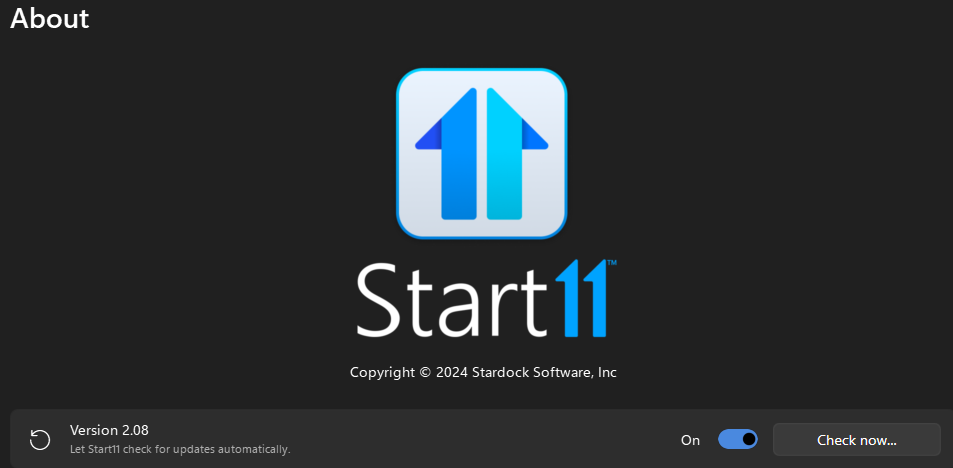
Same issue using version 2.08.  The issue seems to be caused by the combine taskbar button setting.  "Always combine taskbar button" always end up with the issue. "Only combine pinned" issue occurs much less but still happens every now and then.  For example, I have tightvnc pinned next to Irfanview, if only open one pic in Irfanview  the pic opens if click on the button.  But if I open more then one pic the button opens Tightvnc and the Tightvnc also opens Tightvnc. Restarting file explorer usually fixes it.  With "never combine" I haven't seen the issue.

Reply #25 Top

Quoting shebaaa, reply 24

Same issue using version 2.08.  The issue seems to be caused by the combine taskbar button setting.  "Always combine taskbar button" always end up with the issue. "Only combine pinned" issue occurs much less but still happens every now and then.  For example, I have tightvnc pinned next to Irfanview, if only open one pic in Irfanview  the pic opens if click on the button.  But if I open more then one pic the button opens Tightvnc and the Tightvnc also opens Tightvnc. Restarting file explorer usually fixes it.  With "never combine" I haven't seen the issue.
End of shebaaa's quote

Hello,
Sorry to hear you are having issues. Have you tried the suggestion I mentioned above reply#23?

Thank you.
Basj,
Stardock Community Assistant.