Unknown

Not remembering icon locations, resizing windows randomly

Not remembering icon locations, resizing windows randomly

Hello, 

Is this the main way to reach support? Posting on a forum? Is there no email I can reach out to or is this literally the only way?

Anyway I'm sure lots of people have faced this but it doesn't appear to be fixed. For maybe the first few days, Fences worked normally and remembered the locations of my icons. Now it just throws my icons around randomly. It also randomly resizes my fences! 


I'm on the latest update on windows 11. 

58,496 views 47 replies
Reply #26 Top

Hello,
I have forwarded your problem/question again to Stardock Support Team for their assistance. Please keep an eye on this thread for any updates. We appreciate your feedback and patience.

Basj,
Stardock Community Assistant

Reply #27 Top

Hey, it's been over a month. Get on it. What the hell is this? This is the worst support I've ever seen. There's free software with better support channels than this. My goodness, please prioritize this.

Reply #28 Top

Sorry about this, not sure what happened, I have forwarded your problem/question again to Stardock Support Team for their assistance. Please keep an eye on this thread for any updates. We appreciate your feedback and patience.

Basj,
Stardock Community Assistant

Reply #30 Top

Seconding this issue. I'm seeing the same problem as OP while using an LG C2 as a monitor.

The issue occurs whenever the monitor sleeps (ie - sleep/wake cycle; physically turn off/on).

The position of icons/files/folders within a Fence basically scrambles itself.

Notes:

  • on v4.12
  • Fences are "locked" (ie - right click Fence > View > "Lock Fences" selected)
  • No sort has been applied
  • No organization rules have been applied
  • Screen resolution is at 3840x2160 in Landscape orientation; no other monitors exist
  • HDR is enabled on the panel
Reply #31 Top

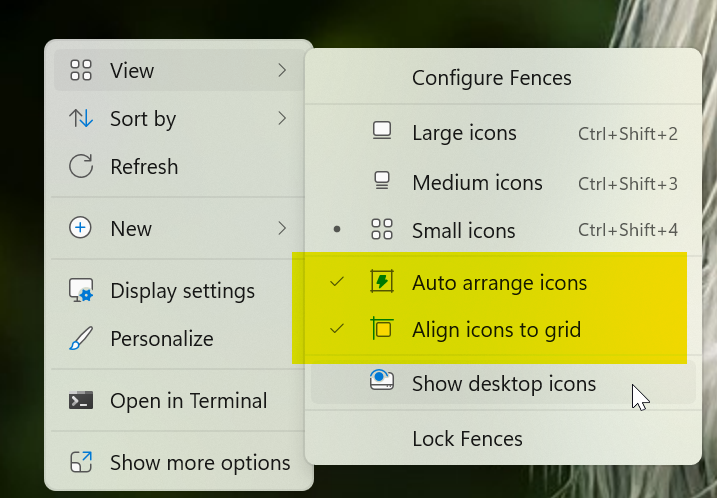
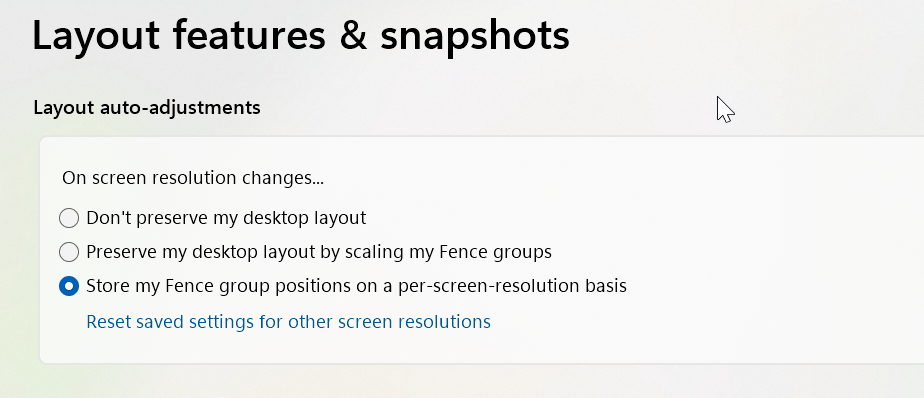
How do you (both) have these settings set?


Paul Scroggins
Associate Technical Support Analyst

Reply #32 Top

If you’ve been reading this you’ll know I’m trying to maintain a custom arrangement of my icons. They are aligned to grid. I think I have that sexond screenshot set up but I’ll double check when I get home. Where is that in the menu?

Reply #33 Top

Quoting MonkCanatella, reply 29

When the fuck is support going to address, jesus christ 
End of MonkCanatella's quote

One and only warning, MonkCanatella. Dial it down, please.

Sean Drohan
Stardock Product Lifecycle Manager

Reply #34 Top

Wow you guys are so fast to get mad when someone uses a bad word, but when your software is broken it takes 3 months. Amazing. Terrific. I created this topic 3 months ago BTW, talk to your support team to actually do their jobs

+1 Loading…
Reply #36 Top

Quoting MonkCanatella, reply 34

Wow you guys are so fast to get mad when someone uses a bad word, but when your software is broken it takes 3 months. Amazing. Terrific. I created this topic 3 months ago BTW, talk to your support team to actually do their jobs
End of MonkCanatella's quote

Quoting MonkCanatella, reply 35

Maybe hire a real technical support team instead of a FORUM. 
End of MonkCanatella's quote

I have refunded your purchases, MonkCanatella.

Sean Drohan
Stardock Product Lifecycle Manager


Reply #37 Top

@paulScroggins:
Both of the View options:
- "Auto Arrange Icons"
- "Align Icons to Grid"
are enabled while this issue was occurring.

Layout Adjustments is set to "Store my Fence group positions on a per resolution basis".

Reply #38 Top

Quoting czorn, reply 37

@paulScroggins:
Both of the View options:
- "Auto Arrange Icons"
- "Align Icons to Grid"
are enabled while this issue was occurring.

Layout Adjustments is set to "Store my Fence group positions on a per resolution basis".


End of czorn's quote

And do you have both of the issues the other person was mentioning? Icons changing order and Fences "resizing"?


Reply #39 Top
Quoting TPScroggins, reply 38

And do you have both of the issues the other person was mentioning? Icons changing order and Fences "resizing"?

End of TPScroggins's quote


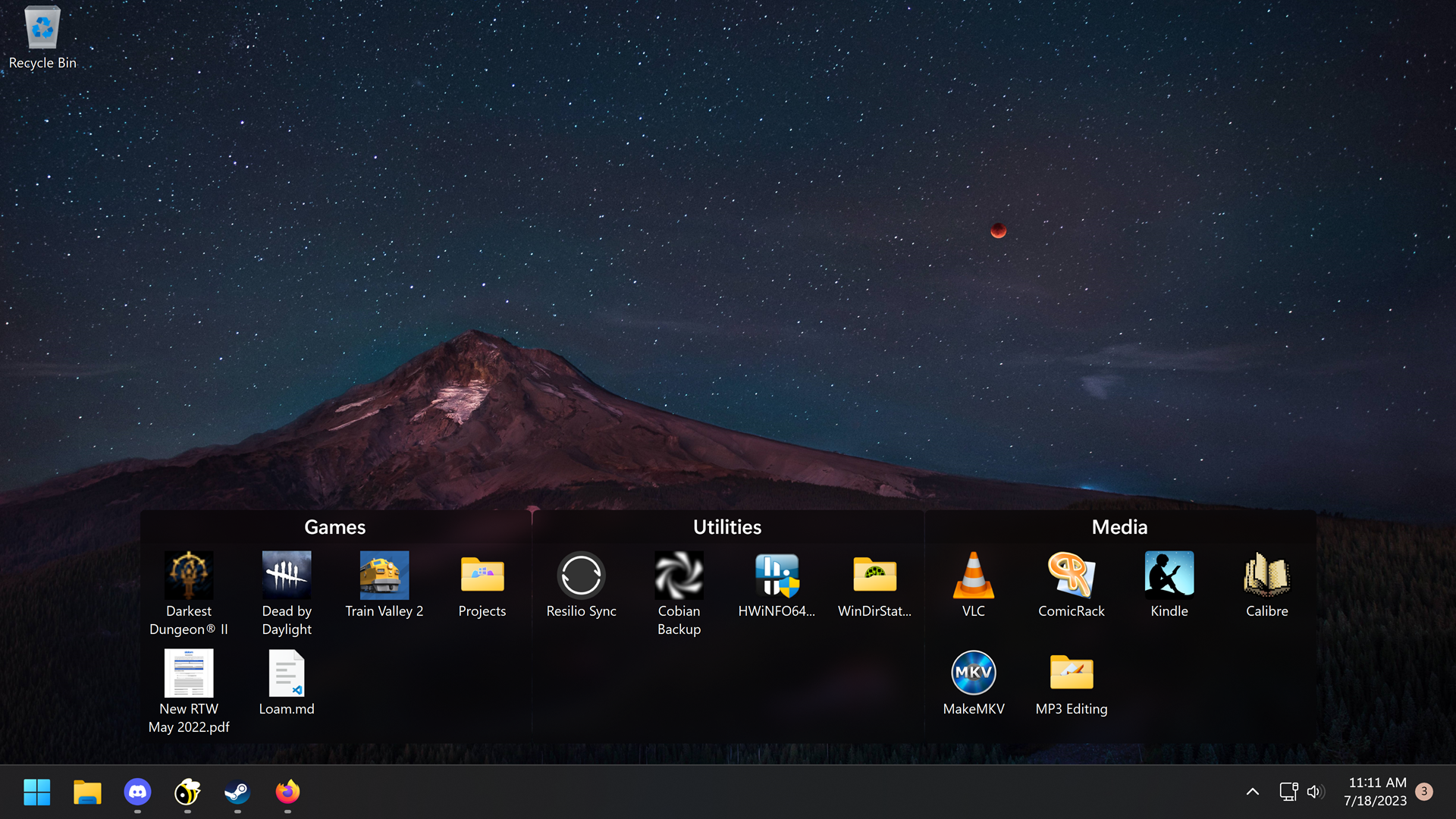
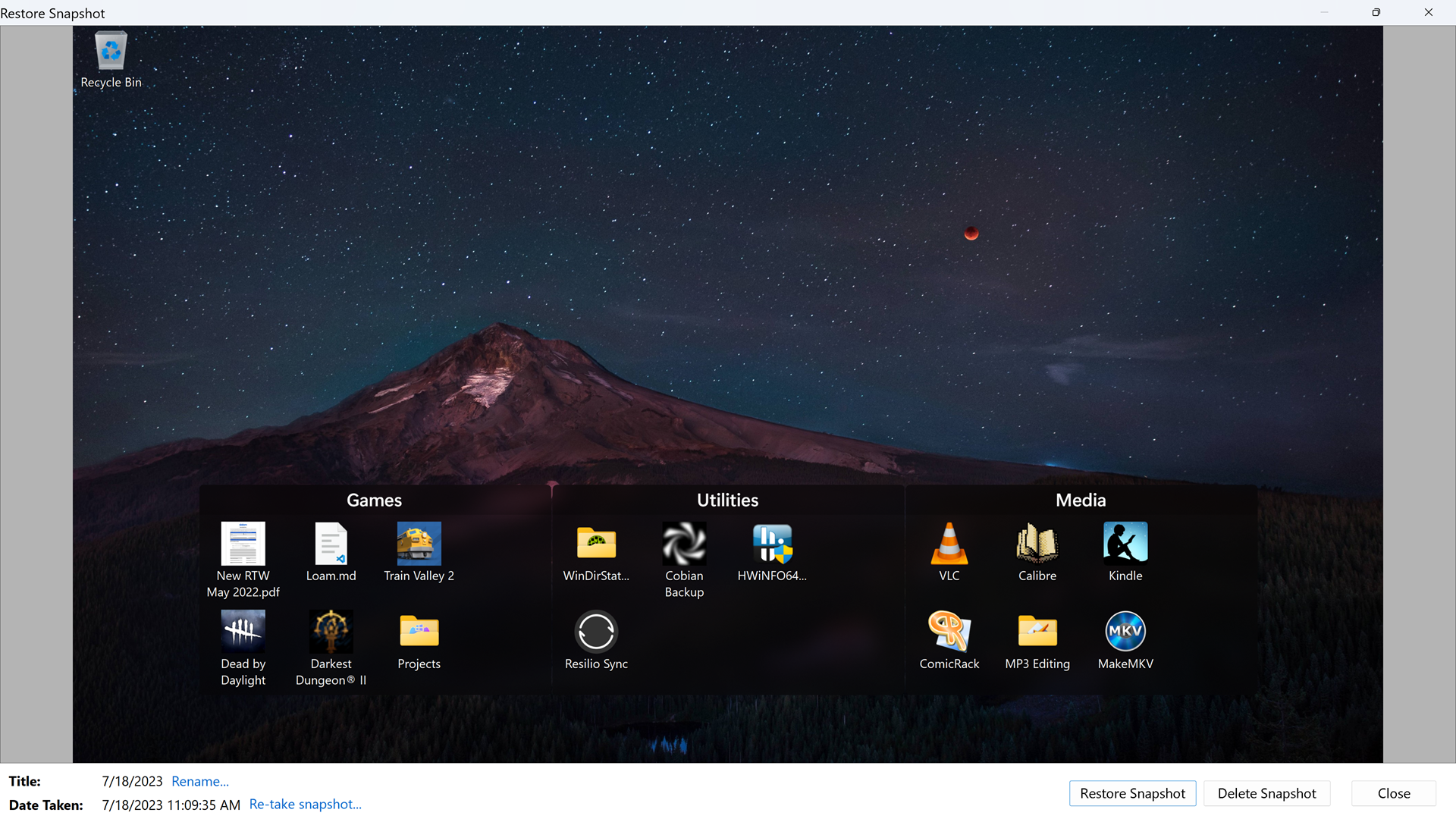
Yes I'm having the same issues. Images attached of the issue based on a snapshot from earlier today.

Expected (2x4 grids with 3px margins)
expected config

Actual (2x3; fence items shuffled arbitrarily):
actual

Reply #41 Top

I made this post as it was the only way to hide my email address as my handle.

I changed my handle in 'my contacts', but the code did not allow it to update it in real time here,

and I did not want my 'main' email showing.

I got an admin to set it up a few months ago & I never made a post since now.

I was going to quickly DM sdRohan, but he might crack the shits & do to me what he did to the other dude;

so I did not bother him.

So I decided the best course was to comment here & hopefully it would be seen by a kind-hearted person

who had the authority to make the changes before Dr. No came along (I am old, can't you tell by my syntax?)

But, when I did a short line here & hit enter, magic happened

BTW, another magic hapenned, I remembered how to do the above, so forget about the above, but,

I have another problem.  I like to put my icons down the bottom, but,

I am not allowed to place them next to each other all the time, it is like it is repelled; it 'bounces' to the next spot

https://i.imgur.com/C1MyU1P.jpg

Reply #42 Top

Quoting the666Unforgiven, reply 40

In reply to Reply #31

 I too would like to know where to find those settings, I have been through all the settings & did not find them
End of the666Unforgiven's quote

Hello,

The first one is by right click on your desktop. The screenshot is from Windows 11. If you on Windows 10 it should be a little different.

The second one is from you Fences configuration Windows->Layout & Snapping Tab.

Thank you,

Basj,
Stardock Community Assistant


Reply #43 Top

Quoting the666Unforgiven, reply 41

I am not allowed to place them next to each other all the time, it is like it is repelled; it 'bounces' to the next spot

https://i.imgur.com/C1MyU1P.jpg
End of the666Unforgiven's quote

Is the issue happened any where on your desktop? Or it only happened specifically at the bottom? It is best if you can post a video of the issue so we can understand it better.

Thank you,

Basj,
Stardock Community Assistant

Reply #44 Top

Cooee basj

Thank you for your answers

I have been trying to log into this website, but it has been so slow, it timed out for hours I fell asleep,

then I just restarted my comp, and she was back to normal.

It is a Windoze 10 machine and I found out how to do it.  I started to remember how to do it, that is why I tried to log back into this website to say so.

I did not even think about trying to try around different parts of the screen.  You were right, it right in other parts of the screen.  But I remember it doing this last year when I tried it previously.  Maybe that is why I just wrote here straight away instead of doing more investigating like usual.

That was an easy fix.  I just put the icons together in another part of the screen,

then drag it down to the bottom; problem solved.

Thanks basj

Reply #45 Top

Quoting the666Unforgiven, reply 41

I was going to quickly DM sdRohan, but he might crack the shits & do to me what he did to the other dude;

so I did not bother him.

So I decided the best course was to comment here & hopefully it would be seen by a kind-hearted person

who had the authority to make the changes before Dr. No came along (I am old, can't you tell by my syntax?)
End of the666Unforgiven's quote

Interesting....

There is one condition I have - don't be belligerent to staff that are trying to assist. The 'other dude' did this repeatedly so he was refunded and removed. 

That said, if anything is of a private nature, feel free to DM me anytime. 

Sean Drohan
Stardock Product Lifecycle Manager