Start11 trial version

whatsapp and telegram desktop notifications

hi, after installing start11 trial to try it, I noticed that the whatsapp and telegram desktop notifications on the windows taskbar no longer appear as badges even if they are all active in the notification settings, as soon as I uninstalled start11 the badge notifications on whatsapp reappeared , and after uninstalling and reinstalling telegram these notifications also reappeared, can you solve and fix this bug? otherwise I don't buy it

Thank you for reply

9,435 views 36 replies
Reply #1 Top

This should only be the case with the enhance taskbar option being enabled.

I believe this has been addressed (certainly for WhatsApp and probably Telegram too if the same root issue) in the current beta versions of Start11 (1.37 or higher)

Reply #2 Top

Well, I'm waiting for a new version (1.37 and higher) and then I'll try it, if the problem has been solved I can decide to buy it

Reply #3 Top

Hello,

I believe it is solved. Here a screenshot of it. I am on Start11 V1.37

Thanks
Basj,
Stardock Community Assistant.

Reply #4 Top

is it already available for download? because the version is not shown on the start11 home page, but only after installing it, and therefore I would not like to end up with the old version (1.36) and the problems it has already given me

Reply #5 Top

I believe, if you purchase Start11 now you will have option to download and install two version of Start11. 1.36 and 1.38 Beta.

Thank you,

Basj,
Stardock Community Assistant

Reply #6 Top

what a joke, it has already increased by one euro, up until the other week it cost 7 euros, now it costs 8 and hopefully forever, anyway, can you post the download of version 1.37 on the site?

I don't trust beta versions

another thing, maybe being able to also insert the option to center the time with respect to the date instead of positioning it on the right, would be even more flexible and user-oriented

Reply #7 Top

Quoting andrestart, reply 6

what a joke, it has already increased by one euro, up until the other week it cost 7 euros, now it costs 8 and hopefully forever, anyway, can you post the download of version 1.37 on the site?
End of andrestart's quote

The currency exchange rates vary all the time...Stardock isn't changing the price: The money market is.

Reply #8 Top

other two things:

1). in the settings of the right taskbar maybe being able to also insert the option to center the time with respect to the date instead of positioning it on the right, would be even more flexible and user-oriented

2). in the windows10 settings, in addition to the tiles, have you ever thought of making the corners of the windows square instead of round? of all windows, even the system ones

Reply #9 Top

Quoting andrestart, reply 6

I don't trust beta versions
End of andrestart's quote

Than, please wait until a none beta version is release.

Thank you,

Basj,
Stardock Community Assistant

Reply #10 Top

Quoting basj, reply 9


Quoting andrestart,

I don't trust beta versions


Than, please wait until a none beta version is release.

Thank you,

Basj,
Stardock Community Assistant

End of basj's quote

and after how long is it released and how do I know if it is not indicated on the site?

Reply #11 Top

There will usually be a pinned thread announcing new release in this forum section: https://forums.stardock.com/forum/1148

Thank you,

Basj,
Stardock Community Assistant


Reply #12 Top

Quoting basj, reply 11

There will usually be a pinned thread announcing new release in this forum section: https://forums.stardock.com/forum/1148

Thank you,

Basj,
Stardock Community Assistant

 
End of basj's quote

Thanks, but I would like to ask you two more things:


1). in the settings of the taskbar on the right maybe being able to insert the option to center the time with respect to the date instead of positioning it to the right, would be even more flexible and user-oriented, as well as inserting square icons in the windows 10 format

2). in the windows10 settings, besides the tiles, have you ever thought about making the corners of the windows square instead of round? of all windows, even system ones, that would be wonderful!!


Reply #13 Top
  1. That option is not available currently.
  2. The tiles and Startpanel design can be change using Stardock Windowblinds

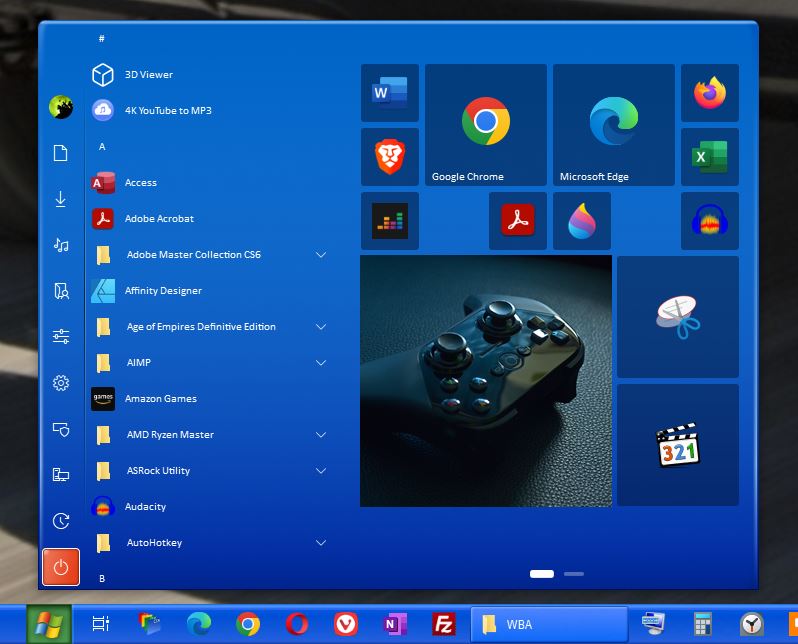
Here is a screenshot with Squarish Startpanel and Tiles : WB Style: Luna

Thank you,

Basj,
Stardock Community Assistant

Reply #14 Top

just installed version 1.38 which fixed the whatsapp notifications but there is no longer the possibility in windows 10 style to separate the only start menu from the centered apps as it was before, fix one thing and ruin another, too bad

Reply #15 Top

Can you post a screenshot on what issue you was referring to?

Thank you,

Basj,
Stardock Community Assistant

Reply #16 Top

start menu on the left bottom together with the apps:


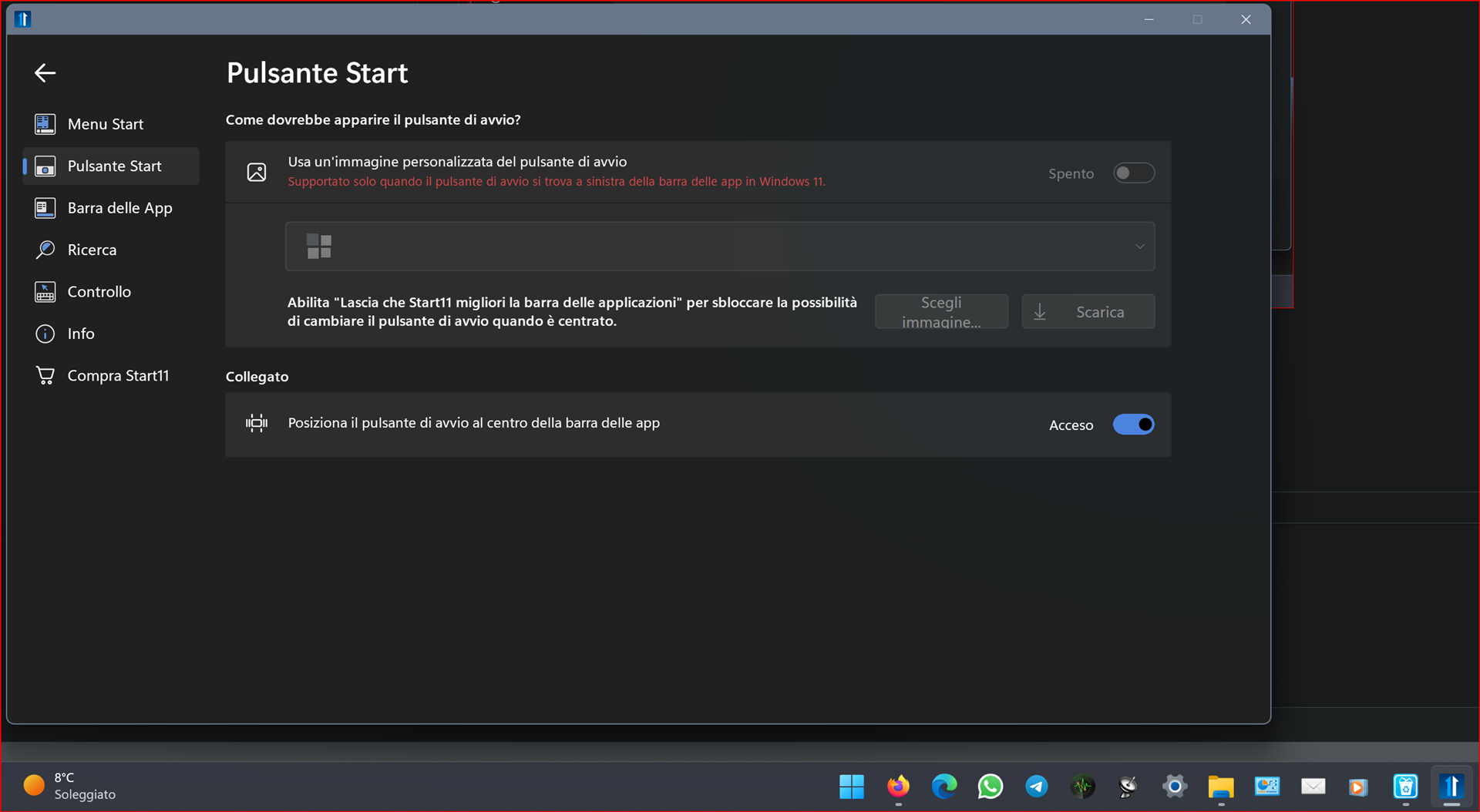
start menu in the center with the apps, but there is no longer the possibility to move it alone to the left and leave the apps in the center as in version 1.36, unfortunately there are only these two possibilities that already exist in windows11, so it would not make sense to install start11


if in the app bar menu I go to change appearance (see photos), the menu moves to the start button menu

Reply #17 Top

Strange, it work fine to me.

Thank you,

Basj,
Stardock Community Assistant

Reply #18 Top

if you who made the program don't know it, I really can't know why, until it's fixed I don't really buy it, I'm starting to think that I'm keeping windows 11 as it is and that's it

Reply #19 Top

I am not the creator of the program. I am just a user, like yourself. What I would like to suggest is. Try uninstall Start11, reboot immediately after uninstallation complete. Download the installer again. Reinstall it. Reboot again immediately after the installation. Retest it.

Thank you,

Basj,
Stardock Community Assistant

Reply #20 Top

I finally succeeded, I had to activate the item "let start11 improve the app bar" and then it also activated the menu on the left and the apps in the center, thank you basj for your help

Reply #21 Top

last discovered, eM Client notifications don't work, why don't you check in your start11 app why not all program notifications work?

Reply #22 Top

I did some tests and I discovered a wonderful thing for those like me who DO NOT like windows with rounded corners, install Start11 + Win11DisableOrRestoreRoundedCorners

(https://github.com/valinet/Win11DisableRoundedCorners/releases/download/1.0.0.3 /Win11DisableOrRestoreRoundedCorners.exe)

and you will see that this winning combination will bring back the windows10 style on most windows, unfortunately not all, the system windows remain rounded, but still it is already a big step forward

Reply #23 Top

Quoting andrestart, reply 21

last discovered, eM Client notifications don't work, why don't you check in your start11 app why not all program notifications work?
End of andrestart's quote

There should only be two types of notifications.  1) Standard windows notifications and 2) Universal app notifications which of course are different because well why not!

Type 2 were not being handled but are handled in 1.39 so I am unsure why eM Client wouldn't be working.  A screenshot of notifications when not using Start11 may be of use as perhaps they have chosen some horrible alternative solution.

Reply #24 Top

after trying it yesterday I bought start11, trying to insert a link to an app in the windows 7 menu, the same thing repeats in the modern style menu, the app does not display the icon even if it works fine, i tried in the properties of the link to change it by going to the path of the executable file, nothing to do, the icon remains white, how can it be changed?


Reply #25 Top

May I know how your pinned that shortcut to the startpanel? Also does restarting Explorer.exe or rebooting the system resolve the issue?

Thank you,

Basj,
Stardock Community Assistant