

Start11 issues with "run as administrator"
Windows 10 Start Menu
 Stardock Forums
System: Windows 11
Start Menu: Windows 10 Style
Issue 1:
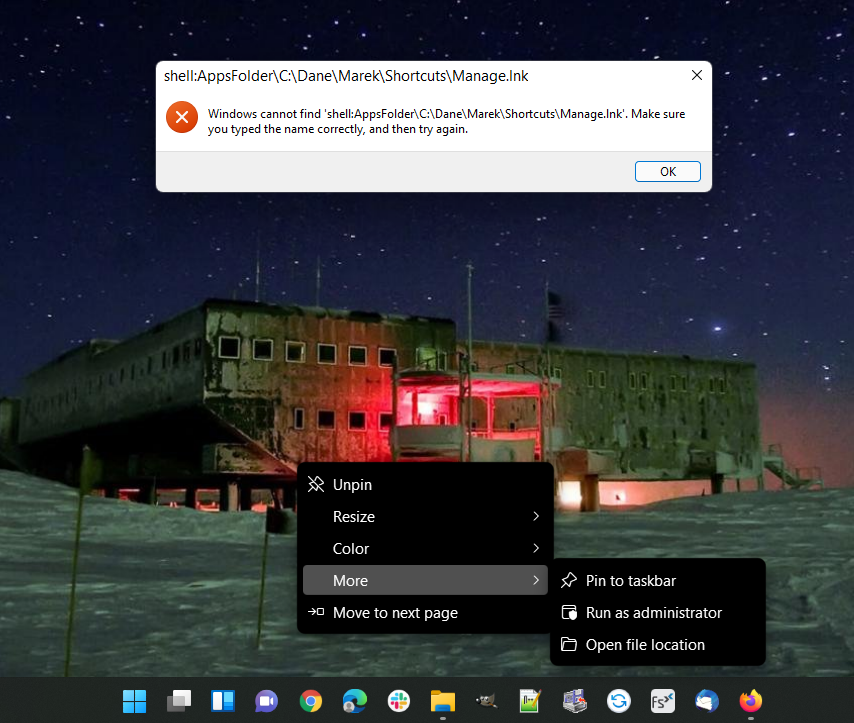
Start11 does not allow "run as administrator" tiles created from a link to an application. But can normally start the application from the same tile (without elevating credentials) - see the resulting message below. It does not matter what is the target application. But if the tile is linked to the executable of the applications (.exe, .msc etc) it works ok. And it seems to happen if you configure Start11 with "Windows 10 Style" only.
Issue 2:
If you "run as administrator" a legitimate tile (not being created from a link), but you do not proceed with elevation (click "No" istead of providing the admin password), Start11 crashes randomly with killing the Explorer at the same time. The Task Bar is "restarted" and first click on the Start icon starts standard Windows 11 Start Menu. But next starts again the Start11 Start Menu.
Cheers
Marek
