Help with issue

Update software

Dear, have a good day, please help me if you can in order to solve this issue.

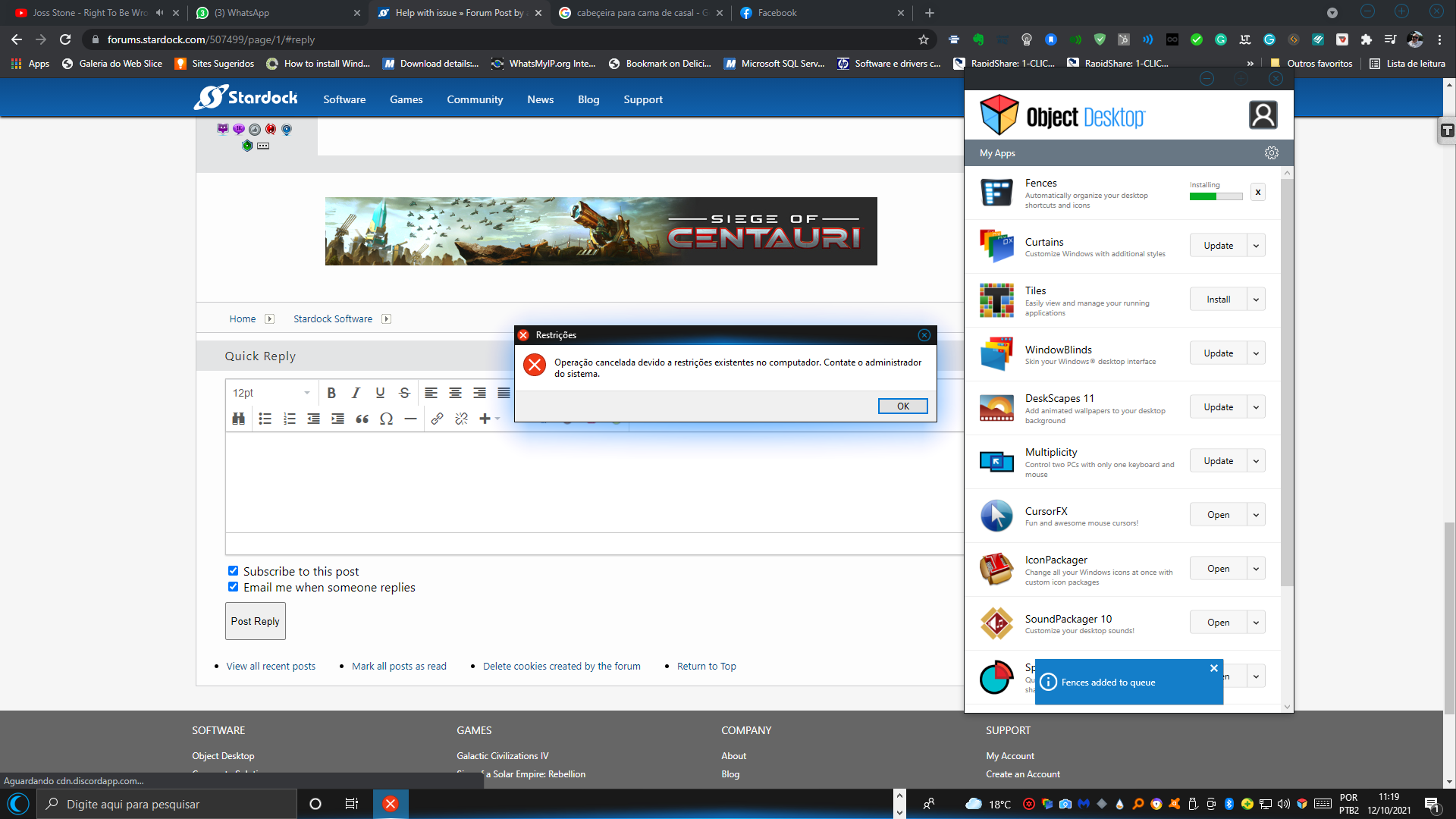
I'm trying to also automatically update software packages from the object desktop also from manually and the system informs that can't update from a restriction in the operating system.

In order to solve this question, I have already installed all available updates from Microsoft Windows, disable antivirus temporally, promote my account to the Administration, but without success.

Someone already has this question? Someone can Help me?

Waiting for your return, 

Best Regards,

Alessander.


PS: My Operating System Is:


Nome do dispositivo DESKTOP-VAKTFSA

Processador Intel(R) Core(TM) i3-7100U CPU @ 2.40GHz   2.40 GHz

RAM instalada 12,0 GB (utilizável: 11,9 GB)

Tipo de sistema Sistema operacional de 64 bits, processador baseado em x64

Edição Windows 10 Home Single Language

Versão 20H2

Instalado em ‎11/‎08/‎2021

Compilação do SO 19042.1237

Experiência Windows Feature Experience Pack 120.2212.3530.0


1,940 views 5 replies
Reply #1 Top

Hello,
Sorry to hear you are having issues. Not really sure what is your issue. Do you have issue installing software come with Object Desktop? If so you can use this guide on how to download software and get the licenses key : https://forums.stardock.com/484254/getting-your-products-and-keys.

Try that, let us know if you still need assistance.

Thanks
Basj,
Stardock Community Assistant.

Reply #2 Top

Hello Basj, good day, unhappy I have a misconfiguration in order to update Star dock Software products, also from Object Desktop, also manually.

I simply can't update software programs. When I try to install software, an error happens that can't update from a restriction in the operating system.

Can you help me?

Thanks in advance.

Reply #3 Top

What error popup. Can you post a screenshot of the error?

Thank you,

Basj,
Stardock Community Assistant

Reply #5 Top

Than you can try to download and install all software directly from your account as mention in that guide I post above : https://store.stardock.com/myaccount/products

Thank you,

Basj,
Stardock Community Assistant