Fences and icons dissapeared

Ive just bought this software and was happily organising my desktop and all the fences ive created (and in fairness the auto created ones) dissapeared with the exception of one fence and three icons.  Its not a case of the double click a blank space and they dissappear and reappear they have just gone - im using Windows 10.  If i go to windows explorer and click on the desktop folder everything is still in there it just that nothing shows on the desktop itself apart from the aforementioned one fence and three icons.  Any idea how to get them back?

1,687 views 3 replies
Reply #1 Top

Hello,

Sorry to hear you are having issues.

Double check with right-click on desktop to View

scroll down to Lock Fences if it's checked uncheck it

then double click on desktop and see if your fences return 

Report back here results , please .

Also you have an option to restore Fences from a Snapshot in the app.


AzDude
Stardock Community Assistant

Reply #2 Top

I rebooted my machine and they all appeared apart from one icon which when i tried to recopy to the desktop it stated it was a duplicate but the original wasnt showing anywhere - i went into the desktop folder in windows explorer and the icon showed there but not on the actual desktop - i deleted it out of the folder and then copied it back from its file location to the desktop and it appeared.

Reply #3 Top

Hello,
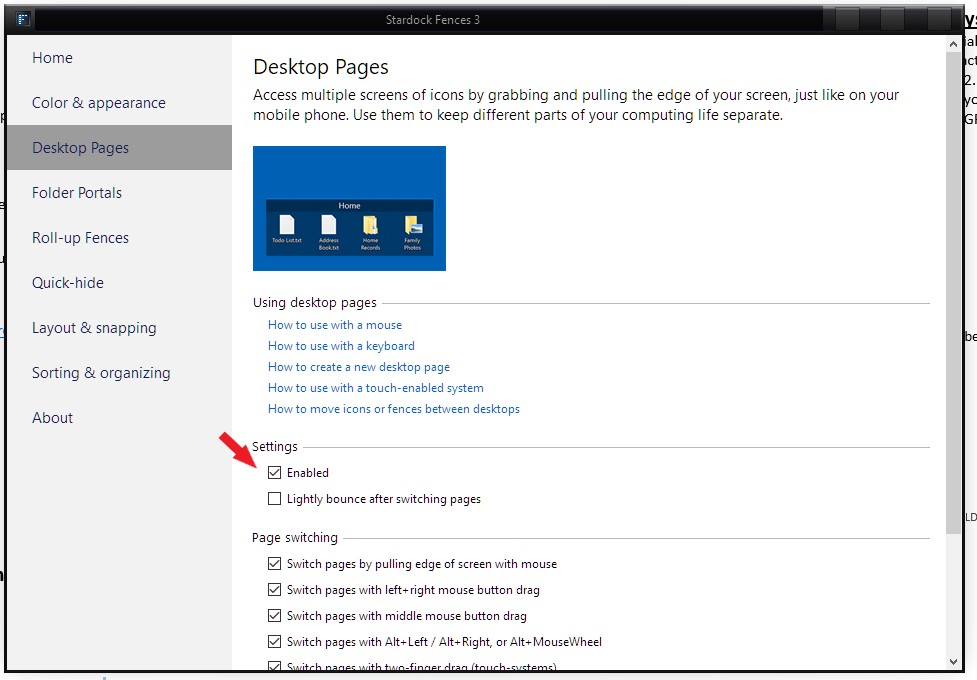
Sorry to hear you are having issues. Maybe you have accidentally send them to another Fences desktop page. You can try disable Fences Desktop Pages and see if it return. Or you can try learn how to navigate Fences Desktop Pages.

Thanks
Basj,
Stardock Community Assistant.