
Too many activations and product activation error

I have been using Multiplicity since 2005 with no problems. Today I had to rearrange my desk which means making my primary as my secondary and vice-versa.  Unfortunately, when I tried to make my secondary my primary it asked for my license info which I entered.  At first, it threw an odd error, and then when I tried again, it said I had too many activations.   I visited your forums and followed the instructions for deactivation but none of those steps worked.  I then purchased another license and entered that info (different email address) and got this error:
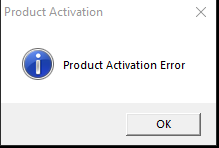
I can provide both my keys if needed.  I really need this to work! 
2,784 views 5 replies
Reply #1 Top

Hello,

Sorry to hear you are having issues.

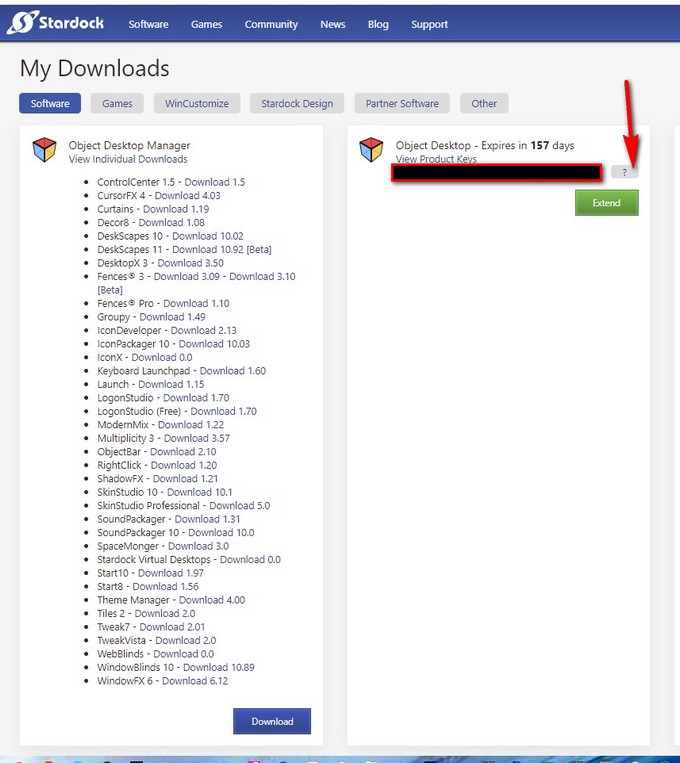
Try this Go to you my downloads page https://store.stardock.com/myaccount/products/

and click on the ( ? ) mark if you don't have OD then click on the stand alone app ?

either way delete all those activations for that app then reboot . Now re activate using that

new Key for primary and the other key for secondary using the email you bought the Lic. with.

see if that works for you 

see image below 


AzDude
Stardock Community Assistant

Reply #3 Top

Hello,
Sorry to hear you are having issues. If there is none please raise a support ticket using the link below and Support will help you from there.

https://stardock.atlassian.net/servicedesk/customer/portal/4

Do note, that, Stardock is currently under Summer Vacation, so support might be slow. Appreciate your patience.

Thanks
Basj,
Stardock Community Assistant.

Reply #5 Top

Great, glad to know you get it sorted out.

Thank you,

Basj,
Stardock Community Assistant
