Start10 - Background Colors: What Switches to Set?

New User a Bit Lost

Hi,

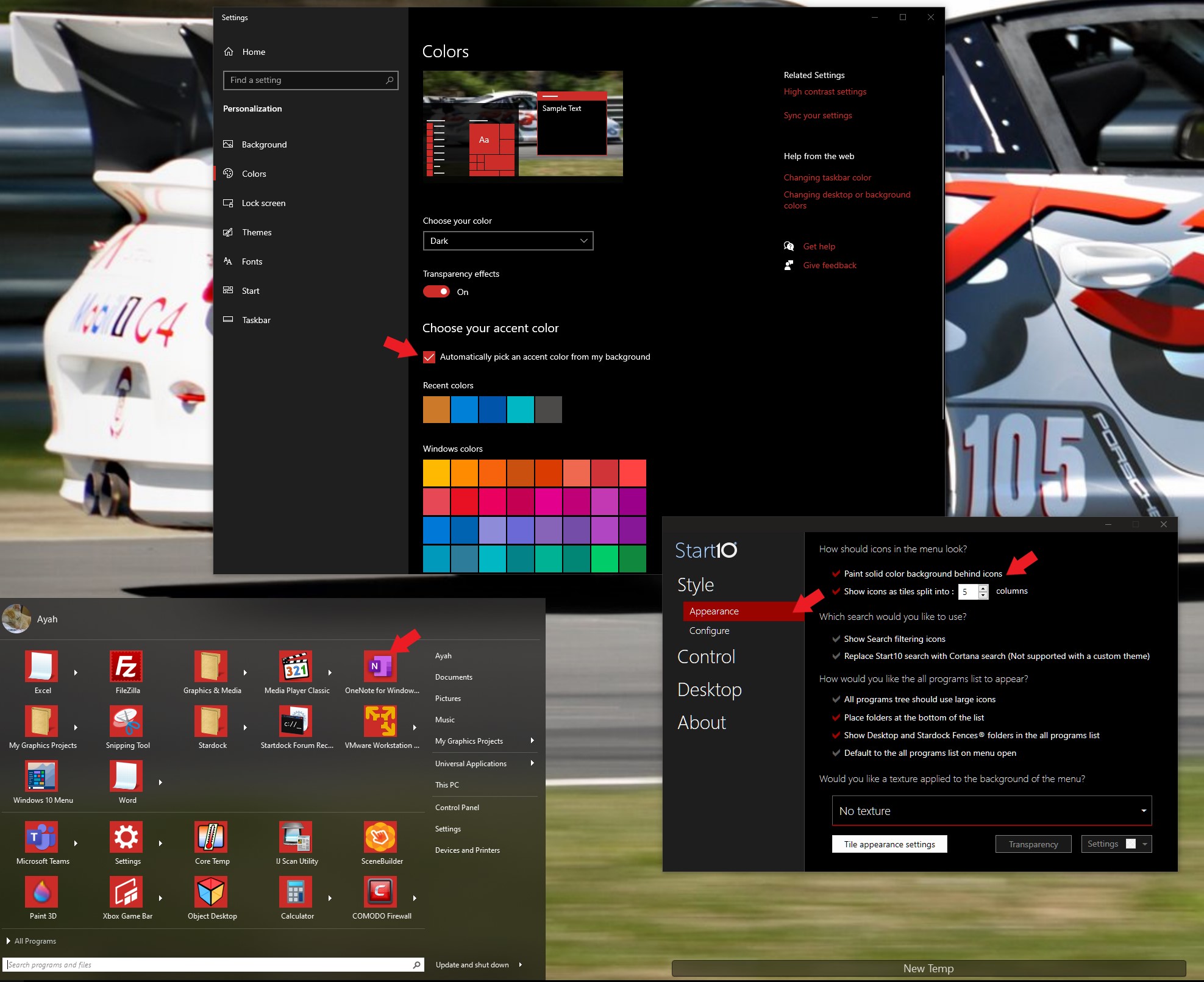
Seems like there are several places for defining background colors in Start 10, but I can't get things to work.

I'm hoping for something really simple.  Right now there's blue behind each icon, and blue, too, when moused over.

What combination of settings do I need to switch to get the color behind the icons to match the overall background color?

So, in this image, from the upper to the lower: https://ibb.co/hBpCyC6

Sincerely,

PliBinderSling
3,575 views 7 replies
Reply #1 Top

Hello,
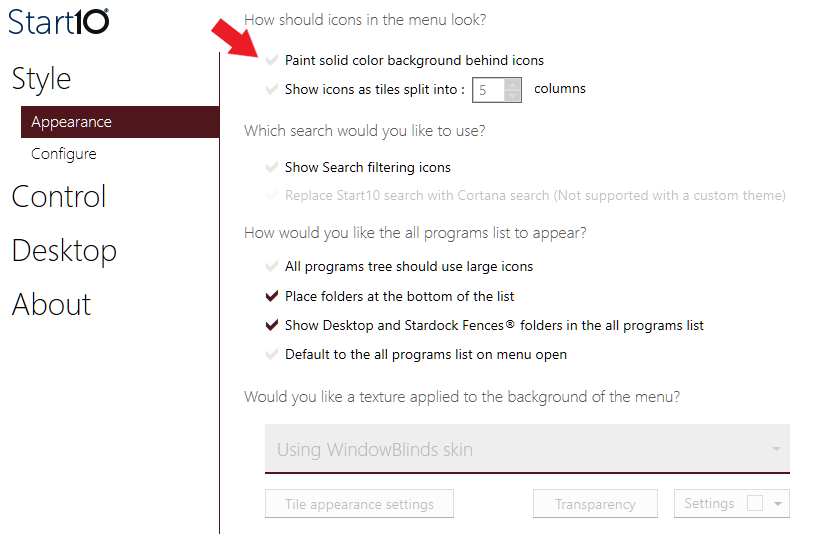
If you mean the "Paint solid color background behind icons" that will follow your accent color. If you set it your Windows 10 Personalization->colos-> and pick "Automatically pick an accent color from your background" that will make is change following your desktop wallpaper.


Basj,
Stardock Community Assistant.

Reply #2 Top

Hi Basj,

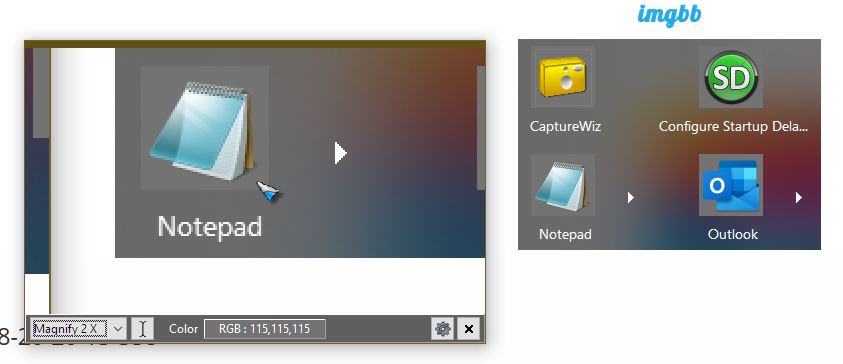
Thanks!  That's got me juuuuuuust about there.  I went with RGB 115, 115, 115.  Here's what I see now - still a halo of the color, as the background itself seems blurred and so is unmatchable.    

What do you think is happening?  https://ibb.co/n81CScT


Sincerely,

Plin


Reply #3 Top

That look as what you set them to be. It look different because the color around it different but look at my zoom tool and the mouse is pointing at 115,115,115.. I got the same value when it move the mouse over that gray area around outlook. It look more prominent since the background it is darker.

Thank you,

Basj,
Stardock Community Assistant

Reply #5 Top

What do you mean by "bring me back to defaults"? If you do not need that background behind icons, you just need to disable it in Start10 Configuration->Appearance.

Thank you,

Basj,
Stardock Community Assistant

Reply #7 Top

Great, glad to help. :thumbsup:  

Thank you,

Basj,
Stardock Community Assistant