System icon (recycle bin) disappears on mouse over

The recycle bin disappears on mouse over with Fences. Disinstalling Fences the icon works.

It seems it is a compatibility issue.

Please help.

Thanx,

Antonio
 

2,746 views 8 replies
Reply #1 Top

Hello,
Sorry to hear you are having issues. Need more information.

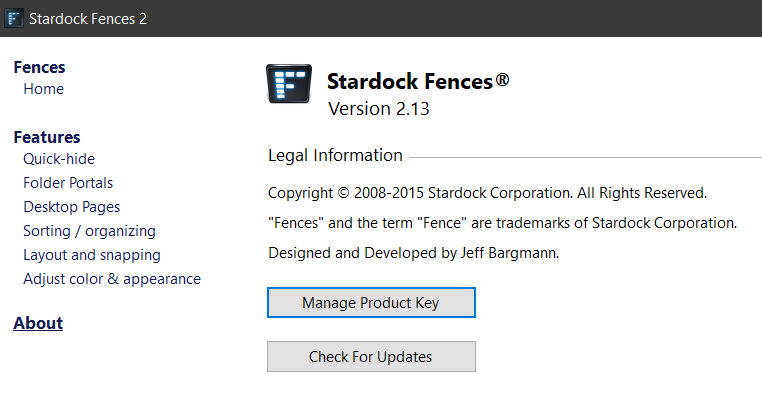
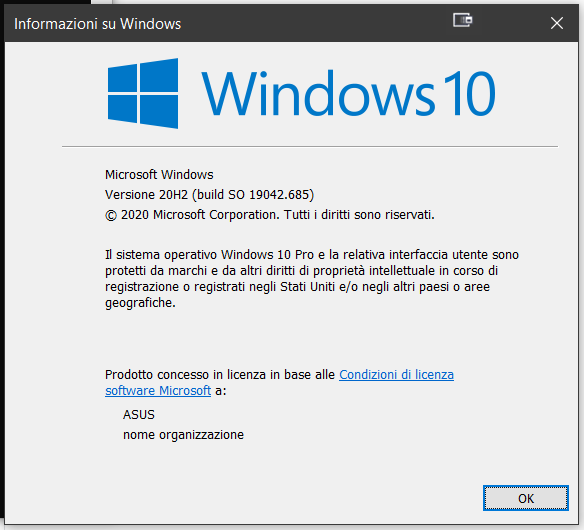
  1. Windows version, please use Winver.exe for full Windows version numbers.
  2. Fences version.
  3. Few screenshot or video on the issue and post it or link it here.

Thanks
Basj,
Stardock Community Assistant.

Reply #2 Top


Description. As the video is not possible.

With Fences working (active) on the desktop, the Recycle Bin icon is not visible on the desktop. I press F5 and the icon comes back. Once I move the mouse on the icon the icon disapears.

I disinstall Fences and the Recycle Bin appears and works as usual.

I install Fences again and the Recycle Bin disappears.

This since yesterday and I haven't updated or installed any software. Microsoft says there is an incompatibility between Fences and Windows10.

Please help. I love Fences and don't want to disinstall for ever.

Tank you for your support.

Bests,

Antonio


Reply #3 Top

It might be because newest Windows 10 no longer fully compatible with Fences v2. It is best to upgrade to Fences v3.x

Thank you,

Basj,
Stardock Community Assistant

Reply #4 Top

Thank you Basj for your ereply. Can you give me the link tu upgrade to version 3 please? Will my licence work with it?
Bests,

Antonio


Reply #5 Top

Basj,

I found that my licence code is not valid for Fence3 so I bought it. But still the icon DOES NOT appear on the desktop.

Now please I urge you to help me on this matter.

FYI this is my new Please don't post license keys on the forum

Looking forward to reding you soon.

Thank you for your help.

Bests,

Antonio

Reply #6 Top

Hello,

Sorry to hear you are having issues.

Try this link to get product and key use email that you used to buy product

Link https://forums.stardock.com/484254/getting-your-products-and-keys

Your account downloads https://store.stardock.com/myaccount/products/


AzDude
Stardock Community Assistant

Reply #7 Top

Thank you AzDude and Basj but the icon isn't there.

I paid the new licence and it's not there.

Can you please help me and fix this issue please?

Thank you,

Antonio


Reply #8 Top

Please try purge and reinstall steps as mentioned here: https://forums.stardock.com/486084/fences-support-faq#reinstalling Just make sure to redownload the latest Fences V3 from your account. Reboot after the purged. Reinstall only the version 3, and Reboot again after the installation. Retest it. Report back here.

Thank you,

Basj,
Stardock Community Assistant