Fences has disapearwd

Operating system: Windows 10
ALL Fences have disappeared leaving just one file on my desktop. If I then double-click on free-space that one single file disappears too!!! By double clicking on free-space I can just make that one single file appear and disappear unlike the usual Fences response...all my Fences are gone..! This is not good news - my entire Fences desk top filing system has gone!
I look forward to receiving your help to recover my Fences desktop...


 KEEP WELL, STAY SAFE!!


 John in Cambridge England! 
 

1,239 views 3 replies
Reply #1 Top

Hello,
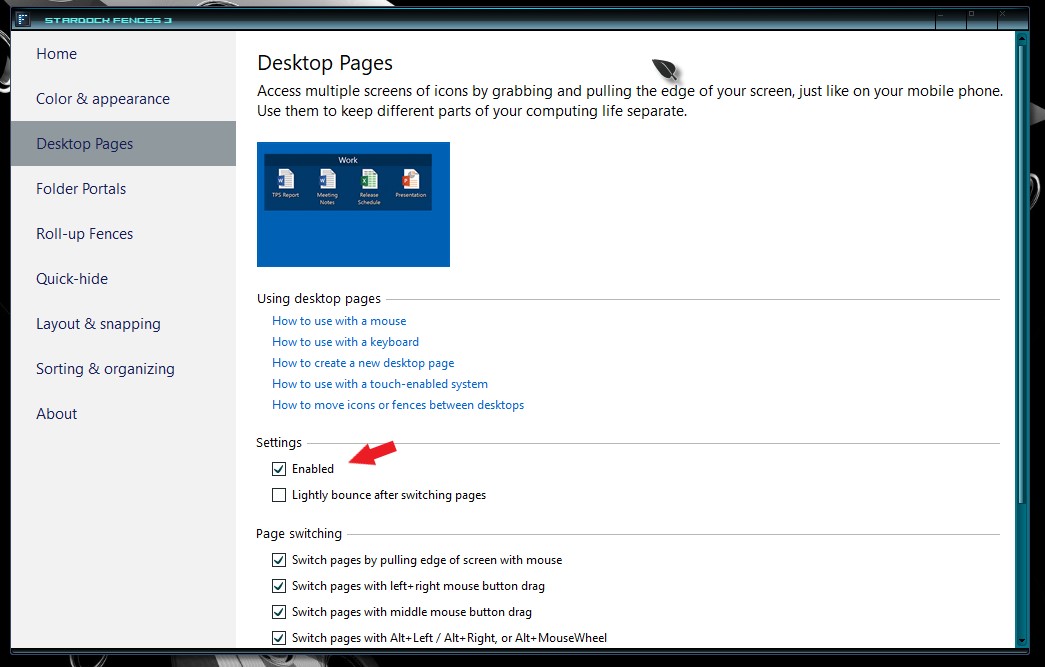
Sorry to hear you are having issues. Usually, this is because you have accidentally moved your Fences into another Fences Desktop page. Please try to learn how to use Fences Desktop or if you wish you can disable Fences desktop, this should bring back your Fences to Main Desktop.

Try it and report back.

Thanks
Basj,
Stardock Community Assistant.

Reply #2 Top

Thank you for this! You say my Fences disappeared "because you have accidentally moved your Fences into another Fences Desktop page." The question is then, how do I move back between Fences Desktops??

I love Fences and have used it for many years and I'm super happy with it?! Unfortunately I suffer from MS and I "know" that I did something strange to make my Fences disappear... I had a "MS twitch" (an uncontrollable jerky hand motion) and my Fences were gone... Are you are telling me that this "jerk" of my mouse took me to another Fences Desktop...? I'm sorry not to know about "Fences Desktops", so please, can you explain how to move between Fences Desktops and how I recover my Fences desktop - THANK YOU! John & Pele (my assistance dog and the best dog in the world!)    

Reply #3 Top

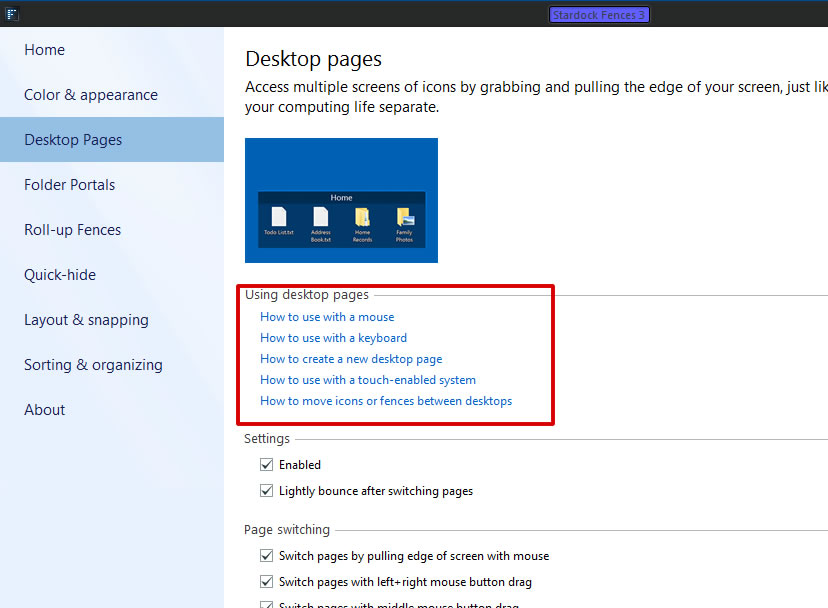
You can learn how to use Fences Desktop pages by clicking on those listed items in that red box.

Thank you,

Basj,
Stardock Community Assistant