Outlook 365 Desktop Issues

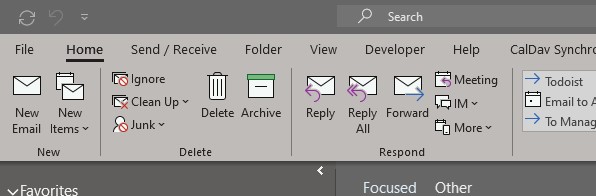
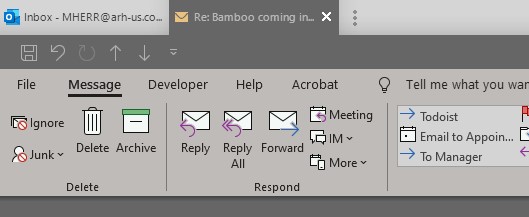
I ham having what seems to be a newer problem with the Outlook 365 desktop program. I am running Windows 10. Whenever I open a message, it groups to the main program. I am fine with this, and it is what I prefer. The problem is that when I go to click on the tab for the main program, the menu bar drops down and I cannot click back on the message. The only way to select the opened message is to go down to the task bar and click on the icon.

I had to exclude Outlook from Groupy for the time being.

Are there any known issues with this behavior?
2,657 views 5 replies
Reply #1 Top

Hello,
Sorry to hear you are having issues. But not really sure on this one.

The problem is that when I go to click on the tab for the main program, the menu bar drops down and I cannot click back on the message.
End of quote

Could you please post a screenshot on this issue. I can't seem to recreate it on my screen.

And also please provide information on these :

1) Windows 10 version numbers. Please use Winver.exe for full Windows version numbers.

2) Groupy Versions


Basj,
Stardock Community Assistant.

Reply #2 Top

Windows version is 1909 (OS Build 18363.657)

Groupy version is 1.32

I uploaded a few screen shots. I tried to record a video with the Windows Game Bar but once I start using Outlook the recording stops. Can't figure out why.


Not sure the images do the problem justice.

If I have more than one message grouped with the main tab, I can click the message tabs with no problems. Once I click the main tab, I lose the ability to click the message tabs. The second image is what happens after I click the main tab.

Reply #3 Top

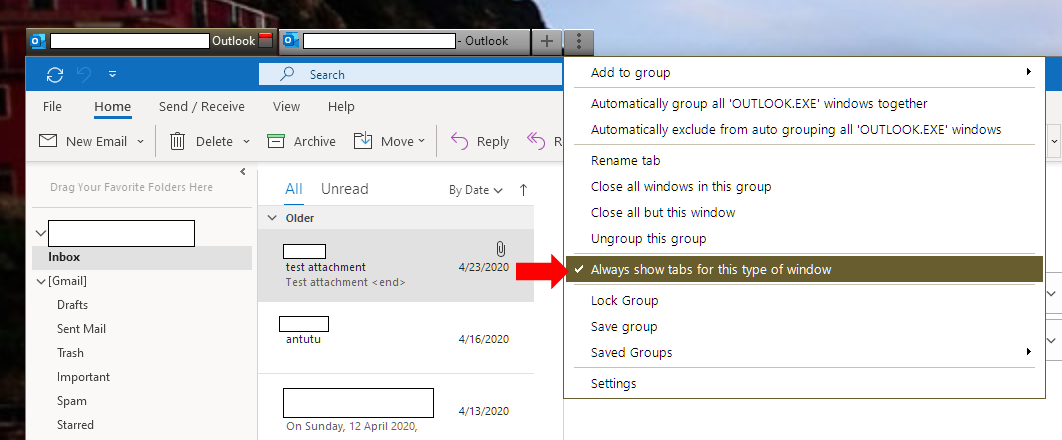
Please select Always show tabs for this type of Windows and see if it helps.

Thank you,

Basj,
Stardock Community Assistant

Reply #4 Top

That seems to have done the trick. Thanks. That might be the only program where the setting was not selected by default.

Reply #5 Top

Great, glad it get solved.

Thank you,

Basj,
Stardock Community Assistant