
Error when trying to run the original Windows 11 Menu after installing Start11 on a Windows ARM64 machine

Windows Version Number: Windows11 Pro 26H1 on ARM64
App Version: Start11 2.81 (ARM64)

Have a new Windows 11 Pro laptop running 26H1 on ARM64 hardware.

I installed Start11 2.81 (ARM64) with no problem. Everything works are expected EXCEPT:

When trying to launch the native Windows Menu app. See pic below:
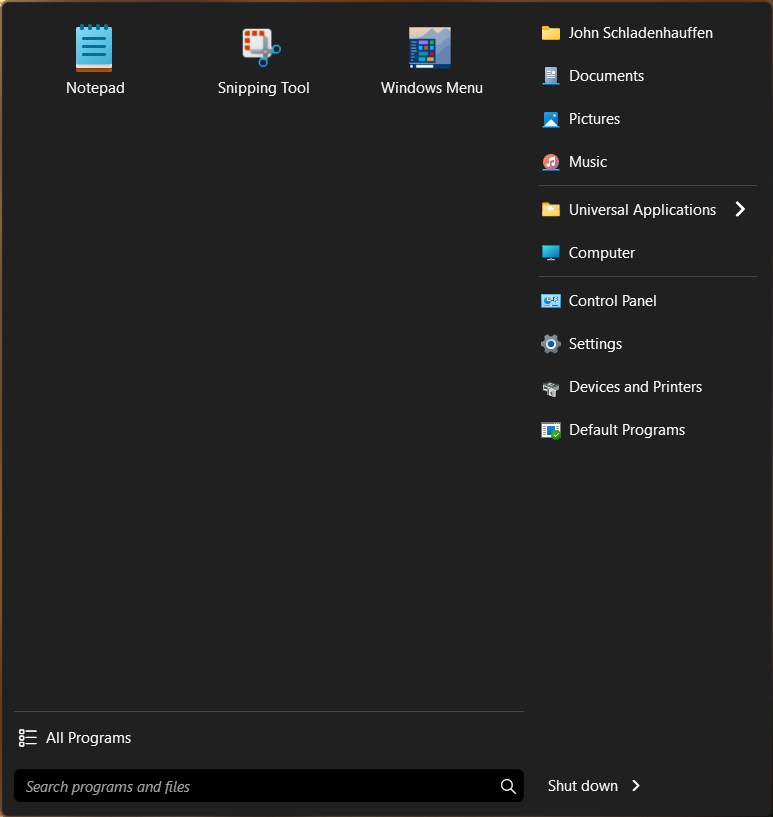
 

The link to the executable that Start11 created is this:

"C:\Program Files (x86)\Stardock\Start11\Start10.exe" Metro

When executed it fails. As you know Start10.exe is not a native ARM app so when this runs you will get this error:
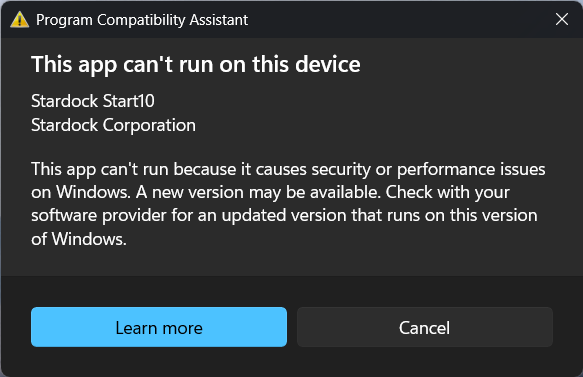
1) So first off this is a defect that needs to be fixed.

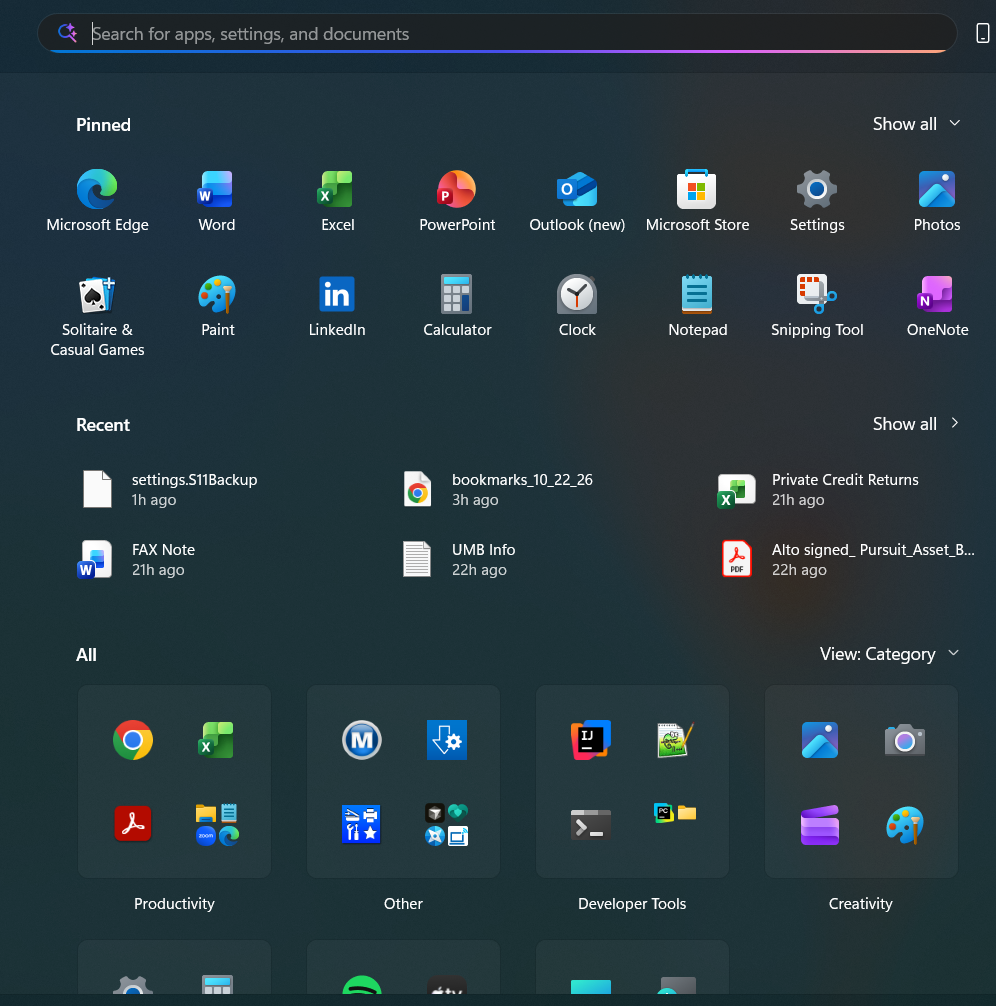
2) Is there a workaround where I can run the old Windows Menu app that looks like this while you fix this defect:
269 views 3 replies
Reply #1 Top

Perhaps it might be due to a borked install. Try uninstalling, rebooting immediately and downloading Start11 ARM version, reinstalling and rebooting immediately (important). Then report back, please.

Reply #2 Top

Ah here's the defect:

The current Start11 v2 installer creates this link:

"C:\Program Files (x86)\Stardock\Start11\Start10.exe" Metro

Just looked at my Windows 11 x64 Start11 v2 link and it has:

"C:\Program Files (x86)\Stardock\Start11\Start11.exe" Metro

I updated the link to run Start11.exe and it works as expected.

Thanks


Can someone from Stardock reproduce this, log a defect for this and fix this please.

Reply #3 Top

Hello,
Sorry to hear you are having issues. I have forwarded your problem/question to Stardock Support Team for their assistance. Please keep an eye on this thread for any updates. We appreciate your feedback and patience. Thank you.

Basj,
Stardock Community Assistant.