Start11 2.8x W11 latest windows updates (~10/19) primary monitor vertical taskbar all icons shifted off the taskbar

Windows Version Number: Windows 11 Enterprise Version 25H2 Installed OS build 26200.9711
App Version: 2.81

After Windows11 updates ~10/19 (might be a few days delayed from MS due to IT)

Windows 11 Enterprise Version 25H2 Installed OS build 26200.9711

Start 11: 2.81

Same settings I've been using for over a year, the vertical right taskbar on primary monitor and bottom task bar on additional monitors.  Enhanced on, resize on.  (even same if resize off)

I couldn't find a similar topic to this yet.  If there is a mod can merge?

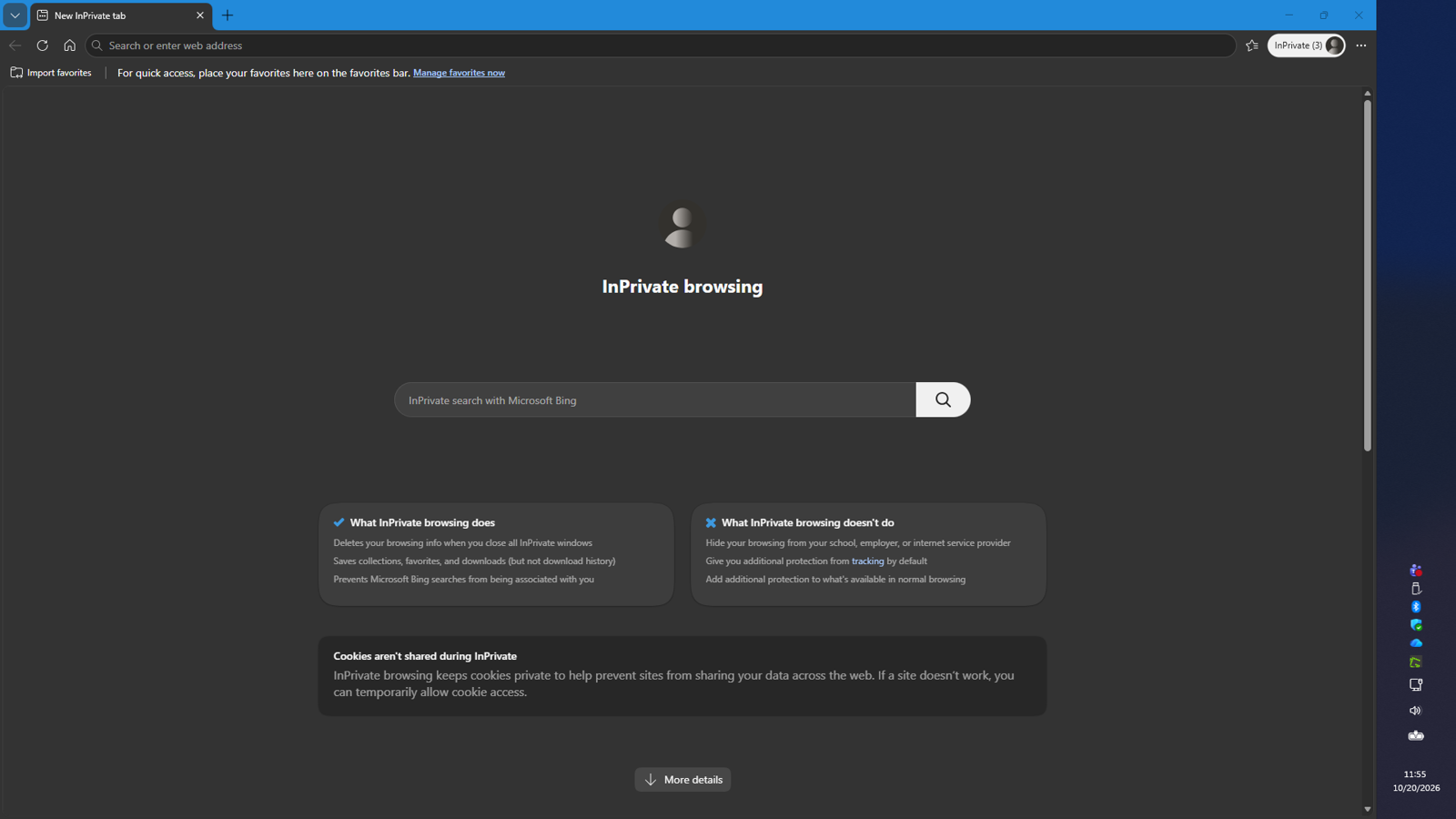
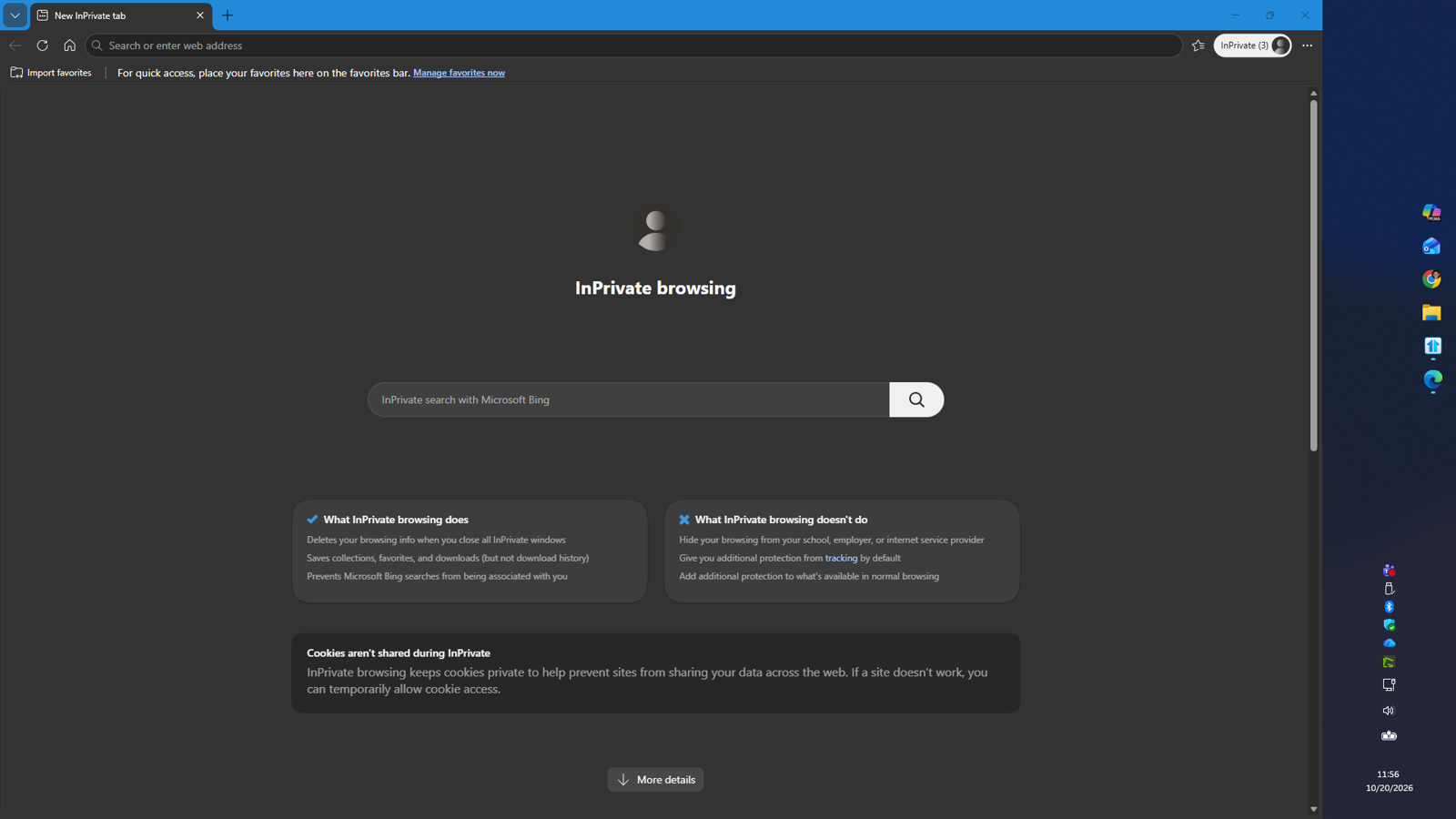
After the windows update, the vertical taskbar is empty, but if you interact with where the Windows button and pinned apps are supposed to be, they do interact.  When resizing to extremely wide, you can see that they have floated over into weird space.

Tried reverting to using W11 default vertical taskbar option but then Start11 does not let me override to put the taskbars at the bottom for the extra monitors.  Need this specific setup to maximize 1080 primary and 1080/1200 extra monitors space usage.

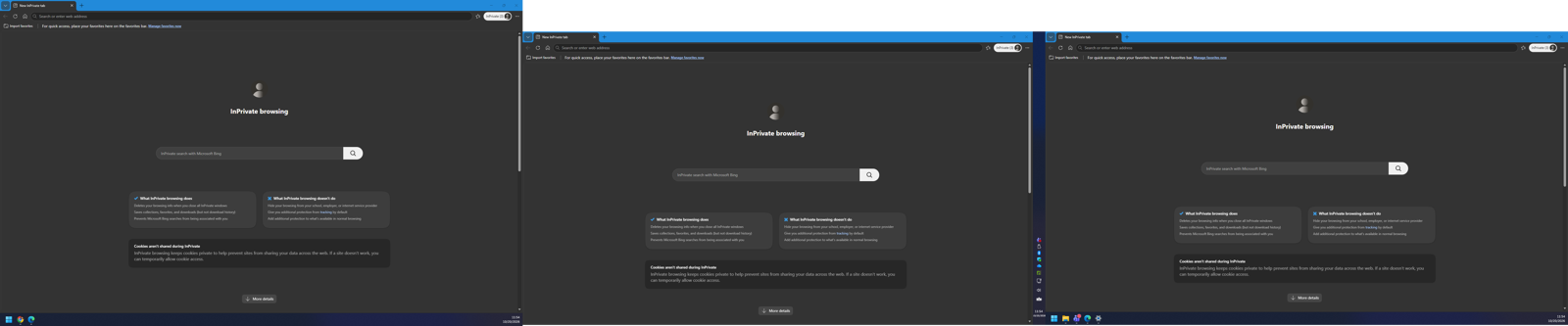
Example whole layout:  (worked fine for over a year, sometimes 2x 1200s and sometimes 1x 1200 + 1x 1080 secondary monitors)
Primary: Resizing the taskbar a little wider:
resizing it really bigger:

 

4,005 views 5 replies
Reply #1 Top

Hello,

Sorry to hear you're experiencing this issue.

There have been a few reports of unusual behavior when using a vertically aligned taskbar. It's possible that the issue began after Windows reintroduced native support for vertical taskbars.

As a troubleshooting step, could you try using the Windows native vertical taskbar option while setting the Start11 taskbar position to the bottom? This will help determine whether the issue is related to the vertical taskbar configuration and may help resolve the problem.

Please let us know the results.

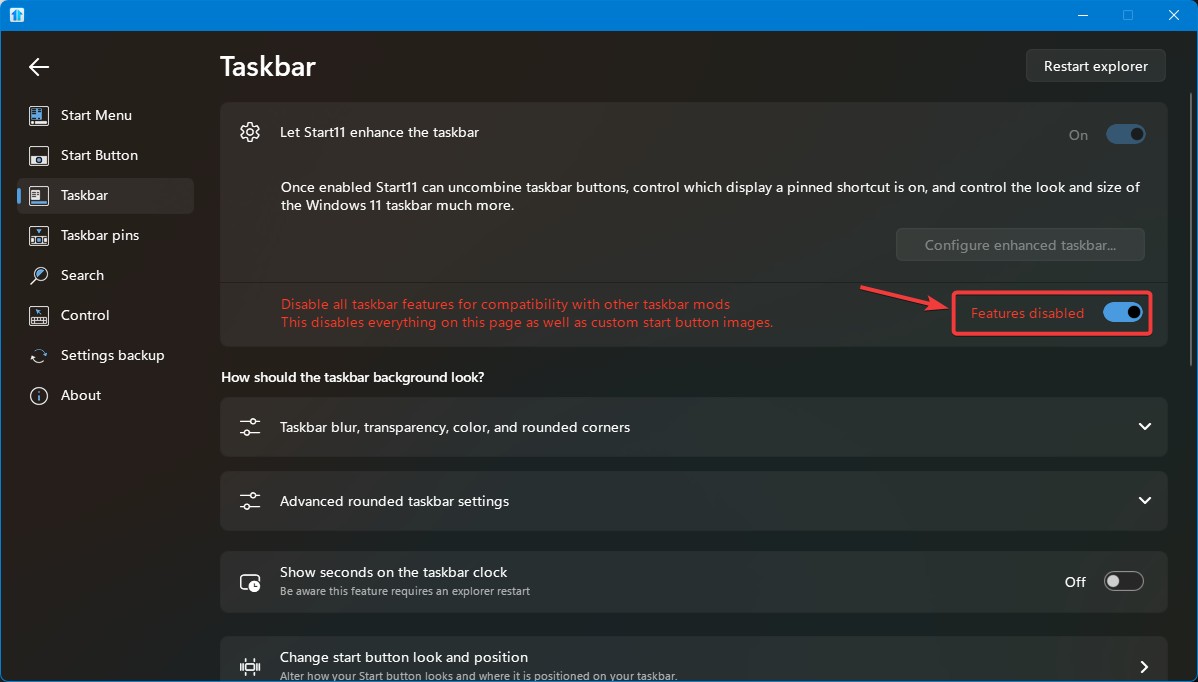
Added note: You would also need to turn on "Disable all taskbar features for compatibility...." in Start11->Taskbar setting for Windows 11 to take back control on its taskbar.

Thank you,
Basj,
Stardock Community Assistant.

Reply #2 Top

Following you directions:

Starting condition:  W11 taskbar setting: Right Side Vertical

Then add: S11 taskbar setting: Bottom

Results: Not able to resize taskbar.  Taskbar is stacked completely unusable on all 3 monitors.  (This screenshot is the primary monitor taskbar, none of the apps or tray icons available of which at this time there should be about 10.)

Next step: Go to enhanced taskbar settings: change resize and vertical center options:  No Change.

Next step: Change S11 taskbar setting to align Right for primary and align bottom on secondary:

Result: back to my original screenshot.  Note that when explorer restarts at this change, the W11 taskbar setting reverts back to Bottom without me doing it.

Additional Tests:

S11 taskbar setting: Let window control:   Taskbar looks like W11 settings (all 4 options) taskbar on all 3 monitors.

S11 align bottom, change W11 setting > taskbar looks like new screenshot on left or right mode, bottom mode as normal, W11 Top appears like bottom (does not move to the top)  Top/Bottom mix is possible after explorer restart only with W11 setting defaulting back to bottom with S11 as top/bottom.

S11 align Primary: right, align secondary left (or vice versa).  the primary monitor looks like my original screenshot.  The secondary monitor(s) respect the config option and are functionally correct ( resize and centering option works) Continued note that W11 always reverts to bottom setting during any time explorer restarts.

Clicking on W11 behavior (trying to change bottom to left/right/top) during S11 in enhanced right/left side mode causes temporary artifacting where the bottom taskbar should be that disappears in ~1.5 seconds.

Reply #3 Top

Have tried this setting? You need to turn off Start11 control on taskbar so Windows 11 taskbar have it control back.

Thank you,

Basj,
Stardock Community Assistant

Reply #4 Top

Sure if I do this native W11 functionality works fine and no settings from S11 apply.   That's what I already described above.  I'm giving you extra information even about how it behaves if you read it.  I currently have a choice to either disable or enable S11 features, it works OK either way except only the vertical taskbar through S11.  (means everything else, smart hiding, transparency, all seems to work)

Turning off S11 mode is worthless to me and anyone else complaining about this bug.  The whole reason to have S11 is because I don't want all my taskbars to behave the same way according to MS.  In that case we could just uninstall and be stuck with less efficient desktop space.

Reply #5 Top

Understood, I have forwarded your problem/question to Stardock Support Team for their assistance. Please keep an eye on this thread for any updates. We appreciate your feedback and patience. Thank you.

Basj,
Stardock Community Assistant