
How can I re-enable the Groupy 2 hover bar for a specific app?

Hello,

I'm using Groupy 2 on Windows 11.

I previously selected the option "Do not show hover bar when ungrouped for this app" for certain applications. I would now like to reverse that choice, but I cannot find a way to re-enable the hover bar for those applications.

The global option to show the Groupy hover bar for ungrouped windows is already enabled. The bar works correctly with other applications, but it no longer appears for Cursor and Windows File Explorer.

I checked the registry key:

HKEY_CURRENT_USER\SOFTWARE\Stardock\Groupy\Groupy.ini\Groupy\ExcludeUnGroupedBar

However, neither Cursor nor Explorer is listed there.

I also tried uninstalling Groupy 2, removing its settings during uninstallation, and reinstalling it, but the behavior remains unchanged.

Is there a way to reset the "Do not show hover bar when ungrouped for this app" setting for a specific application?

Thank you for your help!
602 views 11 replies
Reply #1 Top

Hello,
Sorry to hear you are having issues. I know there is feature to "Do not paint a tab when only one tab exist", (found it at "tab appearance->Advance tab settings->") but, that apply to all applications. Not really sure if that can be applied to specific application only. If you did it, how did you do it, I need to try to reproduce it.

Thank you,
Basj,
Stardock Community Assistant.

Reply #3 Top

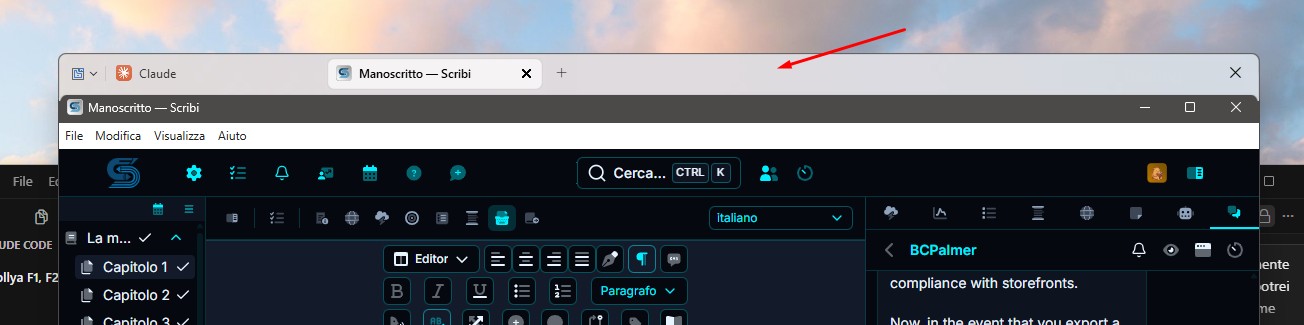
Not really sure what you're trying to show with your screenshot. Please elaborate.

Thank you,

Basj,
Stardock Community Assistant

Reply #4 Top

Hi Basj,

The issue is not with the screenshot itself. I'm trying to restore a Groupy 2 feature that I accidentally disabled.

I selected the option "Do not show hover bar when ungrouped for this app" for Windows File Explorer.

Since then, the hover bar no longer appears for File Explorer windows, and I cannot find any setting in Groupy 2 to reverse that choice.

I've already tried reinstalling Groupy 2 and resetting its settings, but the hover bar still does not appear.

My question is simple: How can I undo the "Do not show hover bar when ungrouped for this app" setting and restore the hover bar for File Explorer?

I'm using Groupy 2.3.1.1.

Thank you.

Reply #5 Top

Hello,
I have forwarded your problem/question to Stardock Support Team for their assistance. Please keep an eye on this thread for any updates. We appreciate your feedback and patience. Thank you.

Basj,
Stardock Community Assistant

Reply #7 Top

You could try checking the Groupy 2 application-specific settings or resetting the configuration for Cursor and File Explorer. Since the global hover bar option is already enabled, the issue may be caused by a per-application exclusion setting stored somewhere other than the registry key you checked. You could also contact Stardock Support to ask whether there is a way to clear this setting for specific applications without resetting all Groupy preferences.

Reply #8 Top

Thank you for your reply.

However, I find your response rather disappointing, as it does not provide a concrete solution to the issue I reported.

In a previous message, Basj explicitly stated:
"I have forwarded your problem/question to Stardock Support Team for their assistance. Please keep an eye on this thread for any updates."
I was therefore under the impression that my issue had already been escalated to Stardock Support.
Now I am being advised to contact Stardock Support myself, which is precisely what I understood had already been done.

Regarding the technical issue, I have already checked the global hover bar settings, investigated the relevant registry configuration, and attempted a complete reinstallation of Groupy 2. None of these steps resolved the problem.

The issue began after selecting "Do not show hover bar when ungrouped for this app" for specific applications, including Cursor and Windows File Explorer. There appears to be no accessible way to reverse this selection.

You mentioned that the exclusion might be stored somewhere other than the registry key I checked. If that is the case, I would appreciate a precise technical answer:

Where does Groupy 2 store these application-specific exclusions, and what is the correct procedure to remove them without resetting all other preferences?

If this information is not available to the community support team, please escalate the issue to the actual Groupy 2 development or technical support team, as I was previously told would happen.
I am not asking for general troubleshooting suggestions. I am asking how to reverse a setting provided by Groupy 2 itself.
Thank you for your attention. I look forward to a concrete technical response.

Reply #9 Top

Hello,
Sorry for the slow respond. Perhaps Support was busy with new version released. I have forwarded your problem/question again to Stardock Support Team for their assistance. Please keep an eye on this thread for any updates. We appreciate your feedback and patience. Thank you.

Basj,
Stardock Community Assistant

Reply #10 Top

Hello Basj,

I find this latest response unacceptable.
You previously informed me that my issue had been forwarded to the Stardock Support Team. After waiting for assistance, I am now being told that Support may have been busy with a new version release and that my request has been forwarded again.

Being busy is not an acceptable explanation for repeatedly failing to provide technical assistance to a paying customer.

I am a long-standing Stardock customer. Over the years, I have purchased six Stardock products, and I am currently considering Groupy 2 as my seventh purchase.
After supporting your company for years, I expect to be treated with professionalism and respect, not repeatedly asked to wait without any meaningful progress.
Releasing new versions and managing internal workloads are Stardock's responsibilities. Customers should not have to bear the consequences of those priorities. If your support team is busy, Stardock needs to allocate the necessary resources to provide proper customer assistance.
Furthermore, my technical question is neither vague nor unreasonable.
Groupy 2 provides an option called "Do not show hover bar when ungrouped for this app". After selecting it for applications such as Cursor and Windows File Explorer, I cannot find any way to reverse that setting.
I have already investigated the relevant settings and registry entries and attempted a complete reinstallation.

All I am asking is where Groupy 2 stores this application-specific exclusion and how to remove it.

This should be a straightforward question for the people who develop and support the software.
I am not willing to continue receiving generic replies or repeated assurances that my request has been forwarded.
If Stardock cannot provide proper technical support for its own products, I will seriously reconsider future purchases and share my experience through detailed, negative customer reviews on Trustpilot and other relevant platforms.
This is not how a company should treat a loyal customer who has supported its products for years.
I expect a concrete technical response from someone qualified to address the issue, rather than another message asking me to wait.

Regards

Reply #11 Top

Hello mooner73,

Thank you for taking the time to share your concerns so clearly. I understand your frustration, especially given your long history as a Stardock customer and the effort you’ve already put into troubleshooting this issue.

To clarify my role: I act as a point of contact between customers and Stardock’s Support and Development teams. I don’t have direct access to internal schedules or technical details, but I do make sure your requests/concern are forwarded to the right team. Your question about the application‑specific exclusion in Groupy 2 has been passed along again for review.

I realize that waiting without a concrete answer is disappointing, and I want to assure you that your feedback is being taken seriously. While I cannot provide the technical details myself, I’ve emphasized to the Support team that your case requires a qualified response rather than another generic update.

I appreciate your patience and your continued support of Stardock products. Your loyalty and feedback are valued, and I will continue to follow up internally until a proper technical answer is provided.

Best regards, 

Basj,
Stardock Community Assistant