Installation Issues

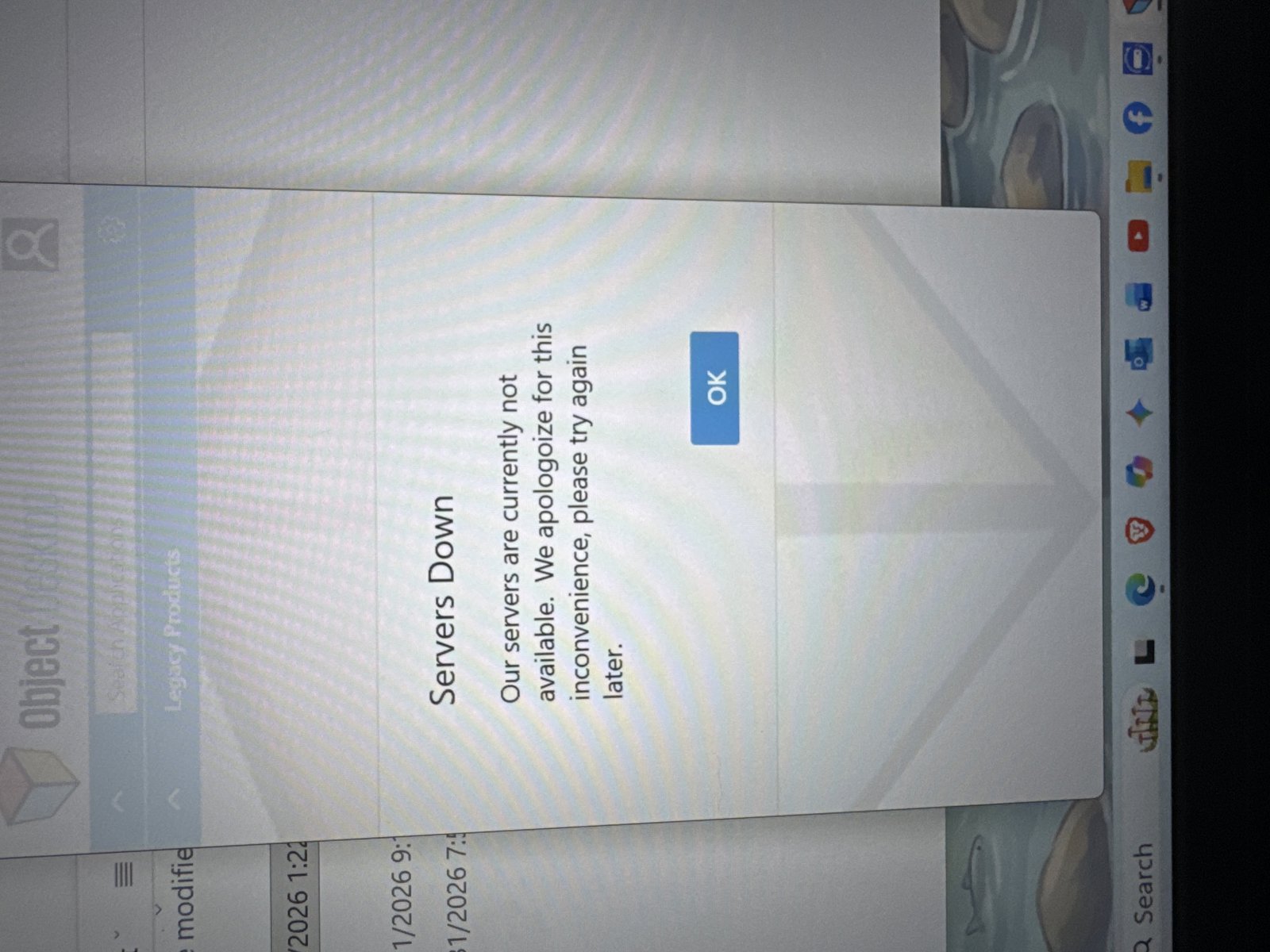
Server Unavailable

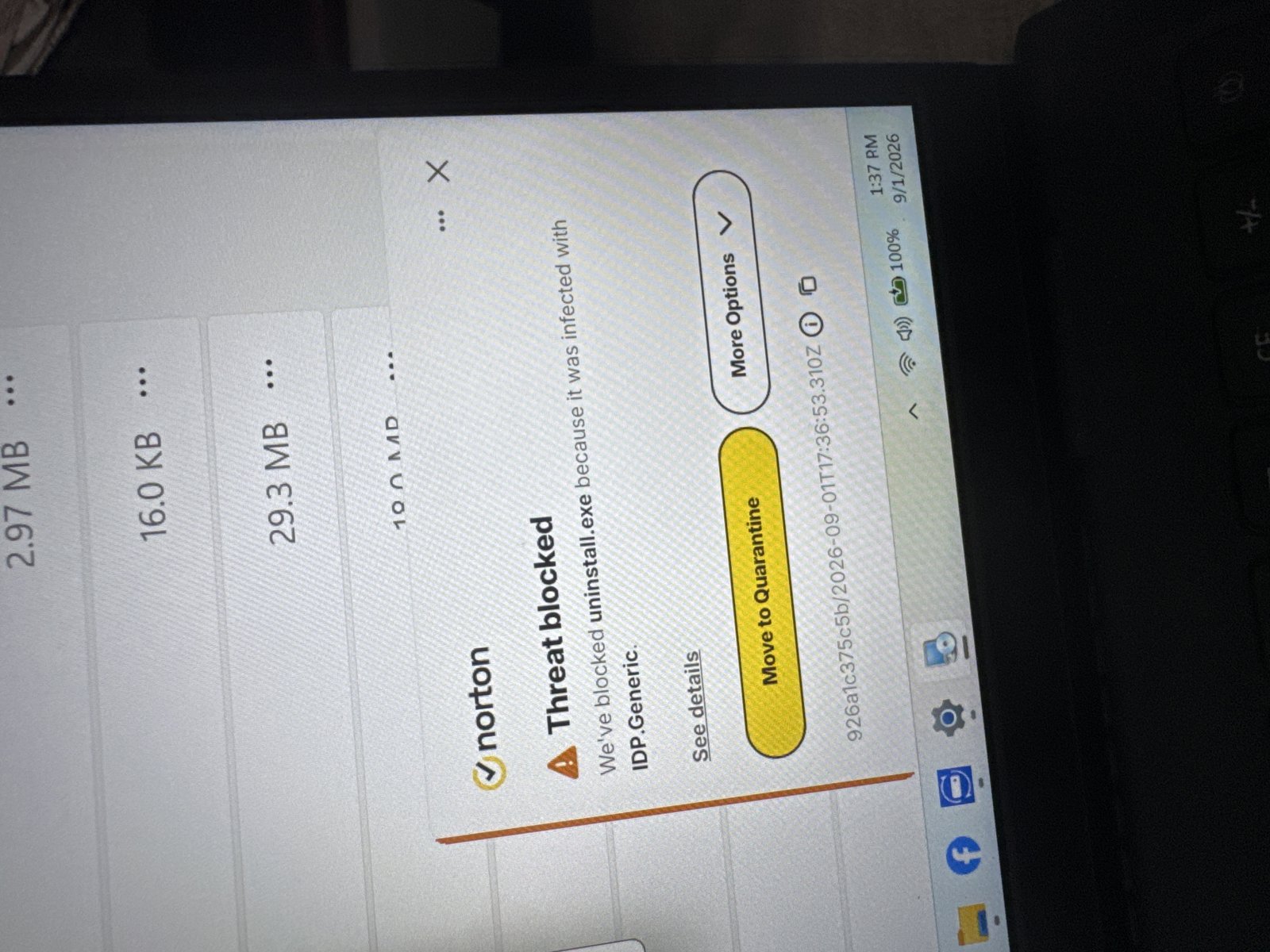
Thank you for the pre-purchase support I received earlier. I purchase object dock, but every-time I attempted to install on my girlfriend’s laptop or mine I get the response that the servers are down. I’ve tried multiple times in the last 3 hours, but was unsuccessful. I also got notified by Norton when trying to uninstall that the uninstall is infected with IDP.Generic. I’m not really sure where to go from as both laptops are responding identically to the attempted install and uninstall. Thank you.  
162 views 5 replies
Reply #1 Top

Hello,

Sorry to hear you are having issues. Sometimes the server does have issue, please download directly from your account page: https://store.stardock.com/myaccount/products. With regard on the Norton detection, If the installer downloaded directly from Stardock. I believe we can safely consider that as false positive.

Thank you,

Basj,

Stardock Community  Assistant.

Reply #2 Top

Hello and thank you again my friend for the awesome support. 

I managed to do a work around by going to the download page and selecting the trial download of each software product that came with my purchase. I then just entered the password for object desktop for each individual software and everything turned out fine. 

I really didn’t have any success with objectdesktop connecting to the server, but this worked out for me just fine. 

Thank you again for all of your kind support. It’s totally an honor for me to have received such great assistance! 

Very respectfully, 

Reply #3 Top

Hello,

I’m really glad to hear that you found a workaround and got everything installed successfully. It’s great that entering your Object Desktop credentials directly for each product worked out smoothly for you.

Thank you as well for your kind words, it truly means a lot.

Just curious, did you ever get to your account product download page by using the link I shared earlier? That should be the way without going via the "downloading the trial" route.

Very respectfully,

Basj,

Stardock Community  Assistant

Reply #4 Top

Good morning Basj,

Thank you for working so hard to help and for providing the link. I had tried that page before as well, but was still encountering a server error for object desktop. The page would never show the individual programs for object desktop. 

However, I noticed after my recent purchase of icon packager, that program alone now seems to have appeared on my account page. 

I should mention before making the work around work, I had to download object dock first before heading off to the 30 day trial download for each program, otherwise it wouldn’t recognize my program code. 

Your guidance has been really helpful and greatly appreciated. Thank you for sticking along throughout the issue and working so hard to find an answer! 

Very respectfully,

Jeff

Reply #5 Top

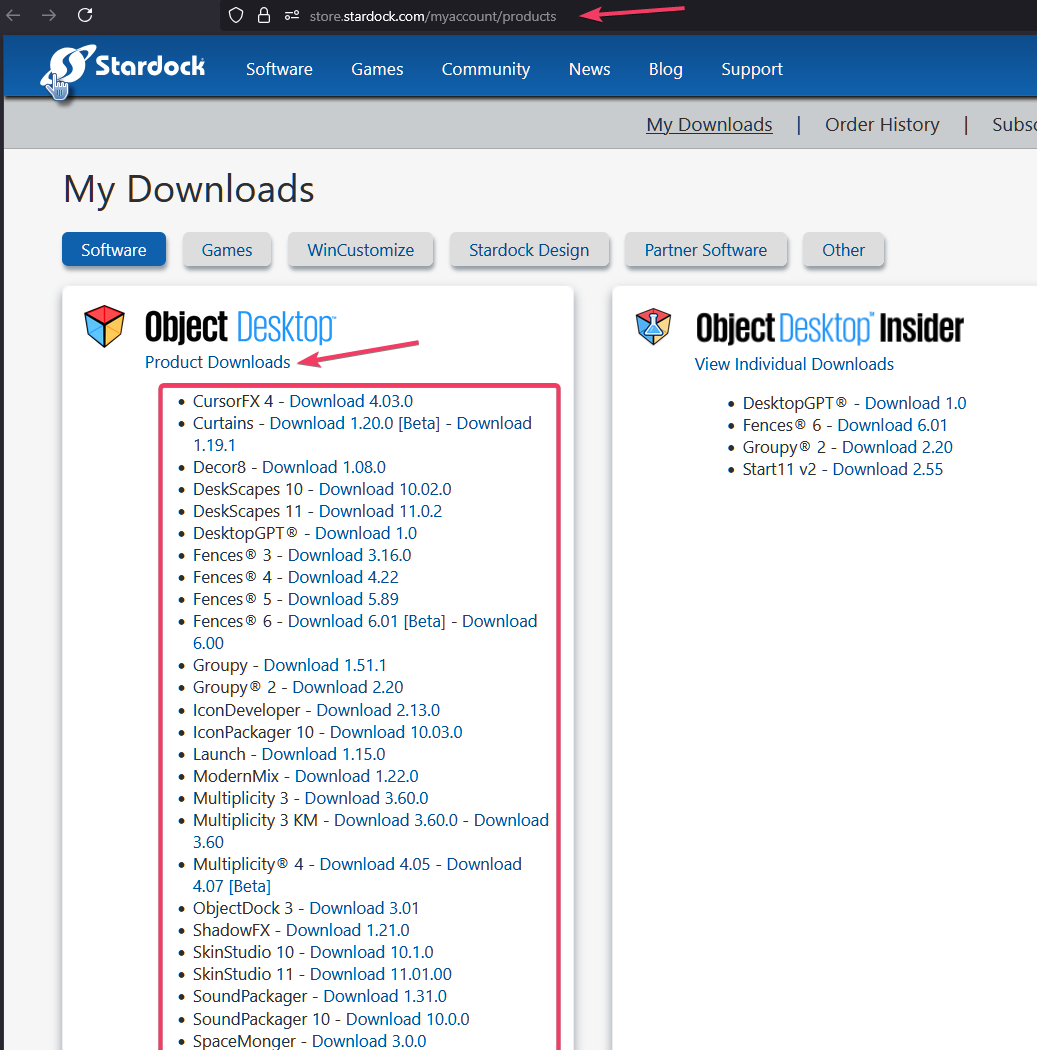
For your Object Desktop account to show you the complete list you need to click on the "Product Downloads" link it should open up the list, refer to my screenshot below as reference.

Thank you,


Basj,

Stardock Community  Assistant