start11 - 2.73 - taskbar does not respond to mouse clicks and does not show preview thumbnails

Start11 - 2.73 - taskbar does not respond to mouse clicks and does not show preview thumbnails
- I am using "windows 10" style start menu mode.
-
Even after a complete uninstall and reinstall, the Start11 taskbar does not respond to to mouse clicks, and it does not show application preview thumbnails.
-
- Because of this problem (for example), I cannot change the position of icons on the taskbar.
- Because of this problem (for example), I cannot use the taskbar to see open windows for an app (such as open word docs).

However, note that this behavior is sometimes not consistent. Once in a while, when I least expect, the taskbar responds to a click, but usually only delayed, and opens an application.
-
This problem is so bad that, even though I have tried a complete reinstall of Start11, I may have to uninstall Start11 and stop using it, much to my regret. 


1,054 views 9 replies
Reply #1 Top

Hi musitrix,

Sorry to hear about the trouble.  This sounds like behavior we've recently resolved in our latest update.  At your convenience, can you let us know if updating to version 2.74 fixes this for you?

https://forums.stardock.com/542077/start11-v2-release-2-74-feedback/page/1

Best regards,

Adam McGuinness
Stardock Support Specialist

Reply #2 Top

Thanks Adam:

I will download and install version 2.74. 

In the meantime, I have studied the problem with no mouse interaction further.

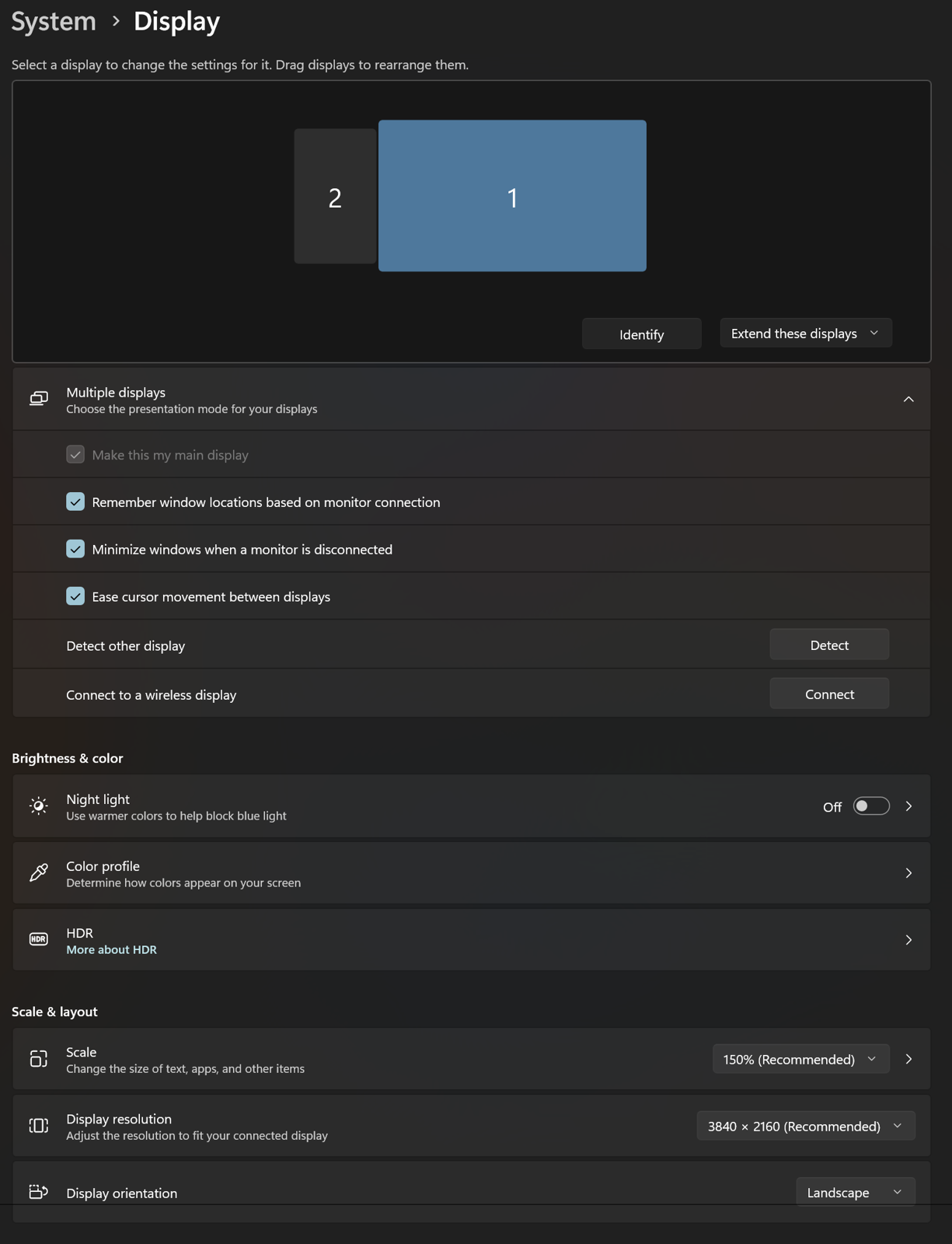
(NOTE): I have a multi-monitor computer installation, with four (4) monitors).

What I have discovered is that Start11 seems to be - confused - about which window is the main window, or something to that effect. However, the behavior I expect is that interactions such as preview thumbnails during hover should appear on ALL taskbars of all monitors. 

Regarding further detail, what I have discovered is that the - preview thumbnails - appear a secondary monitor instead of the main monitor (but only on one of them). For example, if I hover with the mouse over the LibreOffice taskbar icon on the main monitor, nothing appears, and the taskbar does not interact. However, if I hover over the LibreOffice icon on one of the secondary monitors (but one and only one however) the preview thumbnails appears there! 

Similar problems occur with other taskbar interaction features. For example, right-click sometimes does nothing. At other times right-click display the file "jump list", but not on the monitor where I clicked. 

As Stardock investigates this problem - note - that the problems I have describe only appear on a - multi-monitor - installation.

In the meantime I will see if and what relevant behaviors change with version 2.74. 

Reply #3 Top

Hello,

Sorry to hear you are having issues. If the issue still appear after the installation of v2.74 and rebooted the system immediately after the installation finished. We need more details.

  1. Windows 11 full version and OS Build number. Use Winver.exe to get these numbers.
  2. Start11 Enhance taskbar turn on or off? If it was on, turn it off and see if the issue still appear.
  3. Multimonitor, as a test, try disable the monitors one at a time until the issue don't appear. Report back when it stop appearing.
  4. Do you have any other 3rd party software running in the background that add or change how your taskbar work. App such as StartAllBack, ExplorerPatcher, Open Shell, Displayfusion etc.

Thank you,

Basj,

Stardock Community  Assistant

Reply #4 Top


I have now installed Start11 2.74 and I have rebooted the system.

1 - [ windows version information ]
(cmd cli utlity) - systeminfo | findstr /B /C:"OS Name" /B /C:"OS Version"

OS Name:                       Microsoft Windows 11 Pro
OS Version:                    10.0.26200 N/A Build 26200
Windows 11 Pro - 26200.8894

-
2 - After having now tested without and with "Start11 enhance the taskbar" the problems I have described appear both ways (both with and without).

- (note) I noticed that the taskbar icons changed order by themselves when turning "enhance" on and off (troublesome).
-
3 - I don't see any "easy" way to temporary switch to a single monitor setup for testing the problems I have described. For now, I am NOT going to turn off the computer and unplug monitors for testing this problem. I may try that later on though.
4 - I am not running any kind of "3rd party background software" such as "StartAllBack, ExplorerPatcher, Open Shell, Displayfusion" or anything like that. My Windows UI setup is relatively basic, other than running Start11.


Reply #5 Top

You don’t need to unplug your monitor’s signal cable, just switch the monitors off one at a time instead. Another step you can try is restarting Explorer.exe to refresh the desktop environment and see if the issue changes.

👉 To restart Explorer.exe:

  1. Press Ctrl + Shift + Esc to open Task Manager.

  2. Find Windows Explorer in the list.

  3. Right‑click it and choose Restart.

That will close and relaunch Explorer without needing a full reboot.

Thanks

Basj,

Stardock Community  Assistant

Reply #6 Top

I have performed a simplified version of testing whether the problems I have described in this thread go away with a single monitor setup.

Based on the test I performed as described below, the problems with Start11 described in this thread do not exist with a single monitor computer setup. The Start11 developers have significant work to do to fix the numerous interaction bugs that exist with a multi-monitor computer setup. 

-

1. I turned off all monitors except for my system's main/primary monitor.

2. To be certain that the system was operating in a clean/default state, I rebooted (that turned out to be a time consuming hassle because the system got confused and required a full shutdown and cold boot. 

3. With the system started in a clean state, using just a single monitor, I performed various taskbar operations. All the taskbar operations I test with Start11 on a single monitor performed correctly. 

4. When I returned my system to its four (4) display setup, the problems I have described above returned. 

5. (note) I spent a LOT of time performing these tests. In my opinion, software customers should not have to function as a - stand-in - for the software company's - quality assurance - department. 

6. (conclusion) With Start11 running - the Windows 11 taskbar exhibits a variety of problems that make using the taskbar difficult if not impossible with Start11.


Reply #7 Top

Hello,

Thank you again for sharing the detailed results of your testing. To help us better understand the behavior, could you let us know if the issue still appears when only 2 or 3 monitors are turned on? It would be useful to know at what point in your setup the problem starts showing up.

We ask because many users run multi‑monitor systems, and so far we haven’t seen similar reports. The development team generally reviews multi‑monitor setups as part of their quality standards, but we don’t yet have clear insight into why this is happening specifically on your system.

Your input will be very valuable in helping us narrow this down.

Thank you,

Basj,

Stardock Community  Assistant

Reply #8 Top

I have a very similar issue. 

Start11 - 2.73 - taskbar does not respond to mouse clicks and does not show preview thumbnails

- I am using "windows 10" style start menu mode.

If I click on an icon and that application has more than one window open, it is not focused. If only one window is open, it is focused. There are no preview thumbnails at all. This behavior is fixed if I turn the enhanced toolbar off (turning off all the 'additional settings' in the enhanced taskbar settings does fix). 

I'm using two monitors and this issue is resolved if I turn off one. 


I'm using the following:

Start11 2.74

Windows 11 24H2 (OS Build 26100.3775)


Reply #9 Top
Quoting nedwashere, reply 3996682

I have a very similar issue. 

Start11 - 2.73 - taskbar does not respond to mouse clicks and does not show preview thumbnails

- I am using "windows 10" style start menu mode.

If I click on an icon and that application has more than one window open, it is not focused. If only one window is open, it is focused. There are no preview thumbnails at all. This behavior is fixed if I turn the enhanced toolbar off (turning off all the 'additional settings' in the enhanced taskbar settings does fix). 

I'm using two monitors and this issue is resolved if I turn off one. 


I'm using the following:

Start11 2.74

Windows 11 24H2 (OS Build 26100.3775)

End of nedwashere's quote

Hello,

Sorry to hear you are having issues. I believe the latest Start11 version work best with latest Windows 25H2, please update your Windows to this version and retest your issue.

Thank you,

Basj,

Stardock Community  Assistant.