Inconsistent background used when using Peek and Rollup Fences (Fences 6.42) and Deskscapes (2026).

It seems that Fences Peek and Deskscapes does not work well when using multiple monitors

Hi,

I recently upgraded to Fences 6.46 and I've noticed a bug when I enable Peek and Rolling Fences given that I use two monitors with its own animated wallpapers using Deskscapes 2026.

The problem is that when I use Peek to activate a Rolling Fence on my main monitor (the right one) the fence uses the background of the left monitor "completely breaking" the visuals on my main monitor

This is an image of the animated wallpaper on the left monitor:
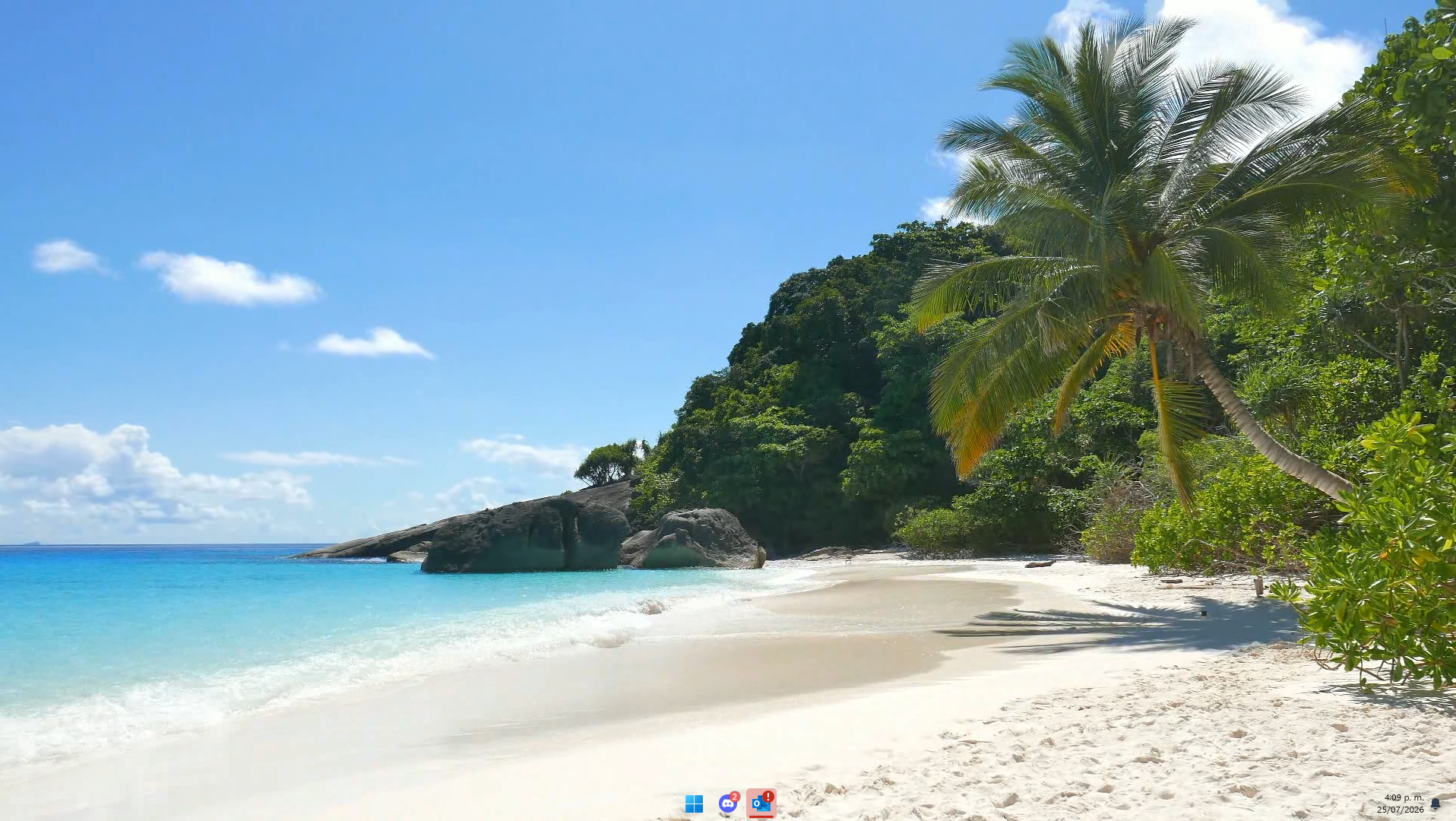

This is an image of the animated wallpaper on right monitor. Note the rolling Fences at the top.
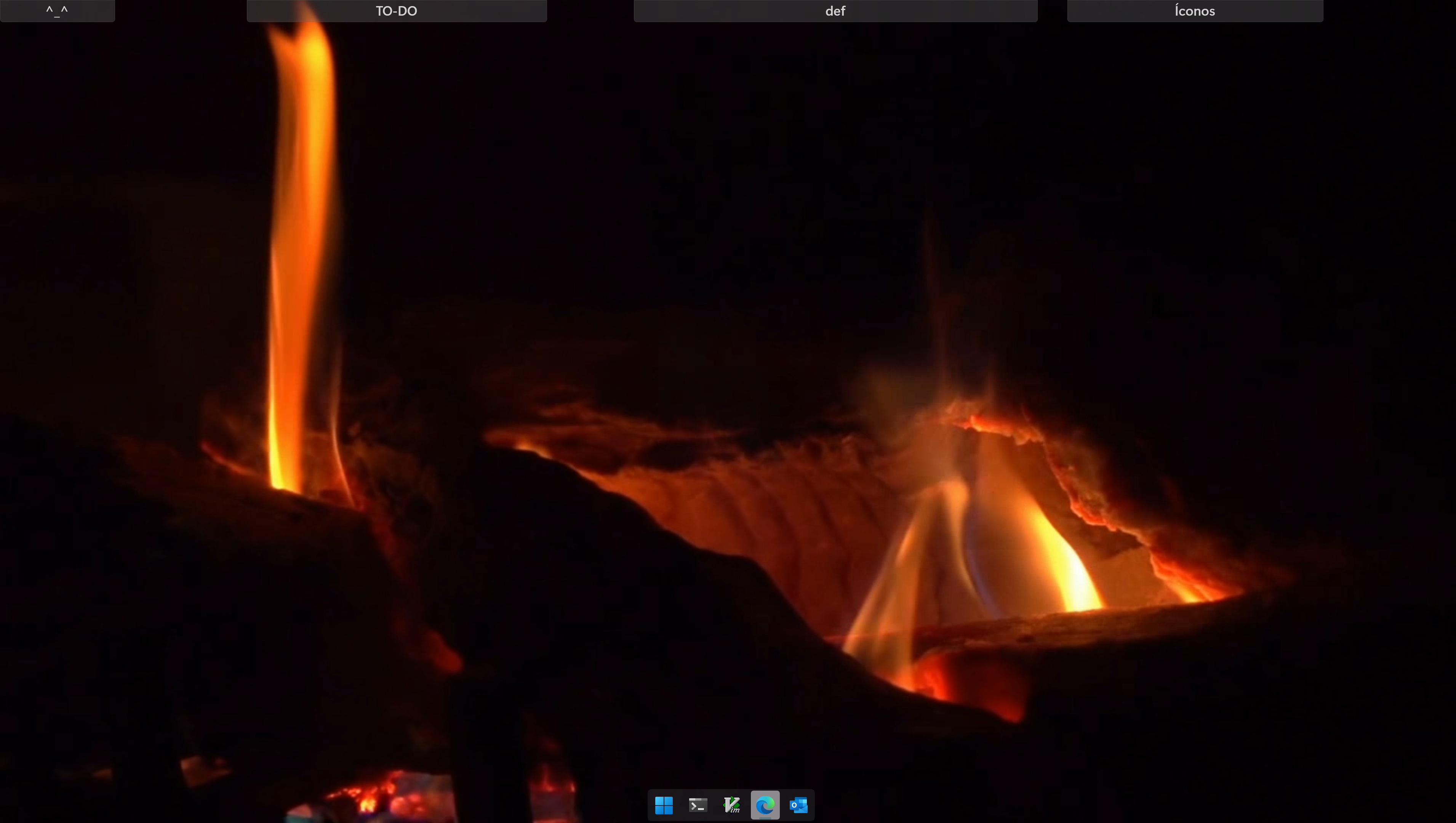

This is an image when I put the mouse inside the "TO-DO" rolling fence. It is what is expected.
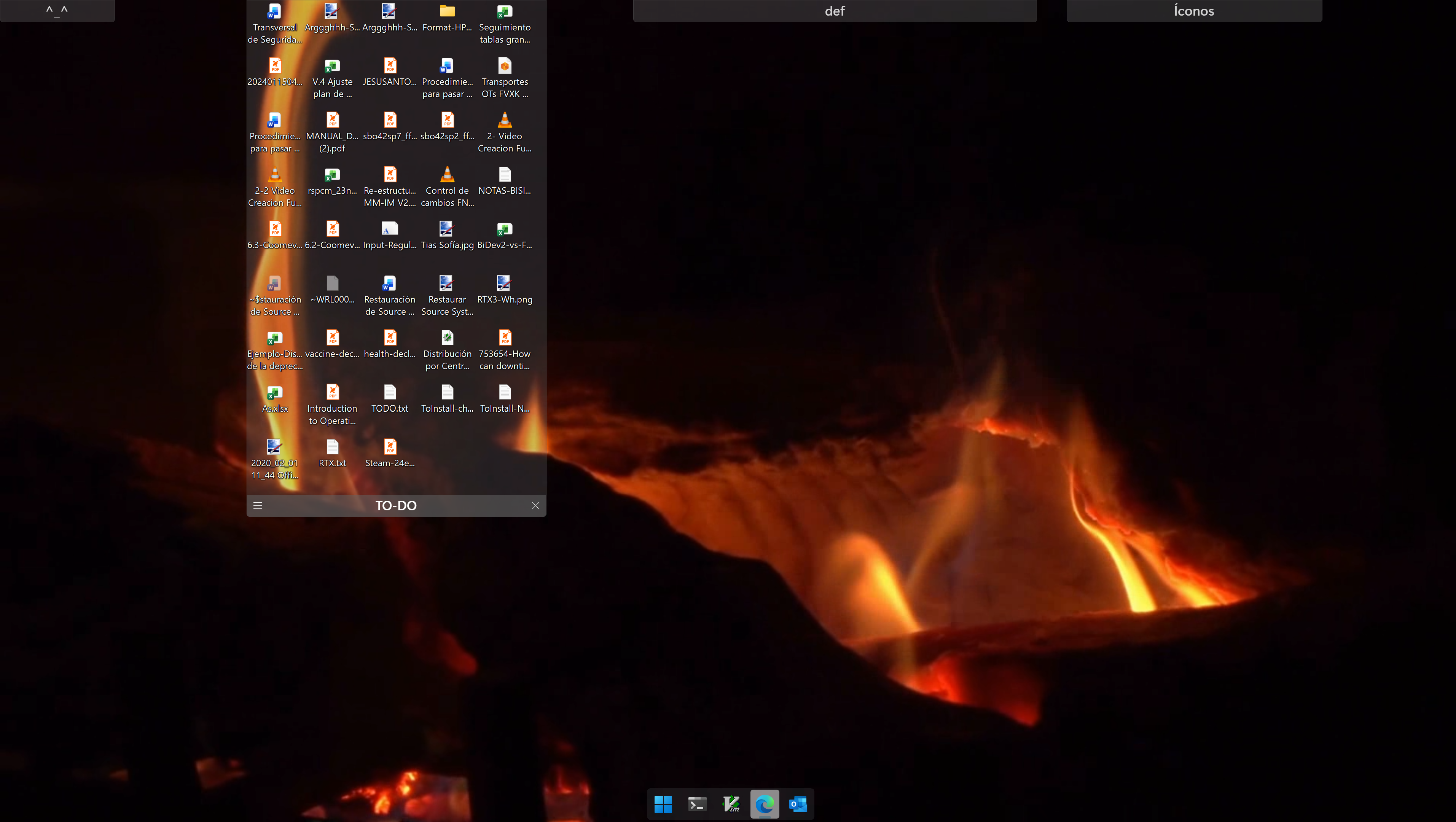
But notice when I activate Peek by pressing Win-Ctrl-Space (Toggle Fences):
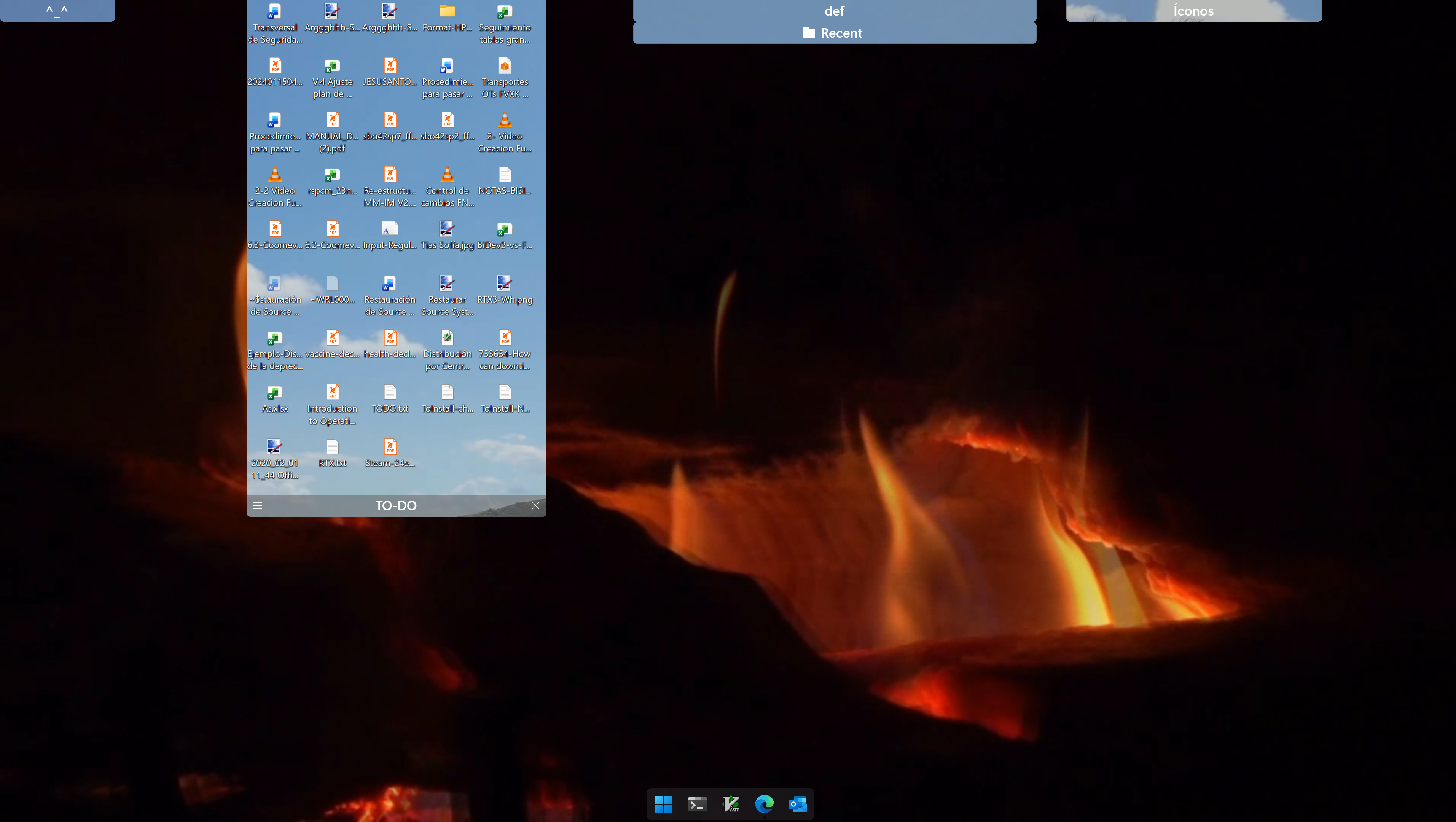
It really hurt the eyes ๐Ÿ˜‰.


Have to add that what I consider to be my monitor is identified as the second monitor in my windows configuration:
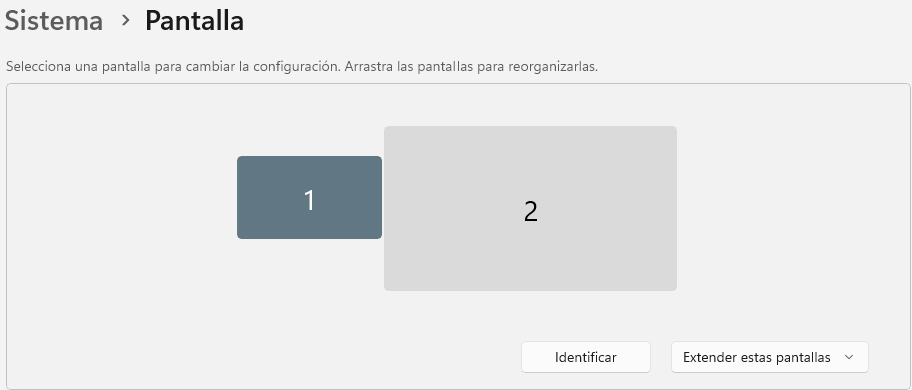
As you see the monitor to my left is a 1080p one. And the monitor on the right a 4k one where I mainly work.

It seems that Peek is choosing the background from monitor one for rolling fences that I have ion monitor 2 and this should not be, I think.

In fact, the effect is aggravated 'cause in every monitor I defined its own playlist of animated wallpapers so the as time goes by different backgrounds are shown when I use peek and I use it very often.


So please, fix this behaviour: The background to be used in Peek should be peeked (๐Ÿ˜‰) from the monitor where the mouse is activating the rolling fence.

Ah! and BTW the image chosen is an (still) image! So, It would be nice that it be the animated wallpaper actually set, but if it cannot be then the proper image should be fine.


J.


3,545 views 10 replies
Reply #1 Top

Hello,

Sorry to hear you are having issues. I have forwarded your problem/question to Stardock Support Team for their assistance. Please keep an eye on this thread for any updates. We appreciate your feedback and patience. Thank you.

Basj,

Stardock Community  Assistant

Reply #2 Top

Thank you really.

Might this be considered. It will surely make better Fences and Deskscapes.


J.

Reply #3 Top

Hello and thanks for posting.

I haven't been able to reproduce this, though I'm not sure what might be different on my end.  

There is currently a Beta update for Fences ('About' tab: version 6.52), and a DeskScapes2026 release update ('About' tab: version 26.0.1.1) available at this time you could try, to see if these make a difference.  Please let us know if these updates help.

Please also let us know:

  • Does it happen every time you use peak, or only sometimes?
  • If you restart Windows Explorer, does the behavior change? 
  • Does it ever happen with a static wallpaper, or only when both or one background is animated?
  • If you changed any specific settings in either application, etc.  If so and you change them again, does the issue stop?

If this continues to occur, I wonder if you might also be able to post a video here to help clarify what's happening exactly.  As much information as possible regarding reproduction steps is always helpful.  

Best regards,

Adam McGuinness
Stardock Support Specialist

Reply #4 Top

Hi,

Deskscapes "Check for updates" indeed upgraded to 26.0.1.1.

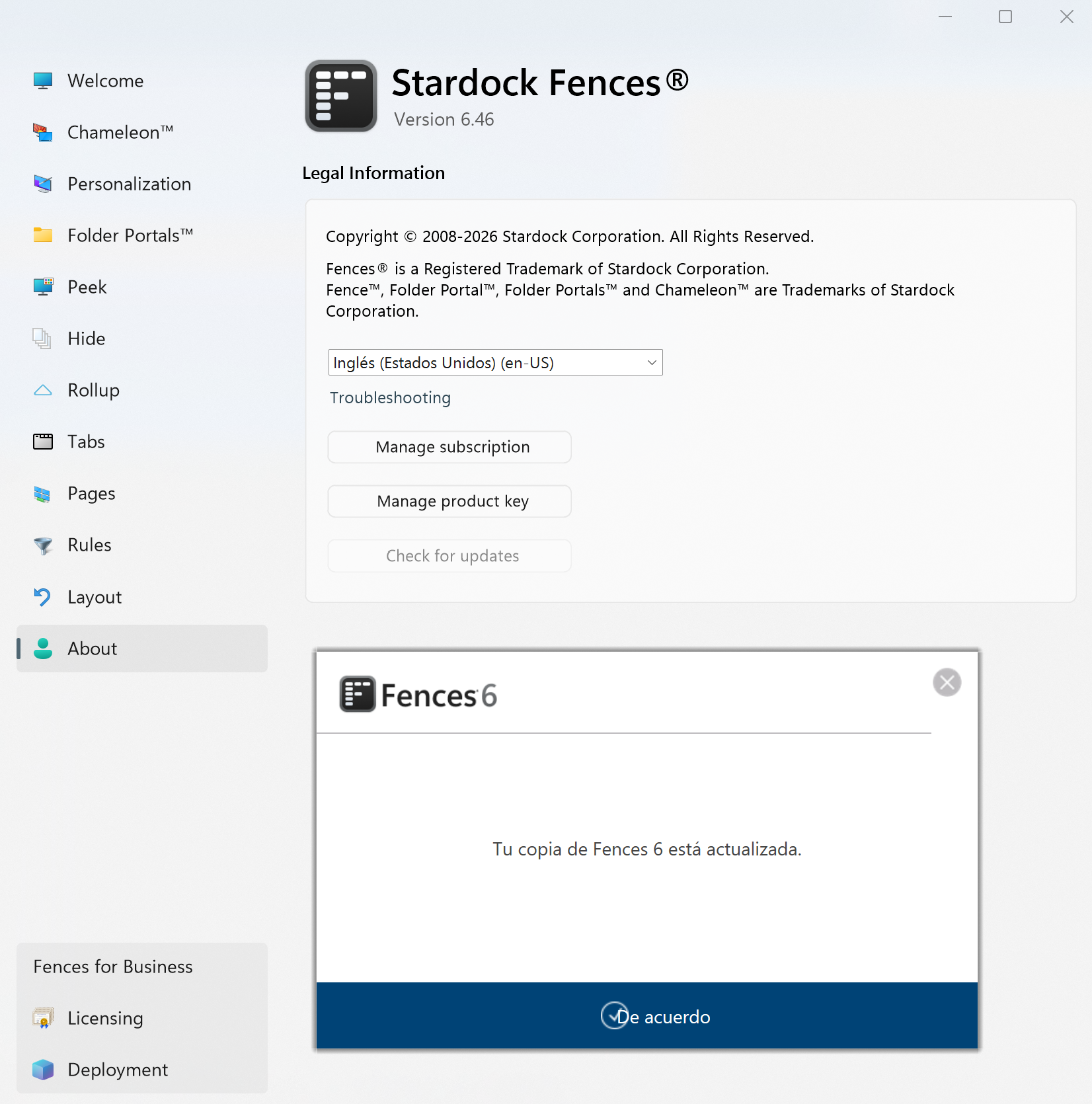
Fences "Check for updates" says that I am up to date on version 6.46. If there is beta 6.52 I haven't found. Notice that I just bought Fences 6 but I don't use nor bought Object Desktop.

With the update to version 26.0.1.1 of Deskscapes the problem I reported remains the same.

Regarding:

  • Does it happen every time you use peak, or only sometimes?
    R/ Yes this always happen

  • If you restart Windows Explorer, does the behavior change? 
    R/ After Explorer restart the problem persist the same.

  • Does it ever happen with a static wallpaper, or only when both or one background is animated?
    R/ I only use animated wallpapers. Don't use nor interested in static ones.

  • If you changed any specific settings in either application, etc.  If so and you change them again, does the issue stop?
    R/ I tried lots of combinations in the settings on both Deskscapes and Fences and no matter what I change the behavior remains the same.


I'll try to upload a Youtube video showing the problem.


J.


Reply #5 Top

I believe, I can reproduce this one. Blur need to be on, 

Thank you,

Basj,

Stardock Community  Assistant

Reply #6 Top
Quoting basj, reply 3996176

I believe, I can reproduce this one. Blur need to be on, 

End of basj's quote

Unless I'm misunderstanding something, from this gif it looks like a blurred representation of the background image behind it on the same monitor.  That seems normal to me.

The issue that I have not been able to reproduce, would be this one, as described:

Quoting jeansagi,

It seems that Peek is choosing the background from monitor one for rolling fences that I have ion monitor 2 and this should not be, I think.

End of jeansagi's quote

As for Fences beta,

Quoting jeansagi, reply 3996170

Fences "Check for updates" says that I am up to date on version 6.46. If there is beta 6.52 I haven't found. Notice that I just bought Fences 6 but I don't use nor bought Object Desktop.

End of jeansagi's quote

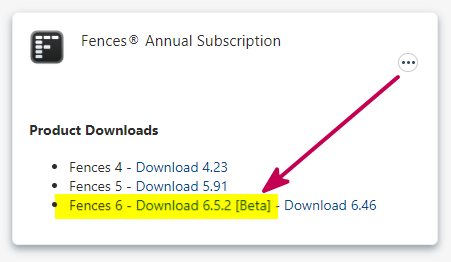
Object Desktop isn't required to download and install the beta.  Fences customers can find it linked on the "My Downloads" page of their account:

If you have the subscription, it will be here:

It's possible this might make the difference for you and would certainly be helpful to know.  Please also remember to reboot the PC after installing an update.

Best regards,

Adam McGuinness
Stardock Support Specialist


Reply #7 Top

Still trying to figure how to make a video the problem I have.

But in the meantime, I can't download the newer Fences Beta. This is what I got:

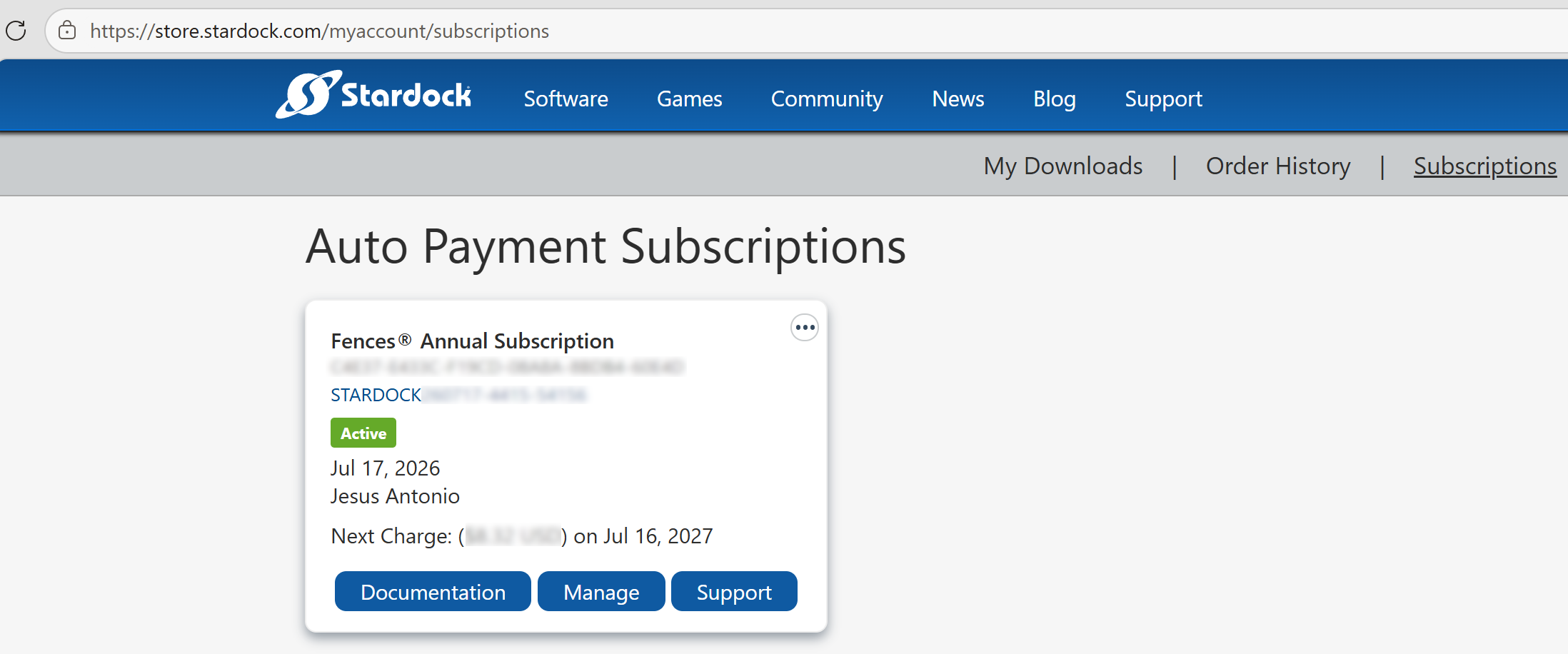
Also, in Manage Subscription the next site is shown:

I can't see a window like yours shown several Fences versions.

Maybe there is an alternative way to download the latest Beta.


J.

Reply #8 Top

I am using ShareX, it is nice free program. It good for capturing still and short video and save it into gif format.

For the download betas, try looking into "My Downloads" area.

Thank you,

Basj,

Stardock Community  Assistant

Reply #9 Top

Hello again,

As we keep an eye on this thread and investigate the report further, I will have it logged.

  • Internal reference: ODNT-12525

Thank you again and best regards,

Adam McGuinness
Stardock Support Specialist

Reply #10 Top

Hi,

I found latest beta 6.5.2 exactly where you said (my bad not finding it ;) )

So, Iยดm up to date with Deskscapes 26.0.1.1 and Fences 6.5.2.

But the problem is the same as I reported.

(I'm going to try ShareX for the Video).


J.