Sart menu Substyle not responding
Suddenlly I am unable to change the Style or subformat of my Startmenu. I have tryed toggling features off and on, can't get it to change, just a horribly disorted menu. See attached video Thank you for your help!!
Hello,
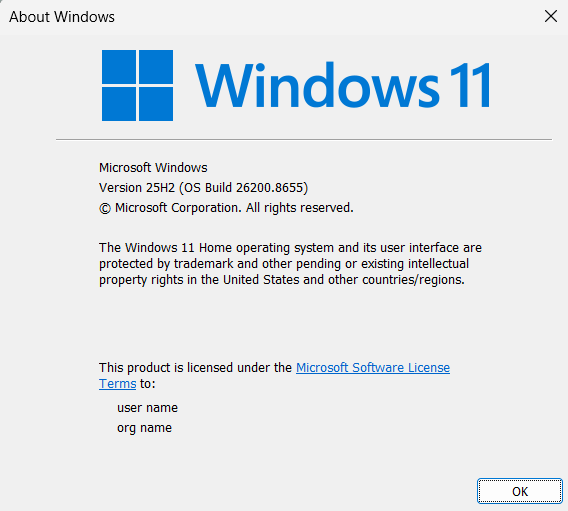
Sorry to hear you are having issues. Look like you're running Start11v1 which might not compatible with current Windows version. Please try latest Start11v2 and see if the same issue appear.
Thank you,
Basj,
Stardock Community Assistant.
Hi there, thanks for the reply. I am unable to activate v2. I tried doing offline activation and it wont let e upload the file it just sits and spins. It wouldnt even let me do the trial, said there was a problem with the internet, unable to connect to activation server. Anyone?
Do you have Start11v2 license key? You can not activate Start11 v2 using license key for Start11 v1. I was suggesting the free 30 days trial for Start11 v2 and see it the same issue appear while using v2.
Thank you,
Basj,
Stardock Community Assistant
I already had a v2 key, that wasnt working, i tried doing the trial, that didn't work. I bought a second key, it's still not allowing me to activate, problem conecting to activating server. THanks
Perhaps, you're having account issue, please raise support ticket using the link below, use the "Ask a Question" option. Include all information details. Remember to record down the ticket number for future reference if needed. Do not raise multiple ticket, that will make your ticket back to the end of the line. Send once and wait. Ticket will be answer by the order they send in.
https://stardock.atlassian.net/servicedesk/customer/portal/4/group/13
Thanks
Basj,
Stardock Community Assistant
Ok, they key finally activated... but the issue persists =(
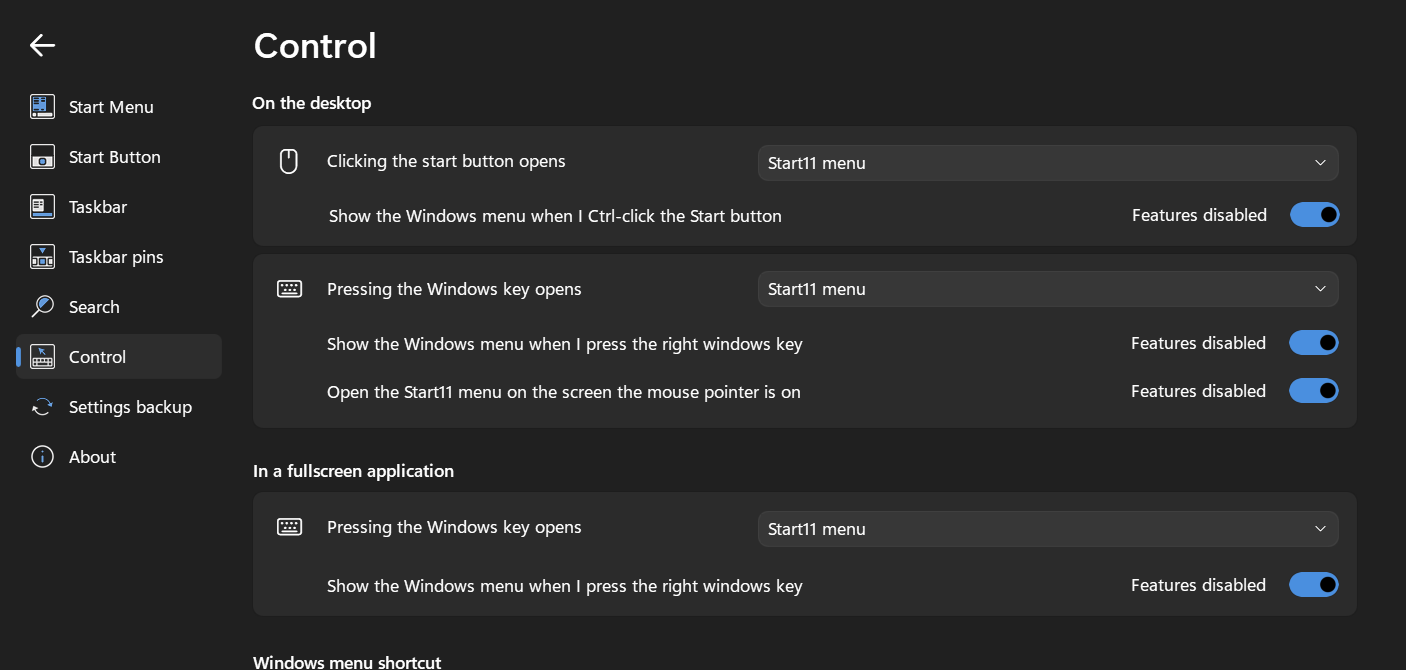
Please look into your Control setting on this page does it select Start11 menu as shown in my screenshot below?

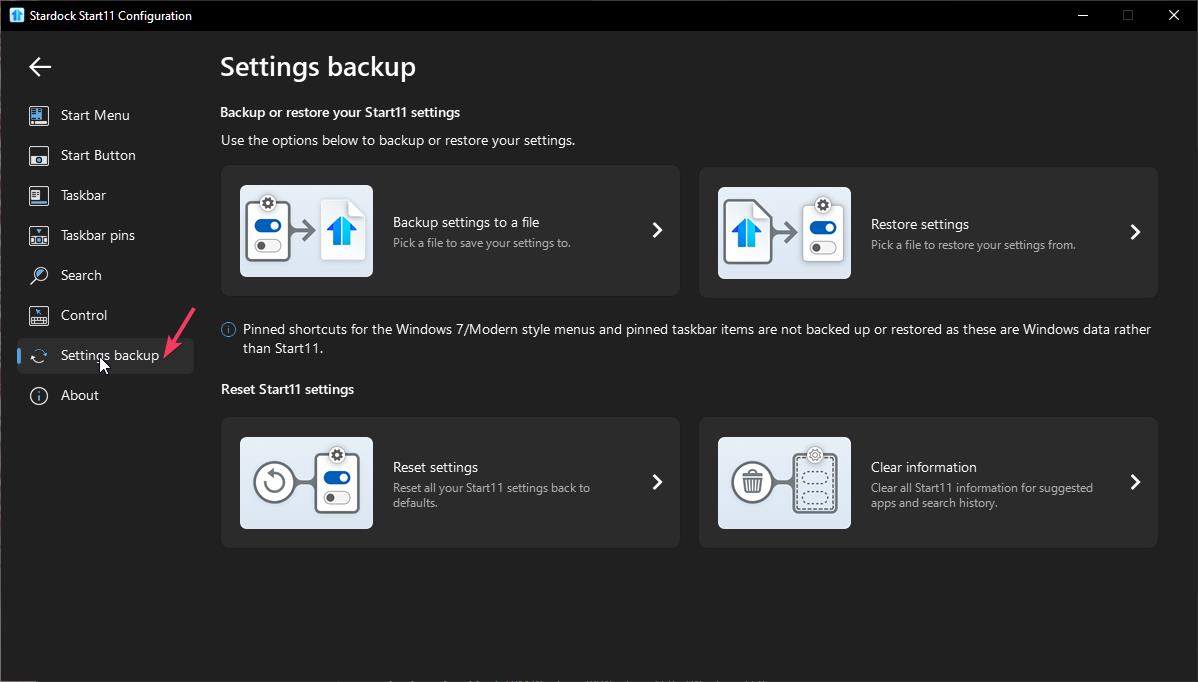
And also try, reset setting in the Setting backup page.

Check those and report back.
Thank you,
Basj,
Stardock Community Assistant
Hi, thank you again for all your help.
Sadly the reset trick didnt work =/

Would like to suggest Clean Boot. Refer here for steps: https://support.stardock.com/space/SHC/1334935592/Start11+Clean+Boot. Do note that Clean Boot need to be done with care. Please try it and report back.
Thank you,
Basj,
Stardock Community Assistant
Welcome Guest! Please take the time to register with us.