Universal Applications on Start11 Start Menu
from  Stardock.net Forums
Stardock.net Forums
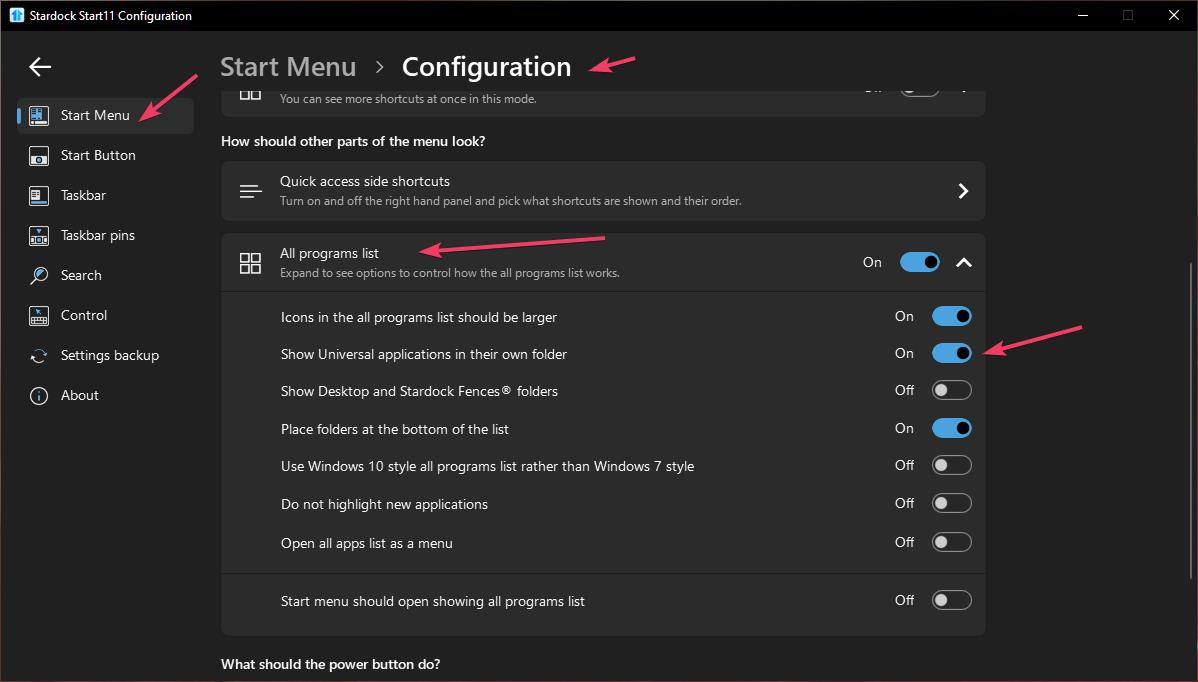
I used to be able to hide the "Universal applications" icon from the start menu without having the Universal Applications show up on the start menu, but recently it reappeared. If I remember correctly, the option to hide it was found it the Start11 customization options.
Was this feature accidentally removed on the latest Start11 update?
Thanks,
Jon
Moved to Start Menu Products area
 Stardock Forums