
Grid Textures Not Filling Whole Taskbar

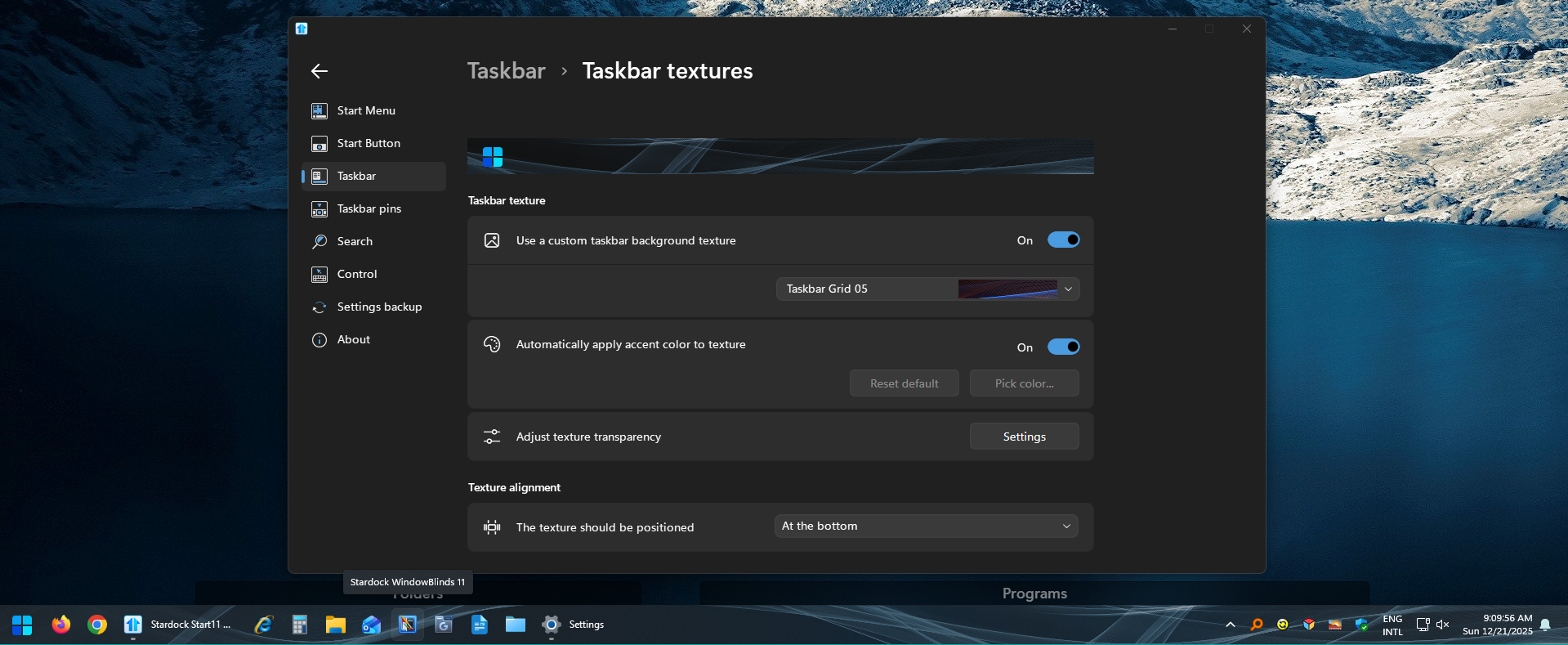
The default taskbar textures seem to fill the entire taskbar when selected, but the "Taskbar Grid" set of textures do not.  If I change the Texture Alignment from at the bottom to force to stretch to fit, the image will fill the full taskbar, but obviously that looks pretty bad because the image is stretched and vertically it does not fit the whole taskbar.

I see the usual fix for this is basically to uninstall, reboot, then reinstall, but will I lose all the settings I just spent hours setting up?  


(Sorry if these are stupid questions or I'm doing something wrong.  I'm a potential new user who has only been using the trial version for 24 hours now.)
431 views 5 replies
Reply #1 Top

Hello,
Sorry to hear you are having issues. I can't reproduce your issue on my Windows 11 25H2 OS Build 26200.7462 on Start11v2.56.

Need more information on your system.

  1. Windows 10 or 11 full version and OS Build number. Use Winver.exe to get these numbers.
  2. Start11 full version number.
  3. Do you have any other application running in the background which change how your taskbar and explorer work. Application such as ExplorerPatcher, OpenShell, NightHawk, StartAllBack etc.

Thank you,
Basj,
Stardock Community Assistant.

Reply #2 Top

Hello, basj!

1.  Windows Version:  25H2 (OS Build 26200.7462)

2.  Start11 Version:  2.56

3.  No other software running.  This is a 2-month old build that has basically nothing on it besides some Steam games, AMD Adrenalin, Discord, and HWinfo.


Thanks for the reply.


Reply #3 Top

Please try, uninstall Start11, reboot immediately (important), download latest version available in your account product download page: https://store.stardock.com/myaccount/products. Install it, reboot immediately again. Retest it and report back.

Thank you,

Basj,
Stardock Community Assistant

Reply #4 Top

No dice.  Uninstalled, rebooted, reinstalled; same thing.  Rebooted again; same thing.  All textures work properly except for the "grid" series which do not.

Reply #5 Top

If you have Windows 11 Pro version, please do a quick test on Windows Sandbox see if the issue appear while in the sandbox environment. Refer here: https://support.stardock.com/space/SHC/1416855562/Testing+Start+in+Sandbox. Try it and report back.

Thank you,

Basj,
Stardock Community Assistant