Start 11 - lost "move" menu from windows previews in taskbar

Hi.
I've noted that in the latest Start11 release I use (2.56) I cannot anymore move windows around/between monitors using the "move" command that usually can be seen with right-click on the windows thumbnails, the ones that appear moving the mouse over the task bar.


My system is an update version of Windows 11

Any Idea?

Thanks in advance!

Sergio - Italy

P.S: It seems I cannot upload images and insert them into the post, I don't know why...

Moved to Start Menu Products area

791 views 5 replies
Reply #1 Top

Hello,
Sorry to hear you are having issues. 

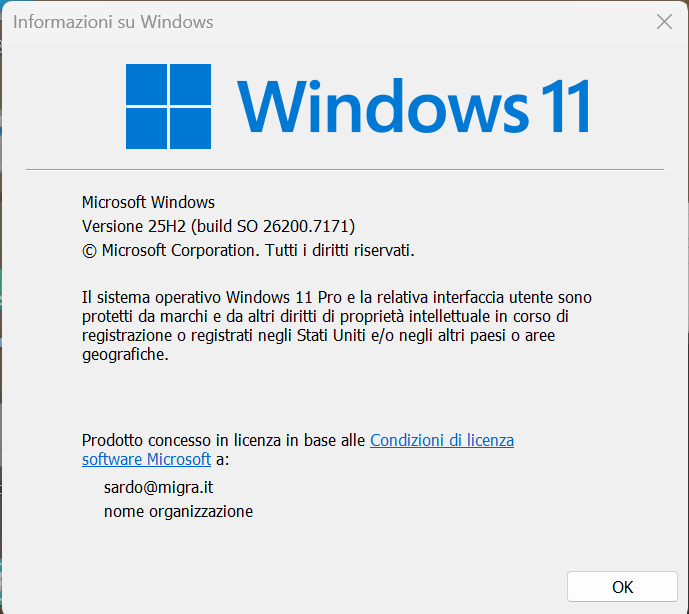
  1. Need to know your Windows 11 full version and OS Build number. You can use Winver.exe to get these numbers.
  2. To add pictures, you will need an image that is less than 5MB in size. If it is less that 5MB, and fail to upload, usually the server busy or down, please try again later.

Thank you,
Basj,
Stardock Community Assistant.

Reply #2 Top

Start11 does not provide that menu.

Is the move item there but greyed out, or something else?

If greyed out, this is normal for maximized or minimized windows.

Reply #3 Top

Hi

The Windows version is the following one:

Let me know if there are some steps I could do... :-)

Thanks


Reply #5 Top

As a test, if you disable "Start11 Enhance taskbar" and do the right click on the thumbnail does the menu appear?

Thank you,

Basj,
Stardock Community Assistant