Start 11 Left SIde Task Bar No Icons additional Screens

Anyone that can assist, 


I installed Start11 on my PC and with one screen everything worked perfectly. I plugged in my second and third screens and the Taskbar is on the left like I want but there are no icons present. I have tried settings, and I have tried removing the software and re-installing. I want the Windows 10 style menu that Start11 offers. 


Any and all help is greatly appreciated. 

Start11 Version: v2.56

Windows Version: 24H2

Windows OS Build: 26100.6899

782 views 9 replies +1 Loading…
Reply #1 Top

Hello,
Sorry to hear you are having issues. Need more details. Perhaps post some screenshot showing what you see and what you expect to see on those 2nd and 3rd screen.

Thank you,
Basj,
Stardock Community Assistant.

Reply #2 Top

What I see on my main screen:    What I see on both secondary Displays:  

The Secondary Displays show no icons on the Taskbar at all. Although the Start Button is still there just invisible but still clickable. 

Reply #3 Top

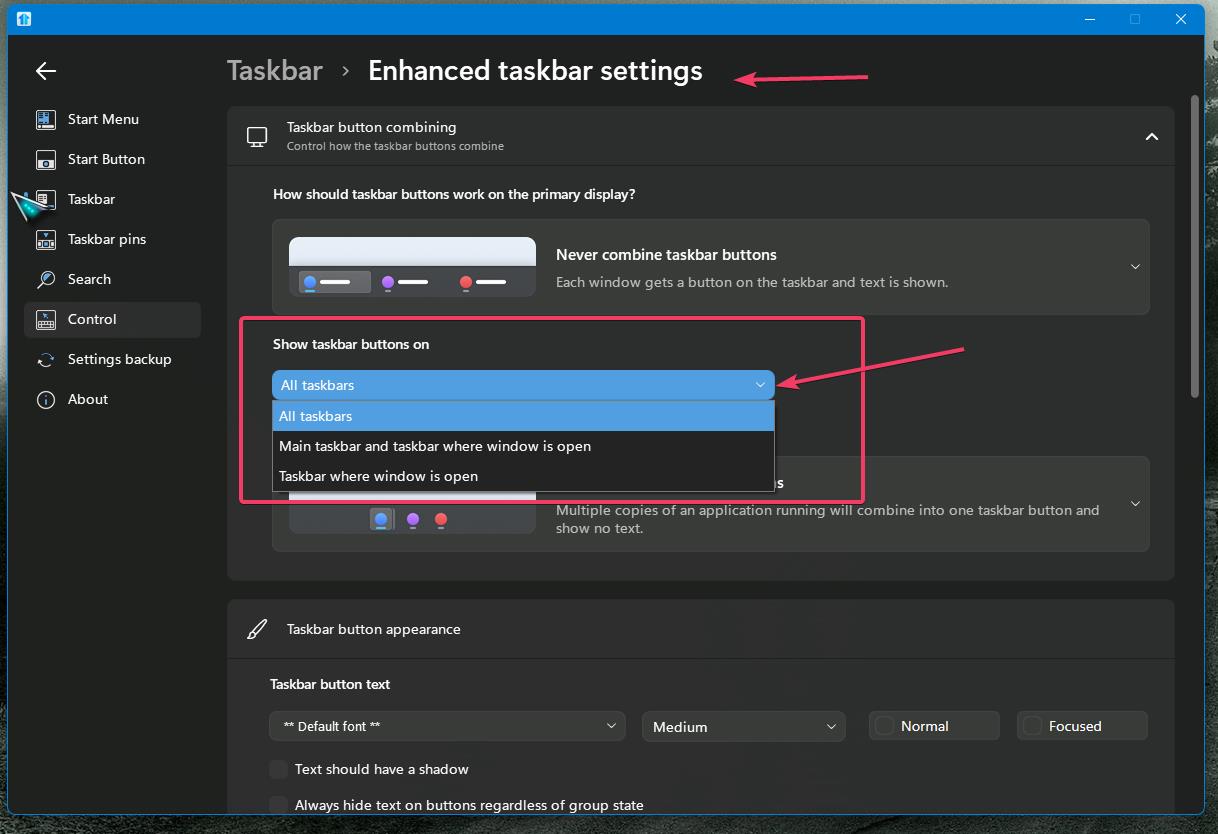
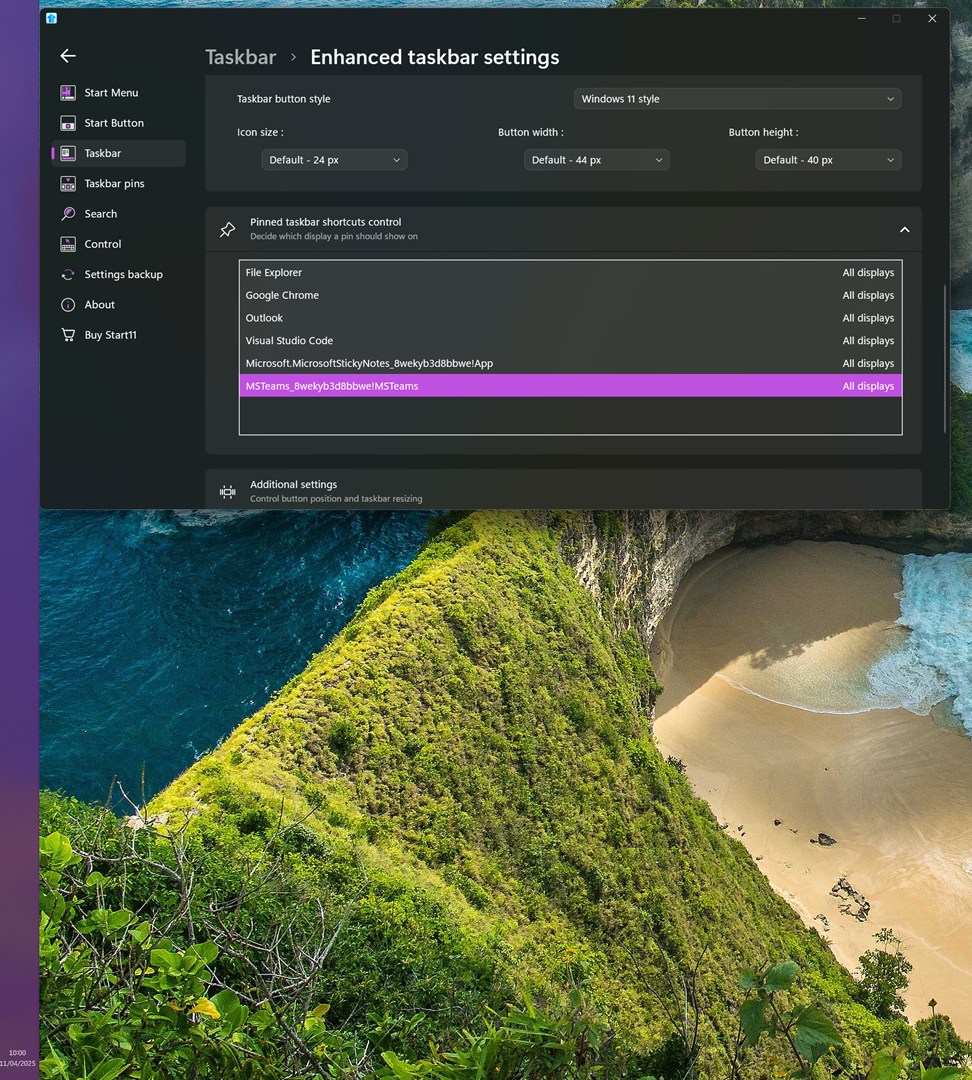
You have few option. If you want your pinned icons appear on all your taskbar. Try changing this setting.

If you wish to manually setting it to which taskbar try this settings.

Thank you,

Basj,
Stardock Community Assistant

Reply #4 Top

The Issue isn't with the pinned icons exclusively. No Icons and No Start Button is visible on the secondary display taskbars. I have my settings set as Follows: 


For Some reason nothing is appearing on the secondary screens when the Bar is on the Right or Left. If the Bar is on the Bottom or top, it behaves normally. 


Reply #5 Top

First, please try, uninstall Start11, reboot immediately (important), download latest version available in your account product download page: https://store.stardock.com/myaccount/products. Install it, reboot immediately again. Retest it and report back.

Thank you,

Basj,
Stardock Community Assistant

Reply #6 Top

Ok, I followed your request exactly. Uninstall, Restart, Download New, Install, Restart without setting up.  This lead me to find out that if I only put secondary monitor's taskbar on the left, it behaves normally.  The Icons appear like they should. but if I also put my main screen on the left, it causes the secondary screen's taskbar to become blank again. 


I really want this software to work. Thank you very much for all of the Assistance you have provided so far. Please let me know the next thing to try or if there is a log or something I can get for you.  I will be happy to try any suggestion!

Reply #7 Top

If you wish to continue, would like to suggest the Clean boot and see if something is conflicting, refer here: https://support.stardock.com/space/SHC/1334935592/Start11+Clean+Boot. Do note that Clean boot need to be done with care. Try it and report back.

Thank you,

Basj,
Stardock Community Assistant


Reply #8 Top

Ok, so something was wrong with my User Account. In an Effort to fix that I Reset my PC. That did not fix it. But the software runs well on any other user account on the PC. So the fix for me was to migrate to another User Account. This was not a big deal for me as this is a fresh setup. So I don't know the root cause but my system is up and running


Reply #9 Top

That's great to hear. Yes, I’ve received reports from users experiencing issues where their primary Windows administrator account becomes corrupted. In such cases, migrating to a new admin account is often the simplest and most effective solution.

Thank you,

Basj,
Stardock Community Assistant