
start 11 continuously returns other display taskbar tabs to main screen

taskbar tabs bugging out start 11

After recently renewing my subscription and updating, the taskbar icons of every display are being cramped up on the main taskbar. It is causing active window issues since they are being misdirected to main taskbar. 

Also, the main taskbar is really hard to get to show with mouse touching to bottom of the main display, causing more bugging out of the main display and apps in the main display, including some games.

The choice to keep icons in the taskbars in each window is checked.

Once i hit the windows key the taskbar shows but only after being choked by the tabs of all windows - they return but only after the taskbar is showing with the deliberate effort of resorting to the windows key.

1,910 views 7 replies
Reply #1 Top

Hello,
Sorry to hear you are having issues. As usual we need more details.

  1. Windows 10 or 11? Also need its full version and OS Build number. Please use Winver.exe.
  2. Start11 full version number.
  3. Post a video showing us your issue so we understand it better.

Thank you,
Basj,
Stardock Community Assistant.

Reply #2 Top

After posting my problem, I ventured to practice unplug then plug back in. So, I uninstalled start 11. Reinstalled it to find an update was available. Did that. Now, Start 11 is performing x to the power of 10 better.

The task bar is no longer being stubborn about showing with mouse at bottom of screen (where all of my taskbar is situated).

I was having a lot of bugginess with the start button icon, that has stopped as well.

A few other things, one being my main taskbar is being managed by start 11, and not windows, or displayfusion.


I am using Windows 11 display version of 23H2 and os build is 22631.


Anyway. Thanks heaps for the quick reply. Here I thought I would have to wait a day... or more due to the weekend starting in within 23 hours.

Reply #3 Top

Sorry, fals positive. The main taskbar is still collecting taskbar tabs from every window

Reply #5 Top

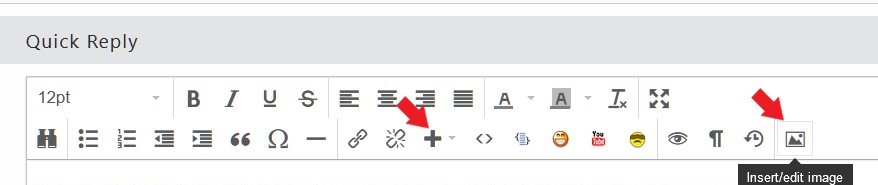
Unfortunately, its too small for me to actually see the issue. Not sure how to make it appear at actual size. Also, if you have a gif or image smaller than 5MB, you should be able to post here in the forum using this button.

Thank you,

Basj,
Stardock Community Assistant

Reply #6 Top

Thanks. I found a solution.

I have incorporated ExplorerPatcher, and the issue no longer persists. It worked out of the box, and does not seem to interfere with other windows customisation apps, like displayfusion and Start11.

Reply #7 Top

Oh the idea with the gif, was to download it. It would then appear full size using Windows Photos app.