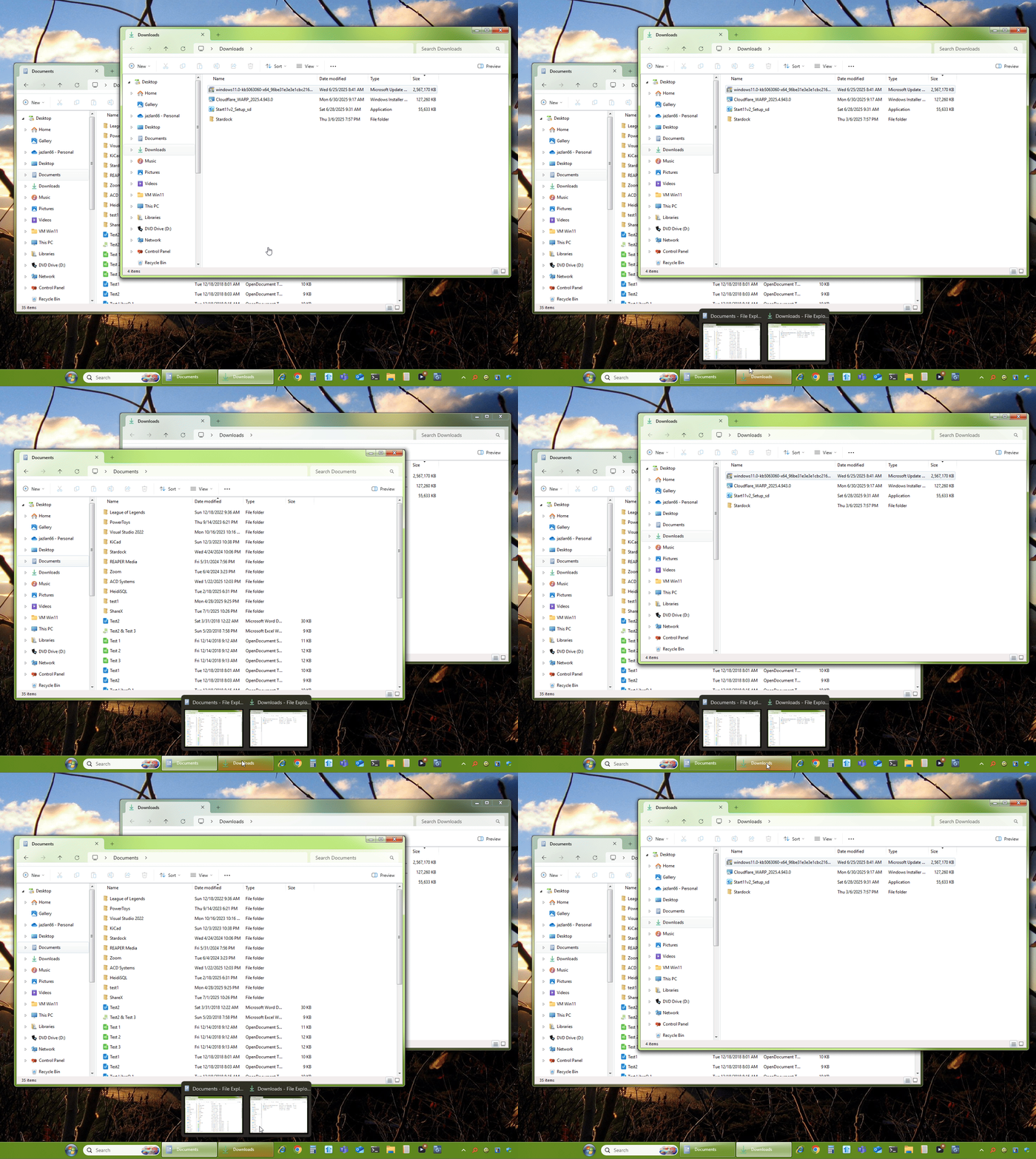
Apps already open in the taskbar require two clicks to gain focus.
 Stardock Forums
I'm using version 2.53, and this issue began with the previous version and has continued since. Here's an example of the problem: I have an application with two windows open and want to bring one to the foreground. When I hover over the taskbar icon (the taskbar is positioned at the top of the screen), two thumbnail previews appear as expected. I click on the thumbnail of the window I want, and it briefly comes to the foreground—then immediately disappears. If I repeat the process right away, the window stays in the foreground the second time.
In other words, bringing a window into focus requires two consecutive attempts, which is very frustrating. This behavior occurs consistently with every taskbar icon when multiple windows are open, or even when a single window is open but not in focus. I'm running Windows 11 Pro with the latest updates.
Moved to Start Menu products area