Start11 Documentation
I just installed start11.
My Windows 10 start menu has been rearranged in the start11 menu. Can anyone point me at documentation for editing the start11 menu, please?
I just installed start11.
My Windows 10 start menu has been rearranged in the start11 menu. Can anyone point me at documentation for editing the start11 menu, please?
Hello,
Please refer here https://support.stardock.com/space/SHC/1995964432/Start11+v2+UI:+Start+Menu. You can also post any question in the forum. We will try to help you here.
Thank you,
Basj,
Stardock Community Assistant
In Stardock Support, see Start11v2 User Interface
https://support.stardock.com/space/SHC/1995800603/Start11+v2+UI
Anything else you can ask in this forum.
Thanks guys.
I am partially sighted and I am struggling to see anything that explains how to edit my messed up start menu.
I need to move things around to get back to my preferred layout so any help is most appreciated.
I can see some horizontal lines that when I click on them they show some options but unfortunately my screen reader does not read them to me.
Maybe this is where the editing options are.
Please post a screenshot of your Start menu and tell us what you intend to do. We will try to guide you.
Thank you,
Basj,
Stardock Community Assistant
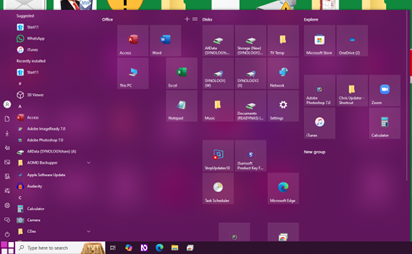
Groups have been moved and items in groups have been rearranged.
I need to move tiles within groups and move groups around to get them back where they were.
This is because being partially sighted I half see things and remember where they are.
I found some YouTube videos but so far have not seen any that explain editing for the novice.
If anyone knows of such a video I would be most grateful.
I cannot see how to post my screenshot
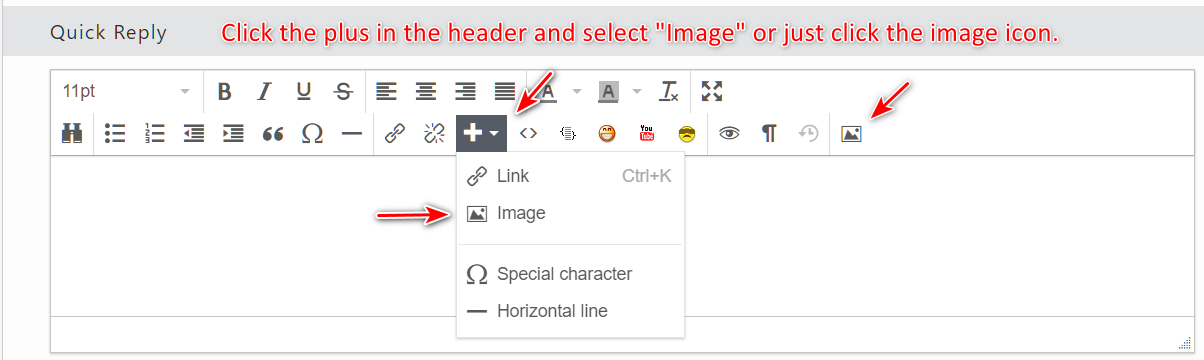
Click the plus in the header and select "Image," or just click the image icon.


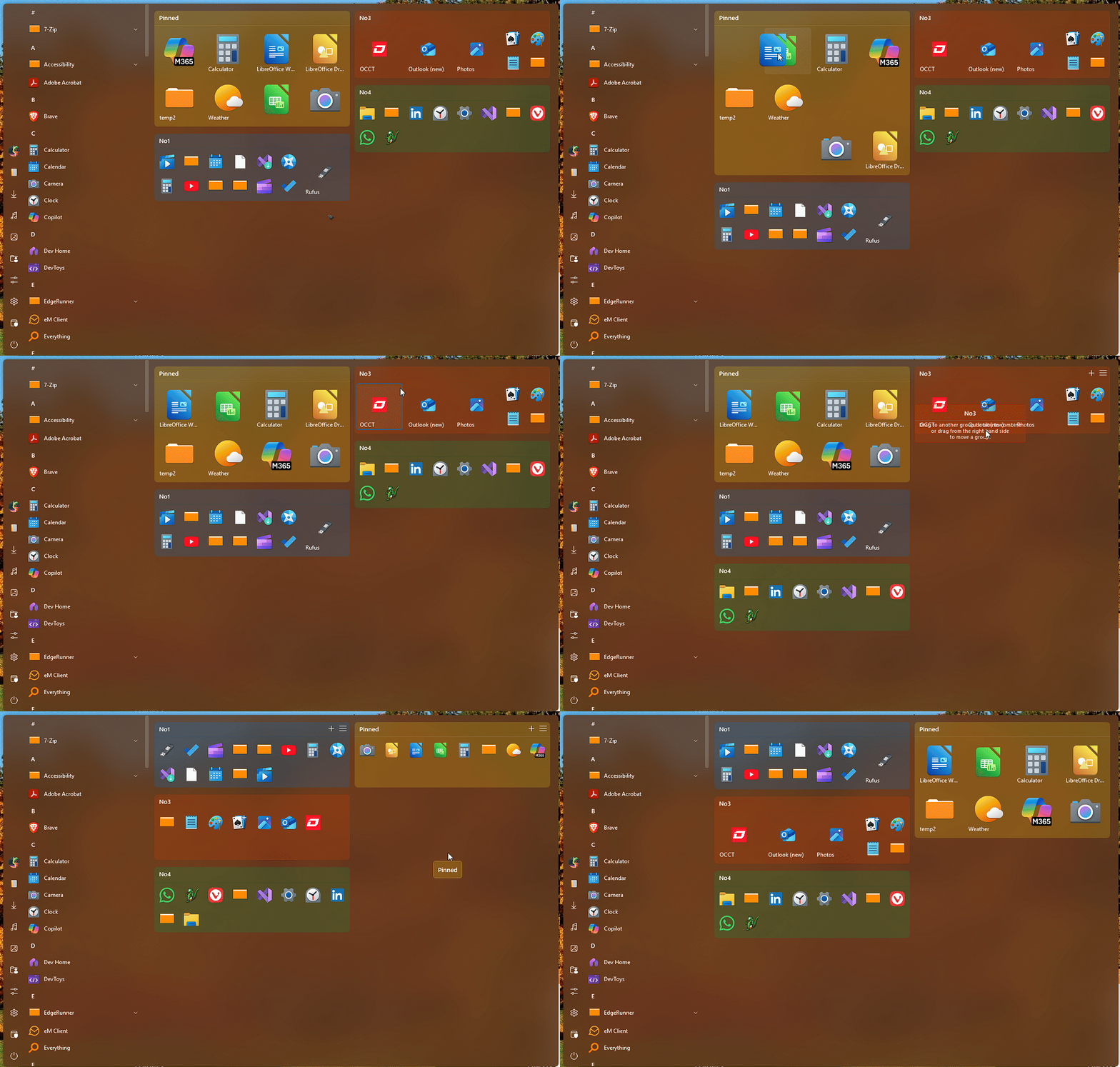
You could click and drag each individual tile to any location you wish. It will take sometime but it should work. Same thing on the Groups just click on the Group title area and drag to location. Refer to my short video below.

Thank you,
Basj,
Stardock Community Assistant
Thanks Basl
I just watched a video by BriTec which explained a lot.
You welcome.
Thank you,
Basj,
Stardock Community Assistant
Welcome Guest! Please take the time to register with us.