No "Open" option when I right-click a Start Menu folder when using Win 10 or Win 11 style (works with Win 7 style)

The title says it all. It seems to me this issue just arose in the last few days. I just updated from 2.51 to 2.52 beta (ARM64), but the problem persists. Is there a setting I'm overlooking? Thanks!

1,467 views 7 replies
Reply #1 Top

Hello,
Sorry to hear you are having issues. Any reason you specifically want the right-click->open instead of click to open on a it?

Thank you,
Basj,
Stardock Community Assistant.

Reply #2 Top

If you are talking about a folder on your start menu that is set to "Open folder as a menu," and then right-clicking a folder in this folder to open, try clicking the folder and then shift-click the folder you want to open and see if that works.

Reply #3 Top

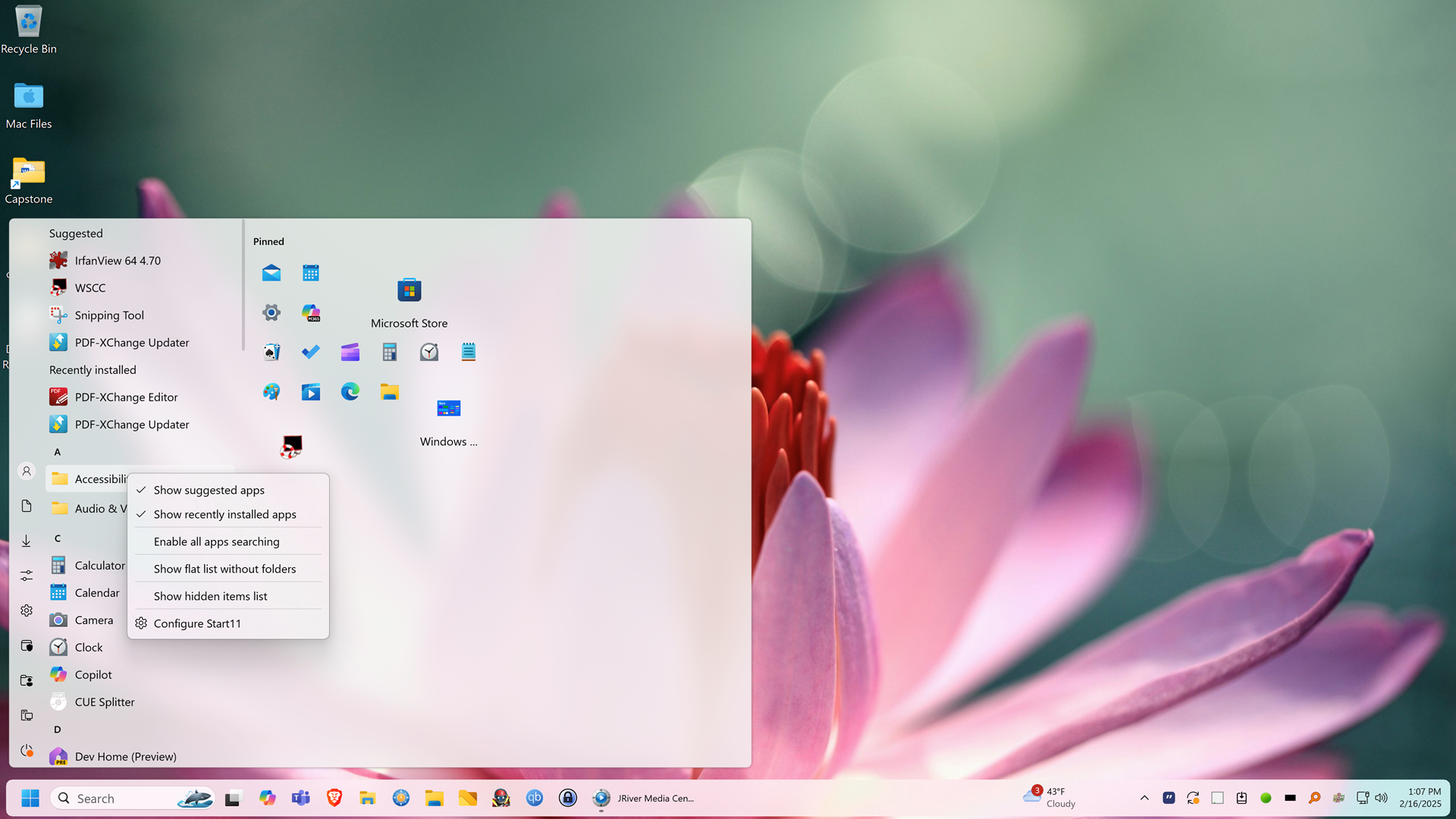
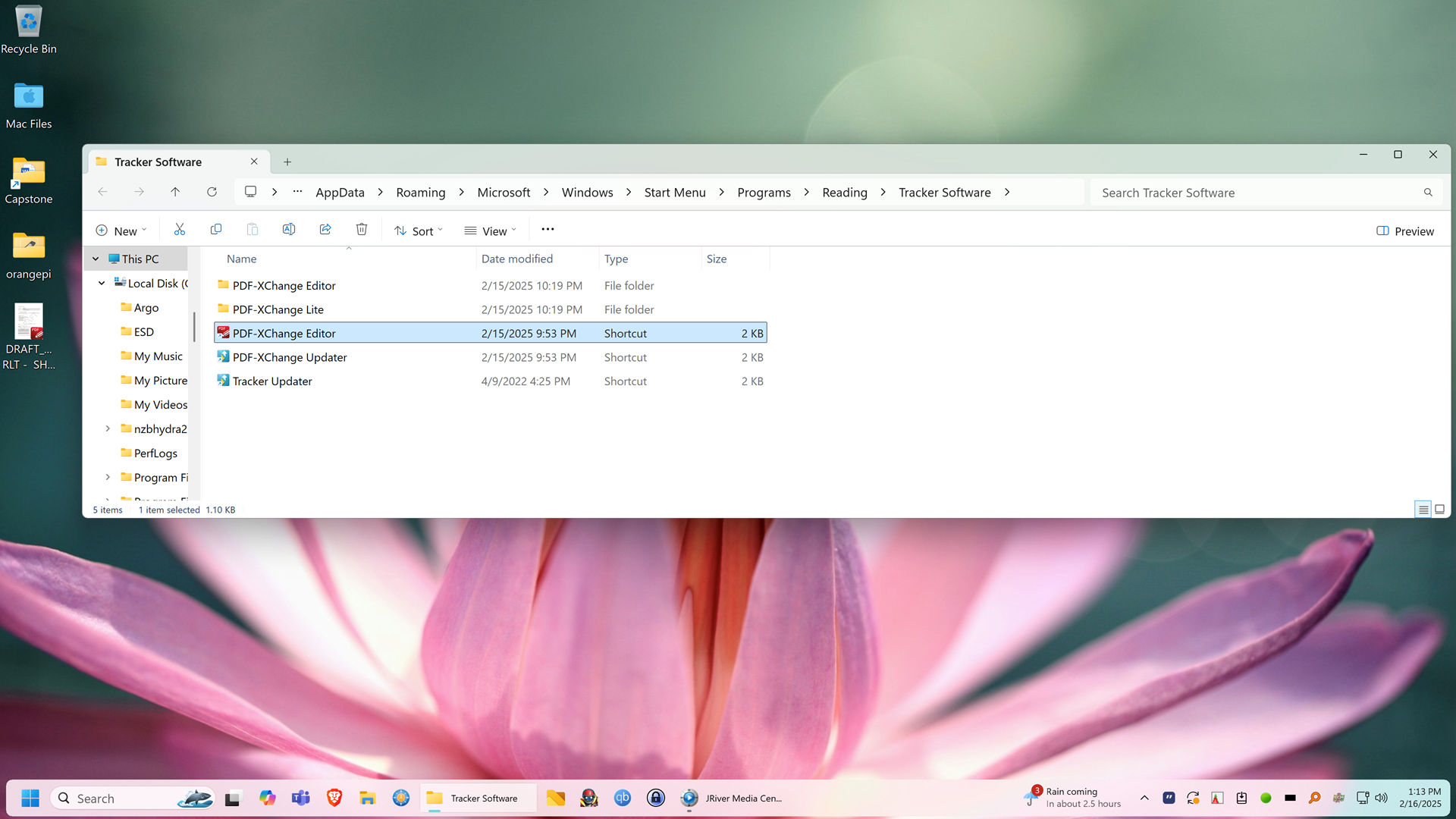
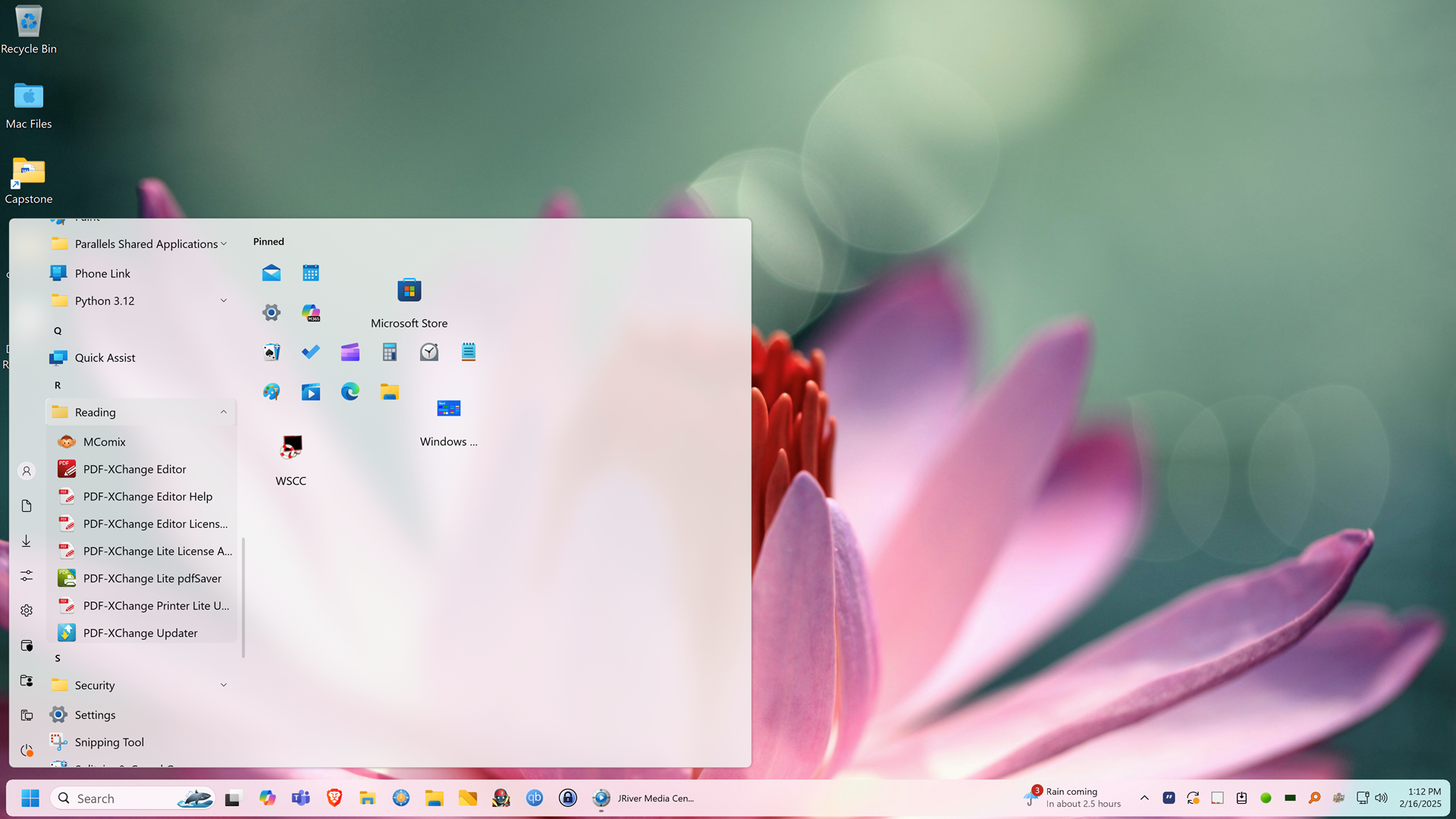
I want to be able to right click to open start menu folder to I can drag and drop items into those folders. I used to be able to do so. Now when I right click on a start menu folder I get these options. Also, shortcuts no longer show up on the parent folder, but rather as a list with no folder. For example, PDF x-Change Editor should be in the Tracker Software folder under Reading. (see attached) 

Thanks.


Seth

Reply #5 Top

Do you mean "Open file location"? And when you click on it, it will open File explorer on that application actual location?

Thank you,

Basj,
Stardock Community Assistant

Reply #6 Top

Check in this folder "C:\ProgramData\Microsoft\Windows\Start Menu\Programs" and see if the Tracker Software apps are loose, or in a folder named Tracker Software. If they are loose, you can create a folder here and name it Tracker Software. Then drag all the PDF-Xchange apps into this folder. They should then appear in a folder in your All Apps list.

Reply #7 Top

As an example, I'd like:

1. All Tracker Software programs to be in a Start Menu folder called Tracker Software under Reading (the program category I created))

2. When I update a Tracker program, it creates a new Tracker Software folder at the top level of Start Menu folders; I want to be able to right click on Reading->Tracker Software, select Open Folder, then drag the newly created Tracker Software folder (from the update) in to Reading->Tracker Software.

Note the no Open Folder option on right click affects all Start Menu folders, not just Reading->Tracker Software

I can open the folder containing the program if I right-click on one of the program shortcuts, select More, and Open file location. This is very inconvenient and doesn't address how I'd like it to work as described in item 1., above.

As I mentioned earlier, things work pretty much as I want when I use Win 7 style. I just don't like the "style" of Win 7 style. I'm 100% positive this worked the way I prefer using Win 10 style until just recently.

I hope this makes sense. I appreciate your help.