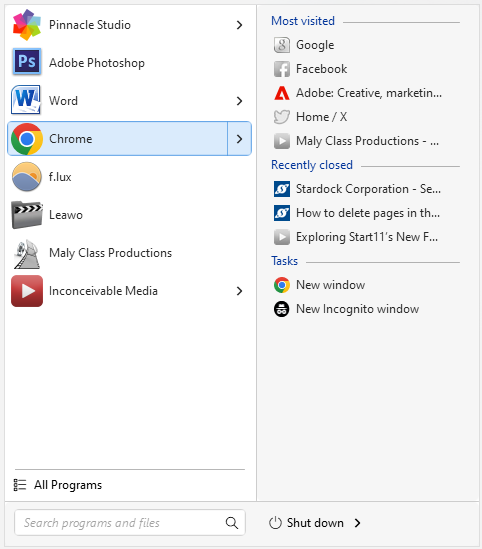
How to remove the arrow that shows "Most Visited," "Tasks" or "Frequent" when you hover over something on the start menu?
from  Stardock Forums
Stardock Forums
My description might not be the best. So I took a screenshot of it...I remember, I think, that I madfe it blank before, but I had to reinstall Stardock and I see it now. It's annoying to have all those things show up. And if it was there in the past, I've never clicked on them. So it's pointless for me to have....How do you get rid of that option?