Start11 Win10-Stile missing icon titles

Hi! I searched the forum and did not find any other people with this problem, seems i'm special... again...

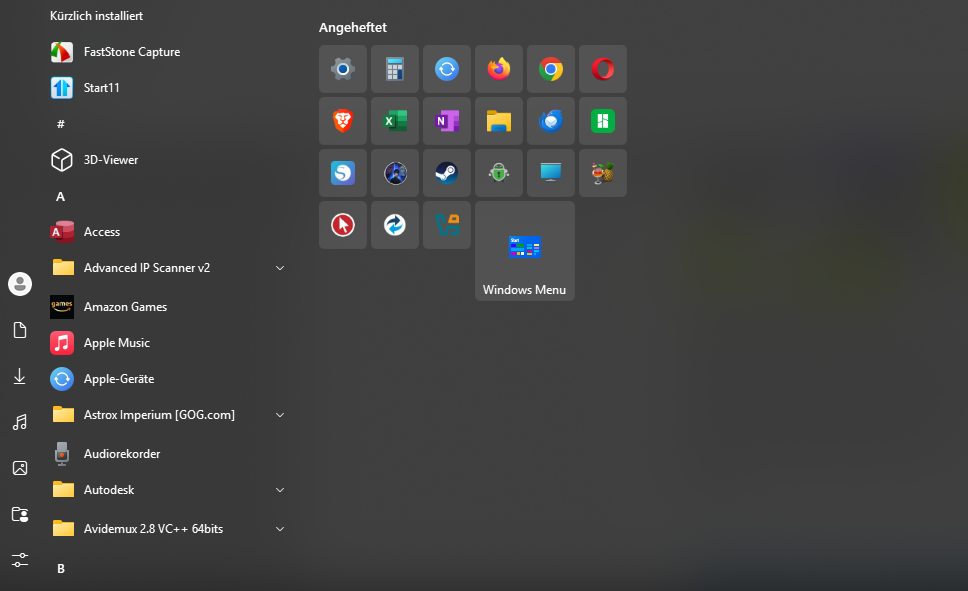
When using the Win10-stile icons have no description while on other stiles all descriptions are visible.

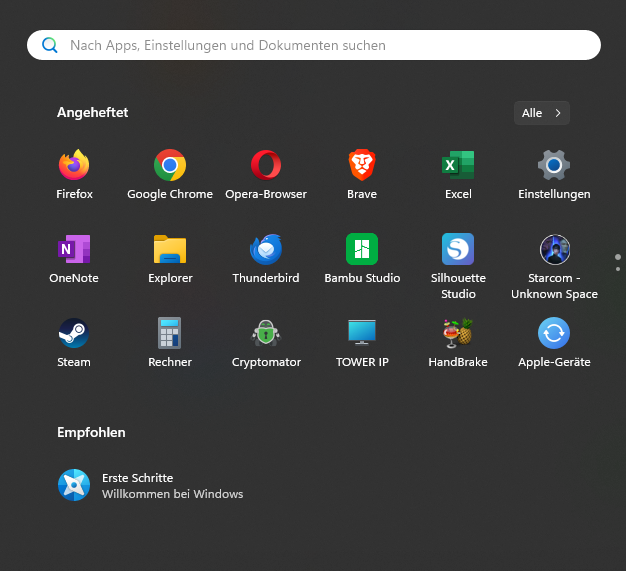
Win11 stock startmenue without Start11:
Start11 Win10-Stil:
Start11 Windows App-Stil:
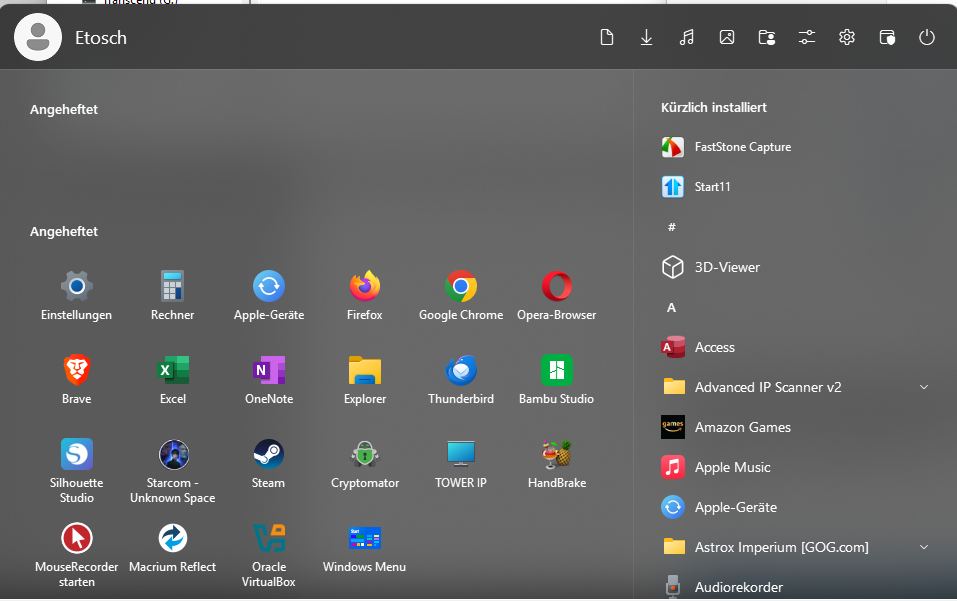
I can't find any switch to turn on the icon descriptions in win10-Stil.

Can someone please give me a hint, where to look?


Thank you in advance!

Etosch

759 views 4 replies
Reply #1 Top

Hello,
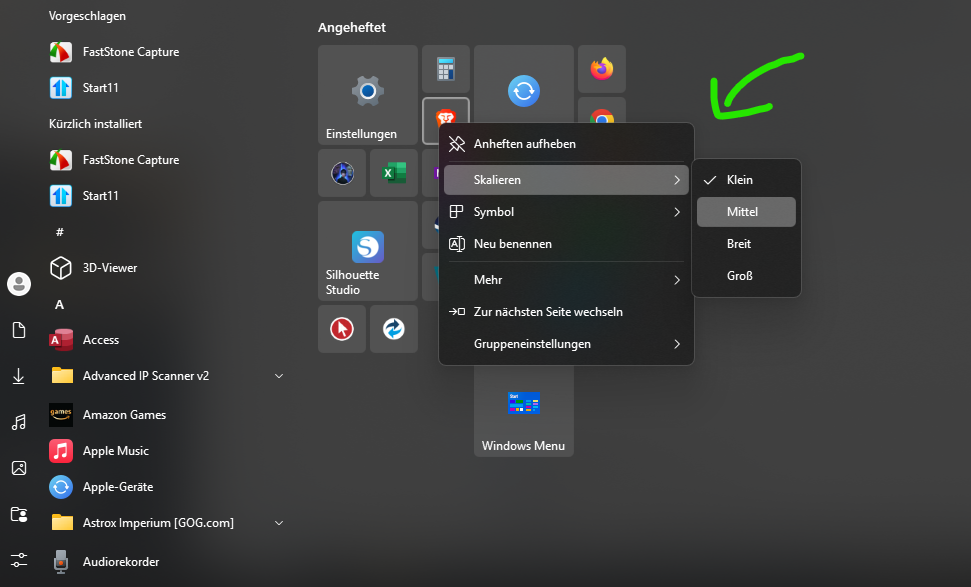
Sorry to hear you are having issues. Under Start11 Windows 10 style you will need to have "Medium" Icons size for the icons text to appear. If you changed each icon tile to medium, yet you don't see any text under the icon, please right click on the tile Group Settings -> Appearance -> "Hide icons text" is not selected.

Thank you,
Basj,
Stardock Community Assistant.

Reply #2 Top

This is entirely normal.  On Windows 10 menus the smallest icon size does not show text because it is sized small enough for the icon only.  This is how it works on Windows 10 too.

Reply #3 Top

Short Version: Thank you!

Long Version:

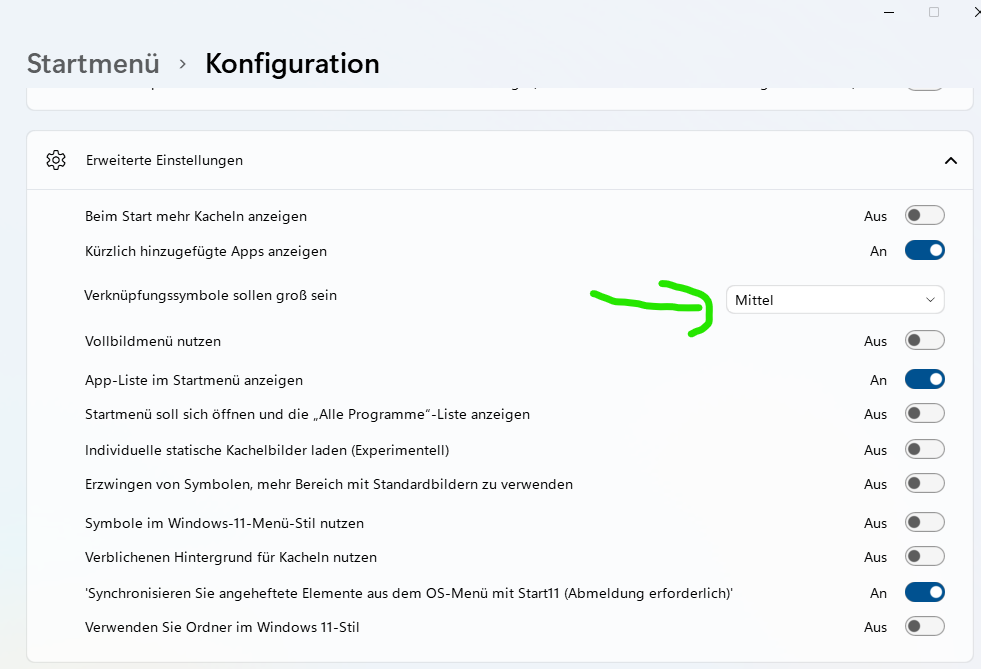
I don't know how, but all Icons where set to small. This is a new install. Also this switch did not do what i exspected:

Instead

Switching to medium on every Icon did do the trick.

Again, thank you for your help!

Best regards, Etosch

Reply #4 Top

Great, glad to hear, you resolved your issue.

Thank you,

Basj,
Stardock Community Assistant