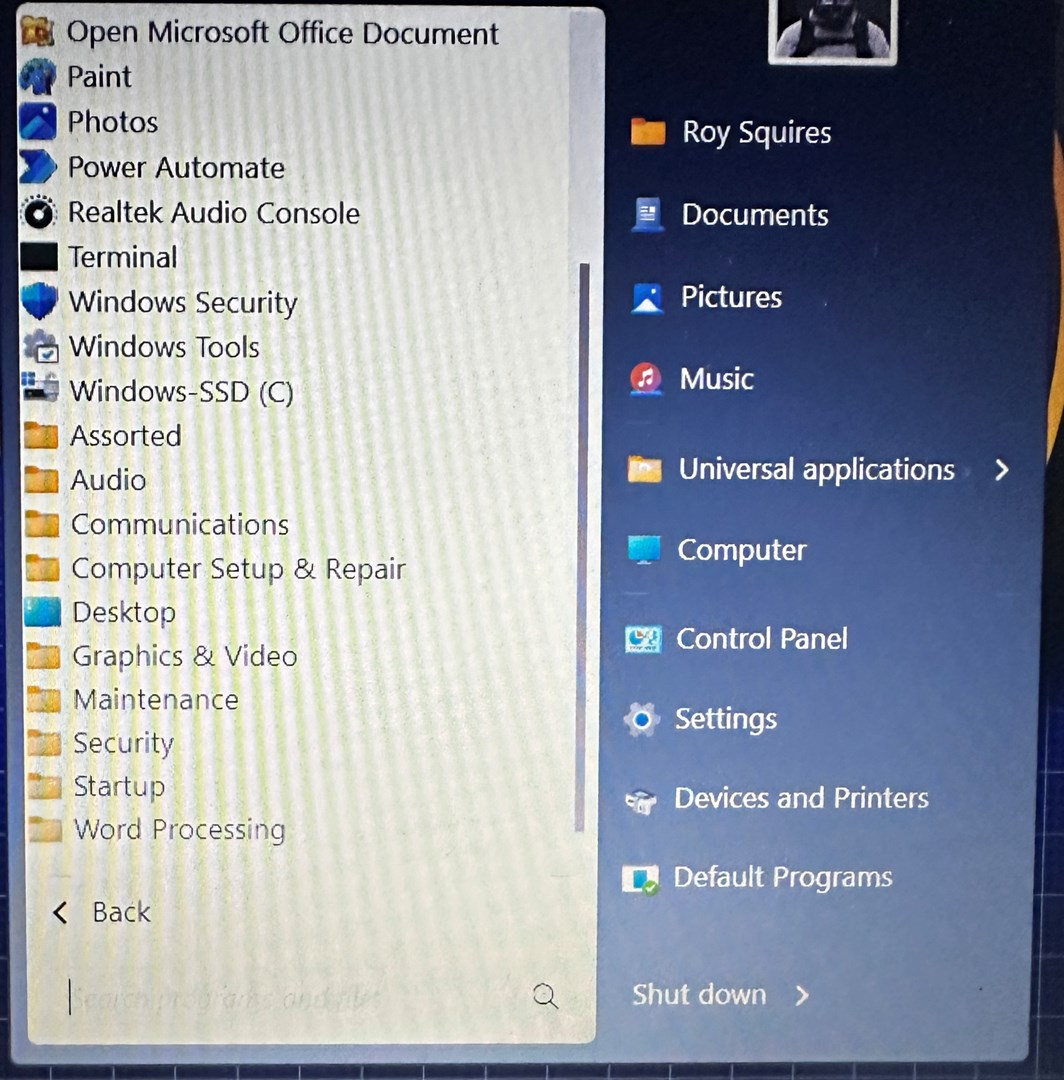
moving/deleting Windows 11 icons

Hi everyone, apologies if this topic has been mentioned already. I have searched previous posts, honestly!
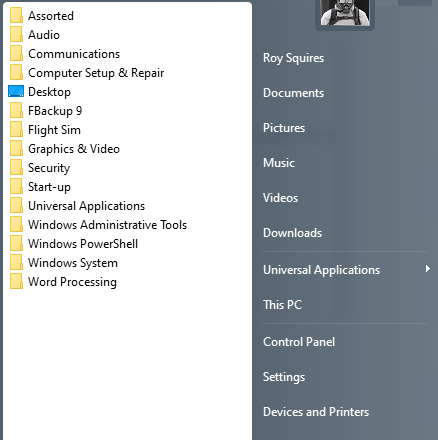
I want to be able to tidy up my icons in the "All programs" menu, by placing them in the folders I have created. It worked in Windows 10 but I have now downgraded to a Windows 11 laptop. My Windows 10 computer is tidy & to my liking, Windows 11 is pile of ****

Is it possible to move/delete these icons? I have tried a number of things and have nearly given up. Any help would be appreciated.

The two pictures show my 10 & 11 computer layouts. Windows 10 is what I strive for!


Regards,

Roy


3,756 views 6 replies
Reply #1 Top

Hello,
Sorry to hear you are having issues. Please refer to this guide, there are information in there on how to edit your Windows 7/Modern style.

https://support.stardock.com/space/SHC/1335820295/Back-up+Start+Settings

Thank you,
Basj,
Stardock Community Assistant.

Reply #2 Top

I have two computers using start11 v1.55. Both have been recently formatted and Windows 10 v19045.5371 installed. My problem is the S10 folder in AppData/Roaming/Stardock seems to what to put the Windows Store on the all programs menu + nividia control panel and intel graphic control center. The desktop is also on the menu but I loaded start10 on 1 machine and selected don't show control for desktop. When I then upgraded to start11 the desktop entry didn't reappear. In the S10 folder if I delete the 3 offending folders, the menu entries will be gone after a restart but will return after a time, not a consistent time frame. Anyone have an idea how to prevent their return. There were other entries but I uninstalled the the apps.

Note basj's answer above solved desktop problem easier than mine

Reply #4 Top

The S10 folder seems to be getting unwanted entries from C:\Programs\WindowsApps. Which is a hidden folder. Seems to have something to do with Microsoft Store downloads.

Reply #5 Top

Quoting rickmoll2, reply 4

The S10 folder seems to be getting unwanted entries from C:\Programs\WindowsApps. Which is a hidden folder. Seems to have something to do with Microsoft Store downloads.
End of rickmoll2's quote

That folder is where store apps are stored.

What unwanted entries is it getting?

Reply #6 Top

It places Devhome, nvidia control panel, new outlook, and microsoft store and others at top level of all programs menu windows 7  but will not let me put them into subfolders etc. Can't figure why I can't move them. I can delete them in s10 roaming folder and they disappear but eventualy come back. I have to do an uninstall of apps to permanetly remove from menu.  Now down to store and nvidia control panel. I may uninstall them too. Seems only apps from store act this way.