
Start11

Task bar right click disabled

I purchased Start11 so I could move the taskbar to the top of the screen (a customization inexplicably removed from Win11).

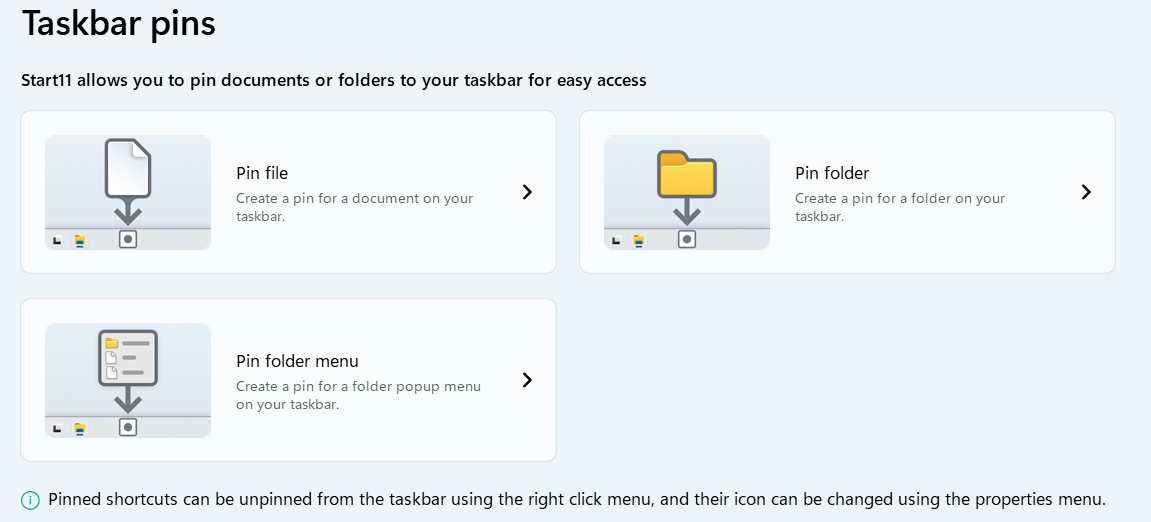
Start11 also has an option to pin objects to the task bar. After placing a folder in the task bar, I noticed that right clicking objects won't work (meaning there is no way to access properties or unpin objects). A note at the bottom of the screenshot states this is supposed to work - it did before I installed Start11 and realigned the taskbar. Wondering if anyone has encountered a similar problem or has some suggestions.

I'm running Win11 Home version using Start11 version 2.11
Moved to Start Menu Products area

 

2,457 views 7 replies
Reply #1 Top

Hello,
Sorry to hear you are having issues. Please try install Start11 v2.49.2. Beta, seem this version should resolve your issue when using the taskbar at top. Refer here on how to get it. https://forums.stardock.com/532897. Download, install and reboot immediately after installation is done. Test and report back.

Thank you.
Basj,
Stardock Community Assistant.

Reply #3 Top

Great, glad to hear that.

Thank you,

Basj,
Stardock Community Assistant

Reply #4 Top

Ok . . . so a second issue I discovered. The customizations won't activate after a reboot. Modifications to the taskbar and start menu just revert back to their Win11 defaults when the system is restarted. This is the case on both the v2 and v2.49.2 Beta. I've disabled other apps like Transluscent TB and Windhawk which might interfere. I'm assuming Start11 customizations are saved by default on exiting the program.

Do you have any suggestions? 

Reply #5 Top

Most of time some application still active in the background even after you disable it, please try uninstall any application that also change how your taskbar and Explorer work and reboot, retest Start11 again. Do report back. Once that is done, you can reinstall those other application to see if the problem return. If it does, it show that application is conflicting with Start11. Please try Transluscent TB first.

Thank you,

Basj,
Stardock Community Assistant

Reply #6 Top

So I completely deleted all the programs that might be interfering (including anything left in the registry). When the taskbar is set to the top of the screen the settings still revert to the Win11 default after every restart.

After some experimenting I found that if I toggle the 'enhance taskbar' to off and align the taskbar to the bottom of the screen, the customizations (mostly) don't reset when the system reboots. They still reset randomly - maybe 1 time in 10.

I still haven't found a way to keep the taskbar at the top of the screen without it reverting to the defaults every time the system is shut down.

FYI I'm using v2 not the beta version v2.49.2


Reply #7 Top

Quoting Eponymous1, reply 6

FYI I'm using v2 not the beta version v2.49.2
End of Eponymous1's quote

Please do try the Start11 v2.49 beta. I though you did use the Start11 v2.49 as you mentioned above? Any specific reason you're revert back to older version?

Thank you,

Basj,
Stardock Community Assistant
