
Start11 Menu Fails to Start on Reboot
When I restart my computer the Start11 menu fails to load. When I click on the start button the Windows menu loads. After some amount of time, the Start11 menu starts to load.
Moved to Start Menu product area
When I restart my computer the Start11 menu fails to load. When I click on the start button the Windows menu loads. After some amount of time, the Start11 menu starts to load.
Moved to Start Menu product area
Hello,
Sorry to hear you are having issues. First, please try this. Uninstall Start11, reboot immediately (important), redownload latest installer from your account. Install it, reboot again. Retest and report back.
Thank you.
Basj,
Stardock Community Assistant.
I have tried your suggestion and am still getting the same result.
Need more information on your system and issue.
Thank you,
Basj,
Stardock Community Assistant
Just a heads up, out of frustration I decided to upgrade to Ver 2. Same result. I will get you the additional info you wanted after I return from two meetings.
Need more information on your system and issue.
Please try purge and reinstall steps as mention here : [Link]. Just make sure to redownload the latest version from your account page. Reboot after the purge. Reinstall and reboot again after the installation. Retest and report back here.
Thank you,
Basj,
Stardock Community Assistant.
If there is a big delay I would check the Start11 service has not been set to delayed start by something.
When I reboot the Stardock service is running but the Windows menu is what is loaded.
When the Star11 menu is loaded, it is in complete i.e. it does not equal the Windows menu or the previously built Start11 menu.
As to the purge procedures you sent me, when I try to run the purge file Windows Defender blocks it. I tried opening Windows Defender but I can not find any way to remove the block.
For the batch file been block, please try this guide:
Thank you,
Basj,
Stardock Community Assistant
I have added the exclusion but the execution is still being blocked.
What error message appear when it was blocked?
Thank you,
Basj,
Stardock Community Assistant
Microsoft Defender SmartScreen prevented an unrecognized app from starting. Running this app might put your PC at risk.
App: Purge_StartAll.bat
Publisher: Unknown
Please try this guide: https://support.tibco.com/external/article?articleUrl=How-to-resolve-Windows-smartscreen-error-while-installing-Hotfix-for-Statistica-14-0
Thank you,
Basj,
Stardock Community Assistant
I ran the purge and reinstall. Still getting the same results
Somethings might be blocking/conflicting with Start11. Just as a test, if you have Windows 11 Pro, please try, Windows Sandbox: https://forums.stardock.com/505872/start11-support-faq#windowssandbox
Thank you,
Basj,
Stardock Community Assistant
I have Windows 11 Home
Please try Cleanboot: https://forums.stardock.com/505872/start11-support-faq#cleanboot.
Thank you,
Basj,
Stardock Community Assistant
I am just going to live with the delay.
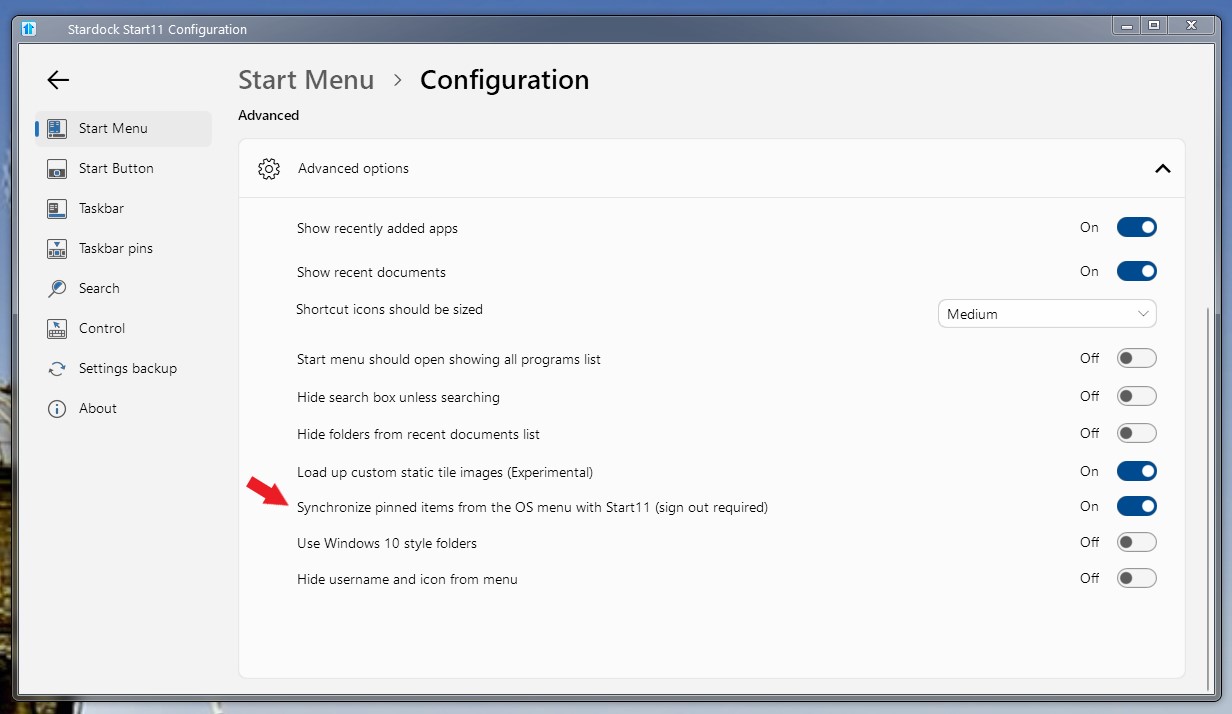
However, is there any way to recover the Start11 menu that has bee lost?
Please try turn on this option.

Thank you,
Basj,
Stardock Community Assistant
Welcome Guest! Please take the time to register with us.