Has Start11 been ready for 24h2?
The main function of start11 seems to be lost in 24h2.It cannot be changed to any settings like win7 or win10.
Any informations?
The main function of start11 seems to be lost in 24h2.It cannot be changed to any settings like win7 or win10.
Any informations?
Uninstall Start11, REBOOT and reinstall.
Start11 should work fine on 24H2 so something may have broken your install.
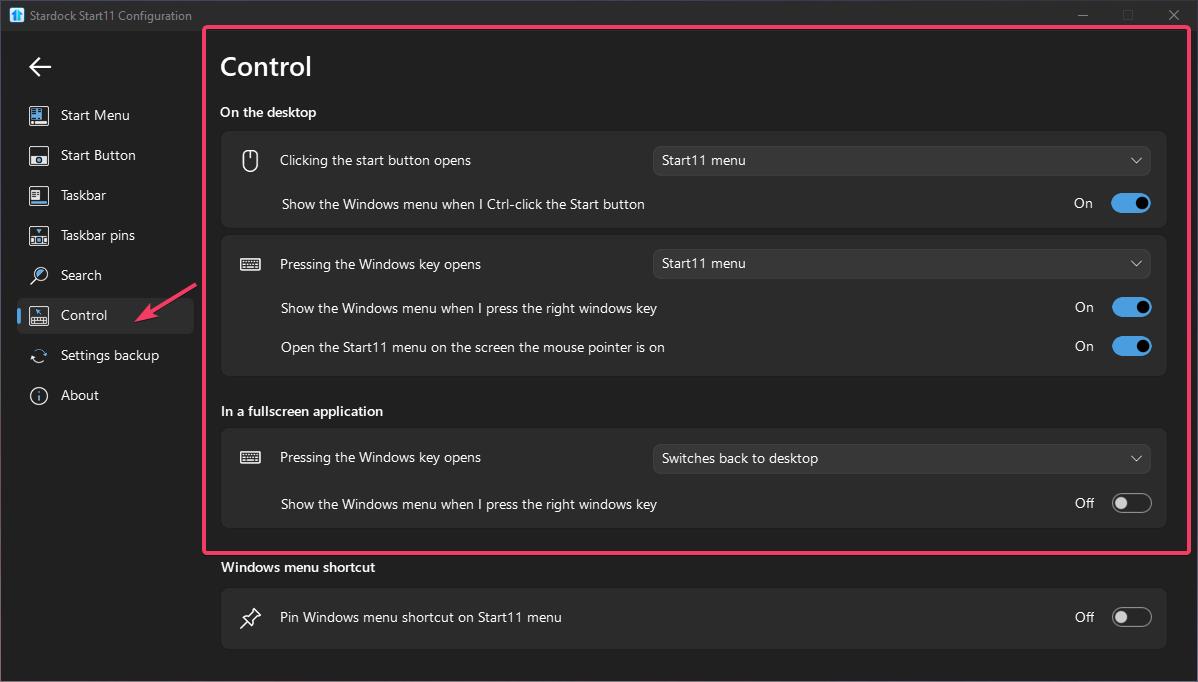
If that doesn't help then check the control page in Start11 settings to make sure it is set to use the Start11 menu.
Thanks for your reply.
I've tried the first way,it won't work.
The second way won't work either.
But i found that when i press windows button on my keyboard,the win10 menu works fine.
It just won't work when i press the windows button in my taskbar.
Any further informations?
PS. I've tried to turn off and turn on the settings in Start10tweak.exe.Won't work.
I think this problem maybe cause by me playing with start10tweak.exe.Any solutions?
windows:24h2
start11:2.11
Hello,
Sorry to hear you are having issues. Which option did you changed in Start10 tweak?

Thank you.
Basj,
Stardock Community Assistant.
I pressed the second button once,the third once,then the first once.
Oh by the way,I also installed displayfusion.But i have banned all the functions of it besides wallpaper and monitor layout.
Any ideas?Oh i'am so confused now
Those buttons if press should not create issue, and it should load back to normal once you reboot your system. You did reboot your system, yes?
What is your setting on this option? Post screenshots.

Thank you,
Basj,
Stardock Community Assistant


Thank you for your reply.
I've also tried uninstall by Purge_StartALL then reboot then reinstall then reboot,also won't work.
I've rebooted for like 20 times in order to solve this.Bad luck.
Need OS Build number please. Please use Winver.exe. It should look something like this. Also you on Windows 11 Pro or Home?

Thank you,
Basj,
Stardock Community Assistant
windows11 professional workstation version
First, any reason you're not updating to current 24H2 OS Build number? For example, OS Build 26100.2033, https://support.microsoft.com/en-us/topic/october-8-2024-kb5044284-os-build-26100-2033-6baf4a06-9763-4d9b-ba8a-f25ba6ed477b.
Second, please test if the issue also appear if you install in Windows Sandbox: https://forums.stardock.com/505872/start11-support-faq#windowssandbox.
Thank you,
Basj,
Stardock Community Assistant
At the end,I solved this by reinstall win11 24h2 twice.
Thank you for your patience.I left this reply to help the others.
Awesome, really glad to hear that. Need more details please. What you mean you reinstall Win11 twice? Reformat OS Drive and reinstall Windows or just install over?
Thank you,
Basj,
Stardock Community Assistant
This problem is caused by the conflicts between start11 and displayfusion.
displayfusion will make some effect to the taskbar,although i just tick every settings off.
I just download the newest iso file in microsoft official website then just double click at the setup.
First time,i install start11 and displayfusion.Problem still exists.
Second time,i am afraid to install displayfusion so i have not installed it yet.Now everything works fine.
I also paste a topic in their discussions.But if this situation is not solved.I am afaid i will have to waste my money in displayfusion..

Welcome Guest! Please take the time to register with us.