The start menu no longer launches in the center of the screen

После обновления start 11 в левой части экрана стало включаться меню пуск. Я посмотрел настройки star11 и не нашел переключателя, который там был раньше. 


After updating start 11, the start menu began to turn on on the left side of the screen. I looked at the star11 settings and didn't find the switch that was there before.
1,122 views 7 replies
Reply #1 Top

Hello,
Sorry to hear you are having issues. Need more details.

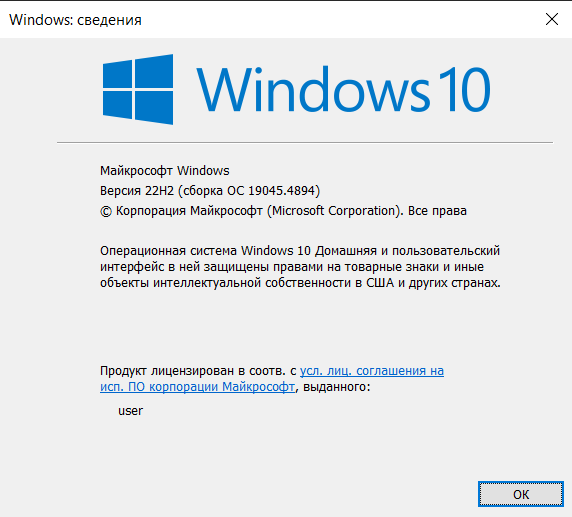
  1. Windows full version and OS Build number. Please use Winver.exe.
  2. Start11 version number.
  3. Screenshot of the button you mentioned above.

Thank you.
Basj,
Stardock Community Assistant.

Reply #2 Top

Hello, I didn't find a screenshot of the button, but it was in the "Start Menu" section. It should show the menu like on Windows 11 in the center, but it stopped. Version start11 (2.11).


Reply #3 Top

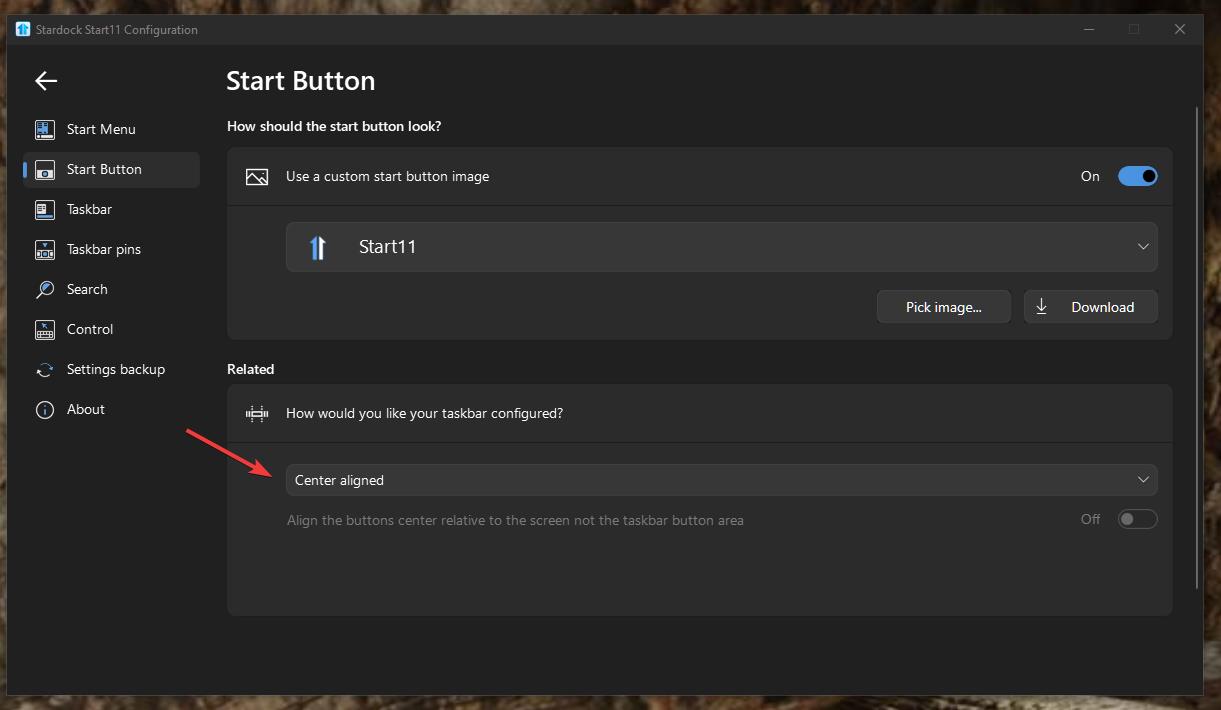
Is the Start button set to Center aligned in Start11 Start button setting?

Thank you,

Basj,
Stardock Community Assistant

Reply #5 Top

Please try this, uninstall Start11, reboot immediately after uninstall finished. Re-download Start11 v2.11 from your account download page. Re-install it, reboot again immediately after the installation finished. Reboot, retest and report back.

Thank you,

Basj,
Stardock Community Assistant

Reply #7 Top

Great, glad to hear it worked.

Thank you,

Basj,
Stardock Community Assistant