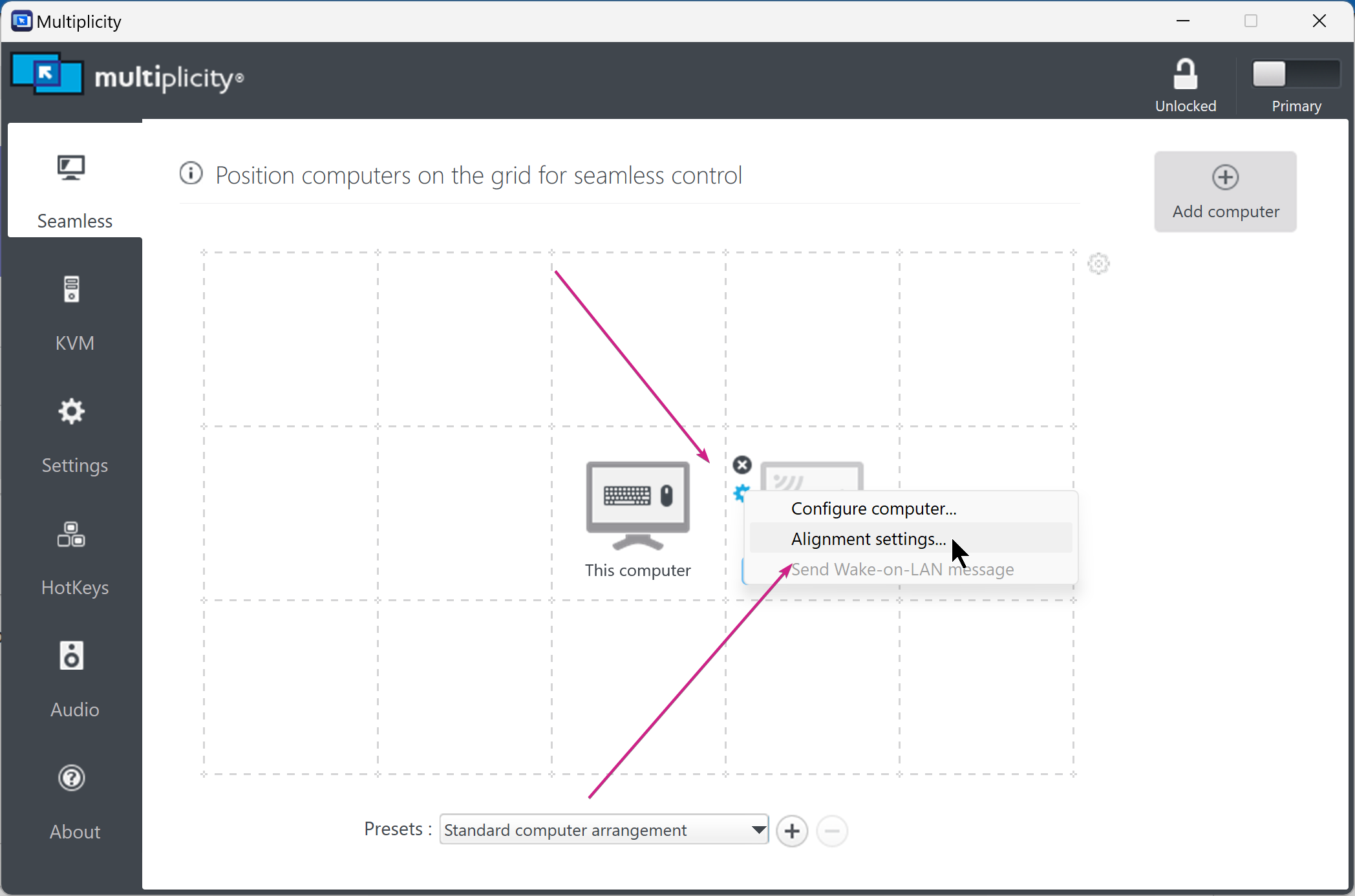
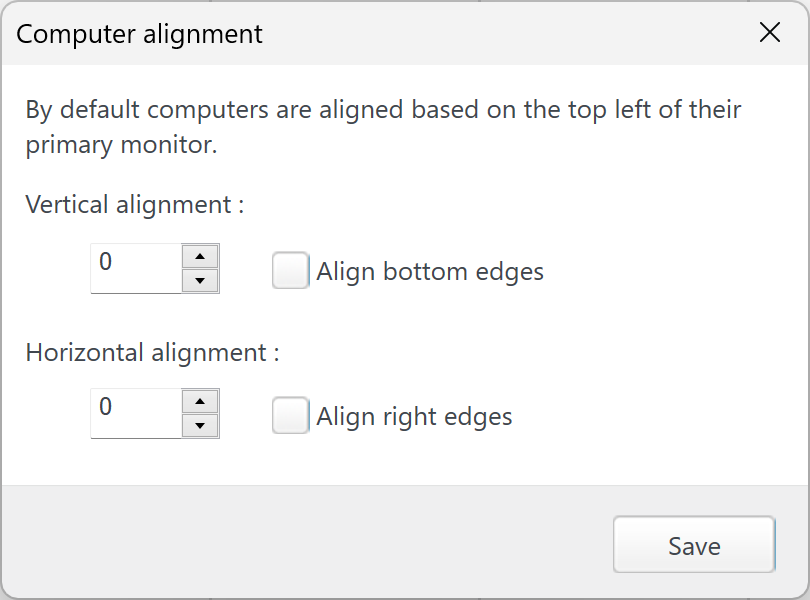
MP clients are not latching to primary display monitor
 Stardock Forums
(LAST UPDATE - I gave up and switched the monitors around so the higher resolution is primary)
Help, I got a new monitor
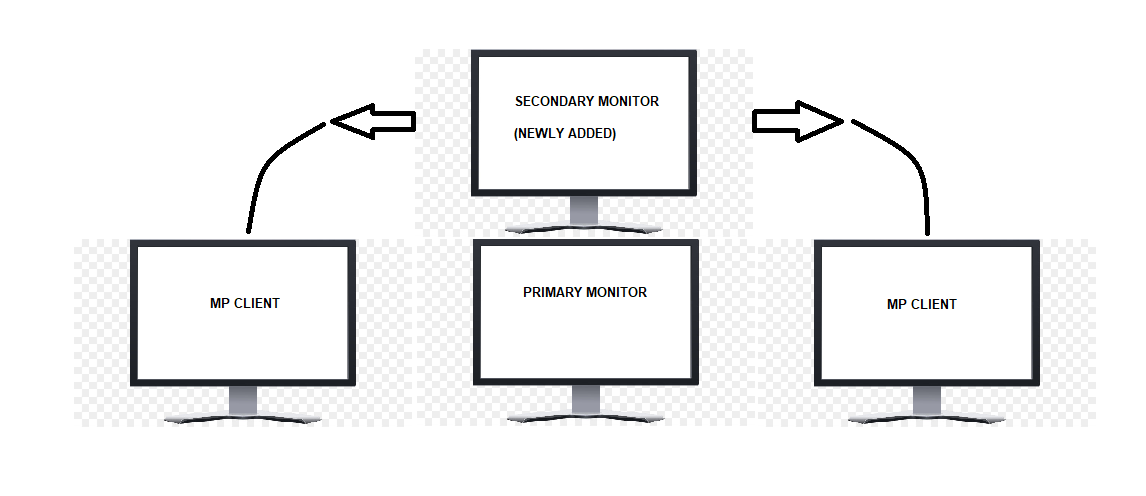
I have it stacked on top of my primary Windows monitor
See diagram below, Multiplicity is no longer letting me drag across from the primary monitor, it is only letting me drag across from the secondary monitor (the one up top)
I've re-assigned my Primary Monitor in Windows display settings, no change
I've disconnected and re-connected all of the MP clients, no change
Rebooted, no change
UPDATE:
It is because my secondary monitor is higher resolution than my primary.
so I have it setup like this:
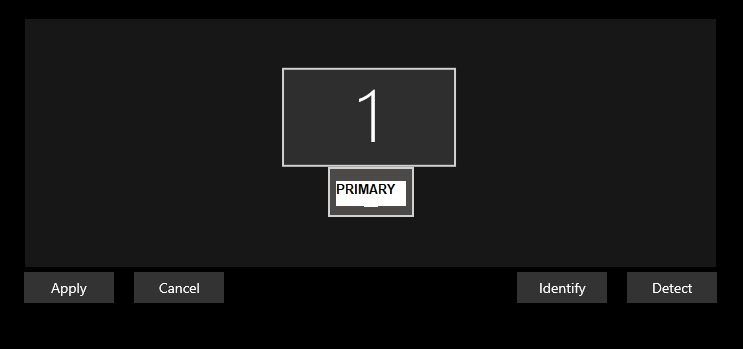
If I change to this: I can now drag to the right side MP client from primary (but not left side MP client)
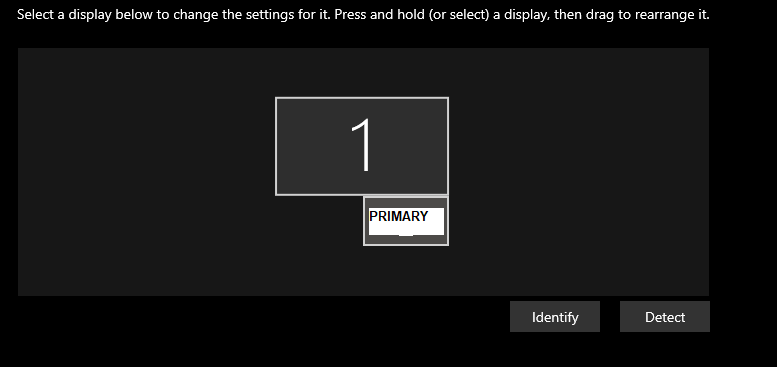
Is there any way to override this? I want MP to latch to the primary smaller monitor, not the one with higher resolution that is creating the wider 'edge margin'
UPDATE AGAIN:
I found a workaround by doing the following - this worked
https://www.youtube.com/watch?v=5gGX5ZeAFRM&t=351s
If anyone has a better solution however, please let me know - I'd prefer not to 'hack' my primary resolution in order to make this work if I don't have to.