
All Apps showing old start apps with Start11- can't remove

Before moving to Start11, I had some pinned folders in the windows 11 default start menu. Now that I am on start11, those folders show up in the All App list but I no longer need them. I removed them from the default windows 11 start screen but they're still showing in the All Apps list. How can I edit the all app list? 
888 views 2 replies
Reply #1 Top

Hello,
I have forwarded your problem/question to Stardock Support Team for their assistance. Please keep an eye on this thread for any updates. We appreciate your feedback and patience.

Note: Please provide more information as listed below.

  1. Windows full version and OS build number. Use Winver.exe
  2. Start11 full version number.

Thank you.

Basj,
Stardock Community Assistant

Reply #2 Top

Hello,

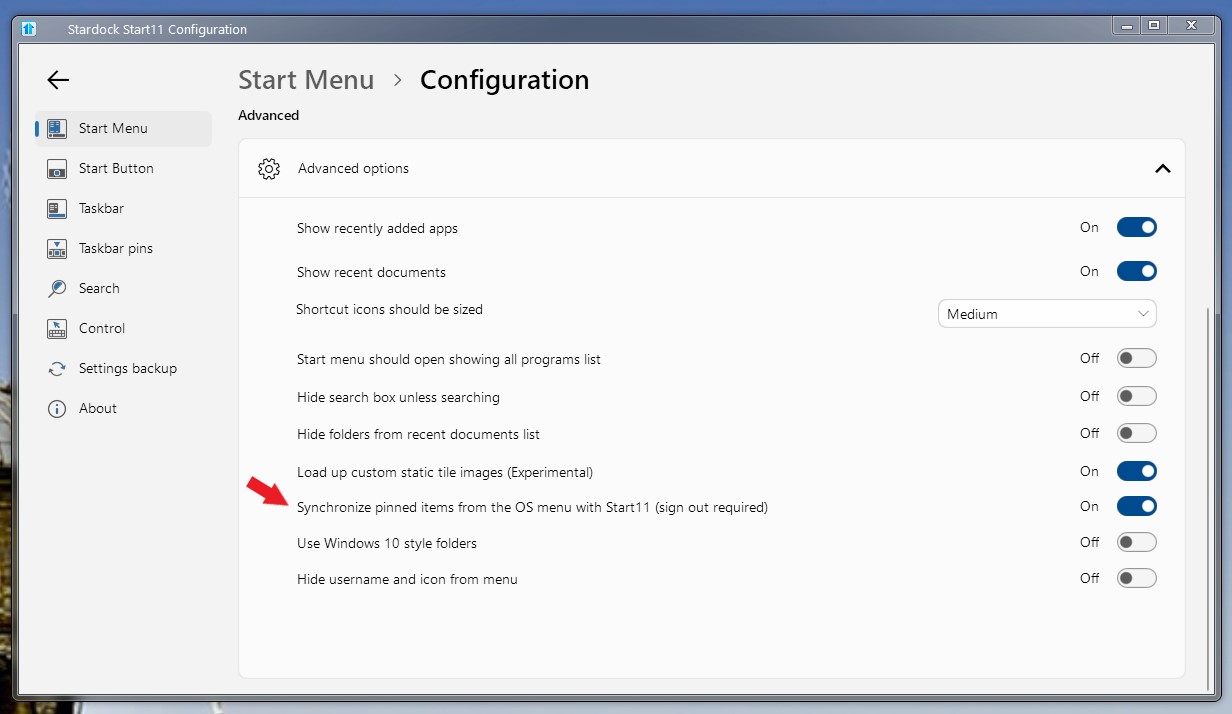
Please check this option and see if it turn on or off. If its was off try tuning it on.

Thank you,

Basj,
Stardock Community Assistant