Can't start Start11 V2

Clicking on Start11 in the apps list just takes me to a web page

"C:\Program Files (x86)\Stardock\Start11\Start11Config.exe"

I have installed V2, the upgrade from V1.

V1 was working perfectly.

V2 isn't working at all.

On reboot "Start" opens the Windows 11 start menu.

I search the Apps List for Start11.

The App Start11 icon starts "C:\Program Files (x86)\Stardock\Start11\Start11Config.exe"

I click on the Start11 icon and am taken to a web page that says "Download V2".

I am not getting any joy from this update, and have taken a step backward to the Windows 11 Start Menu.

Please fix this problem ASAP.
3,212 views 11 replies
Reply #1 Top


The App Start11 icon starts "C:\Program Files (x86)\Stardock\Start11\Start11Config.exe"

I click on the Start11 icon and am taken to a web page that says "Download V2".
End of quote

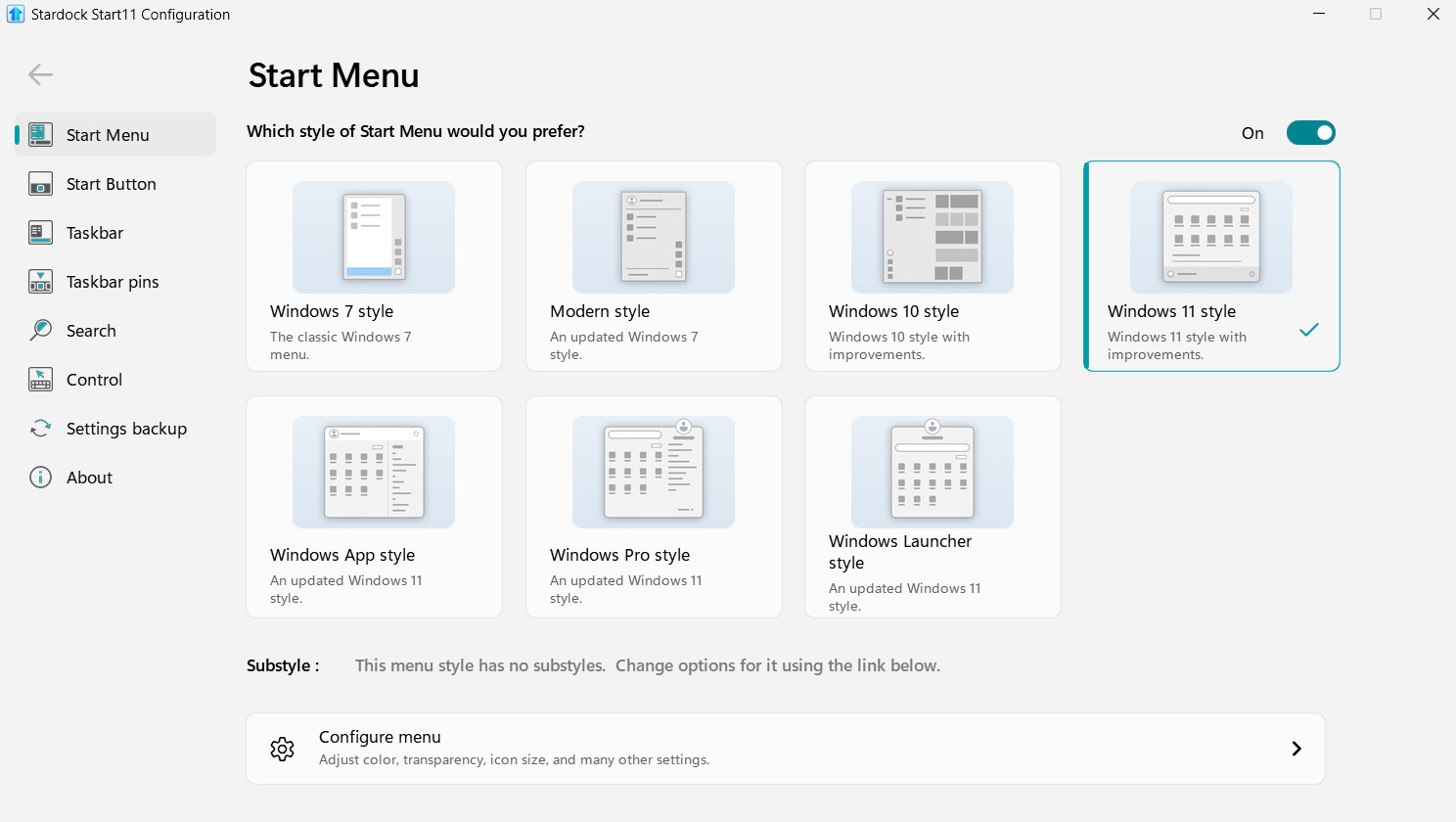
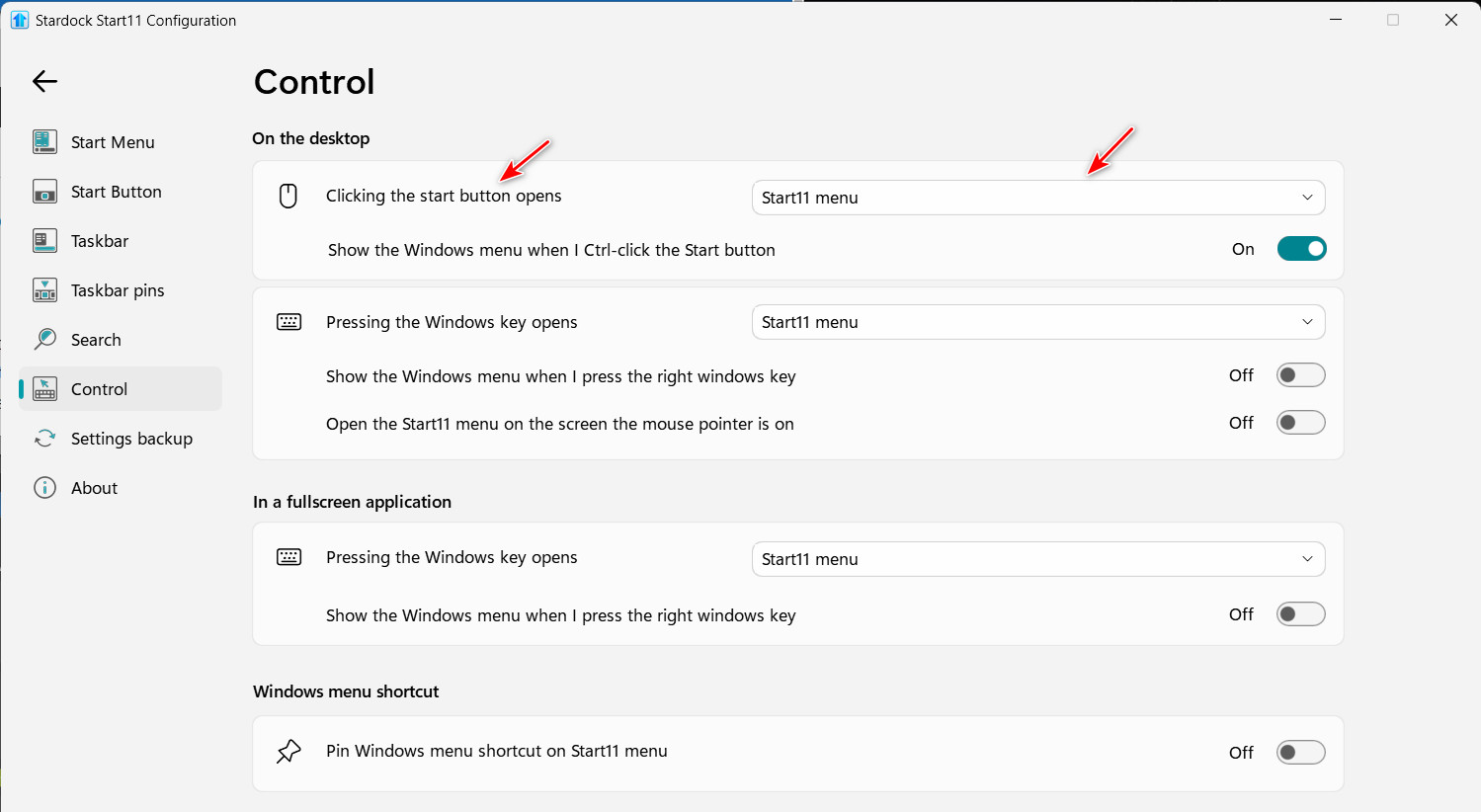
I'm confused by this statement. Are you able to open the Start11v2 config app? If so, check the "Control" settings and make sure Start11 is set to open the Start11 menu when the Start button is clicked.

It's possible the style is set to Windows 11 style.

Reply #2 Top

I'm saying that when I click on the Start11 icon, it runs "C:\Program Files (x86)\Stardock\Start11\Start11Config.exe" which opens a web page at https://www.stardock.com/products/start11/update.

I have uninstalled the V1 and V2 app and installed the free version because I was unable to get anything activated.

The v2 app brought me to the same web page as does the free version.

I am the only user on this computer, but I did try it as Administrator, but I got the same results.

Reply #3 Top

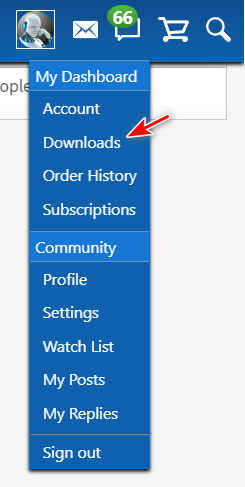
Did you purchase Start11v2 or are you using a Trial version? If you purchased it, go to your downloads page https://store.stardock.com/myaccount/products and download the 2.07 installer.

Then uninstall your existing Start11 install; reboot; now install using the freshly downloaded 2.07 installer; and reboot.

Reply #4 Top

OK.

I did all that and the Windows 11 menu still comes up.

If I click on Start11Config.exe it just opens the web page I have been telling you about.

Reply #5 Top

Hello,

Sorry to hear you have issues, please try purge and reinstall steps as mention here : [Link]. Just make sure to redownload the latest version from your account page. Reboot after the purge. Reinstall and reboot again after the installation. Retest and report back here.

Thank you,
Basj,
Stardock Community Assistant.

Reply #6 Top

I just reloaded v1 and the config form opens as it should.  Unfortunately all of the icons I had in it are history.

Any ideas on how to get them back?

I'll wait a few months until you get v2 debugged.

Thank you for your help.

Reply #7 Top

What version of Start11v2 did you originally install? If it was prior to 2.07, that would explain the link to the upload page.

Did you ever click the "Download" button on this page?

I used your link to open this page and it indeed downloads the version 2.07 installer.

Reply #8 Top

I downloaded from the web page download link for 2.07.

What is the exe file name I should see when I download 2.07?

Reply #9 Top

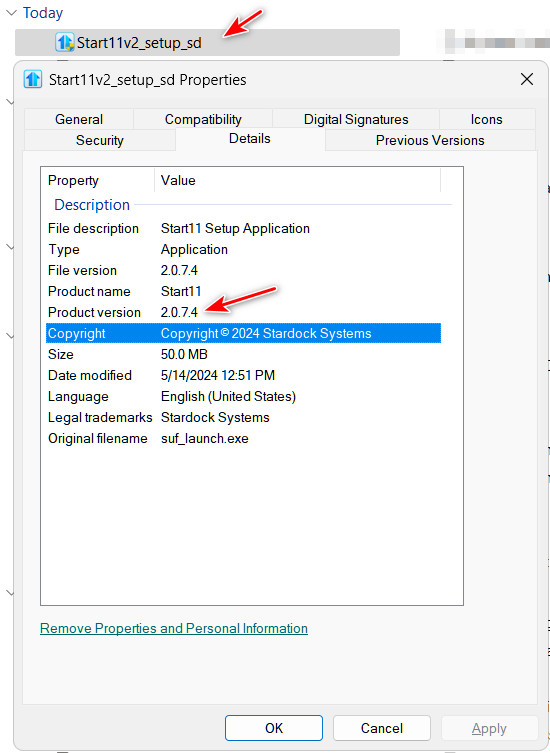
The file name of the installer is "Start11v2_setup_sd" and if you check the Properties of this installer, the Product version is 2.0.7.4.

Reply #10 Top

OK.

I ran that exe (with the same properties as your example), and after rebooting, it brought up the same web page.

And the Start menu is Windows 11.

Now I have to reload V1.

Reply #11 Top

At this point the only solution is to perform the purge as Basj recommended in reply #5. This will remove all traces of Start11 and allow you to make a clean install of Start11v2. After you have run the purge, download the latest version (2.08 released today) from your account download page and install. It's important to reboot after the purge; reinstall; and reboot again after the installation.

Let us know if this process resolves your issue.