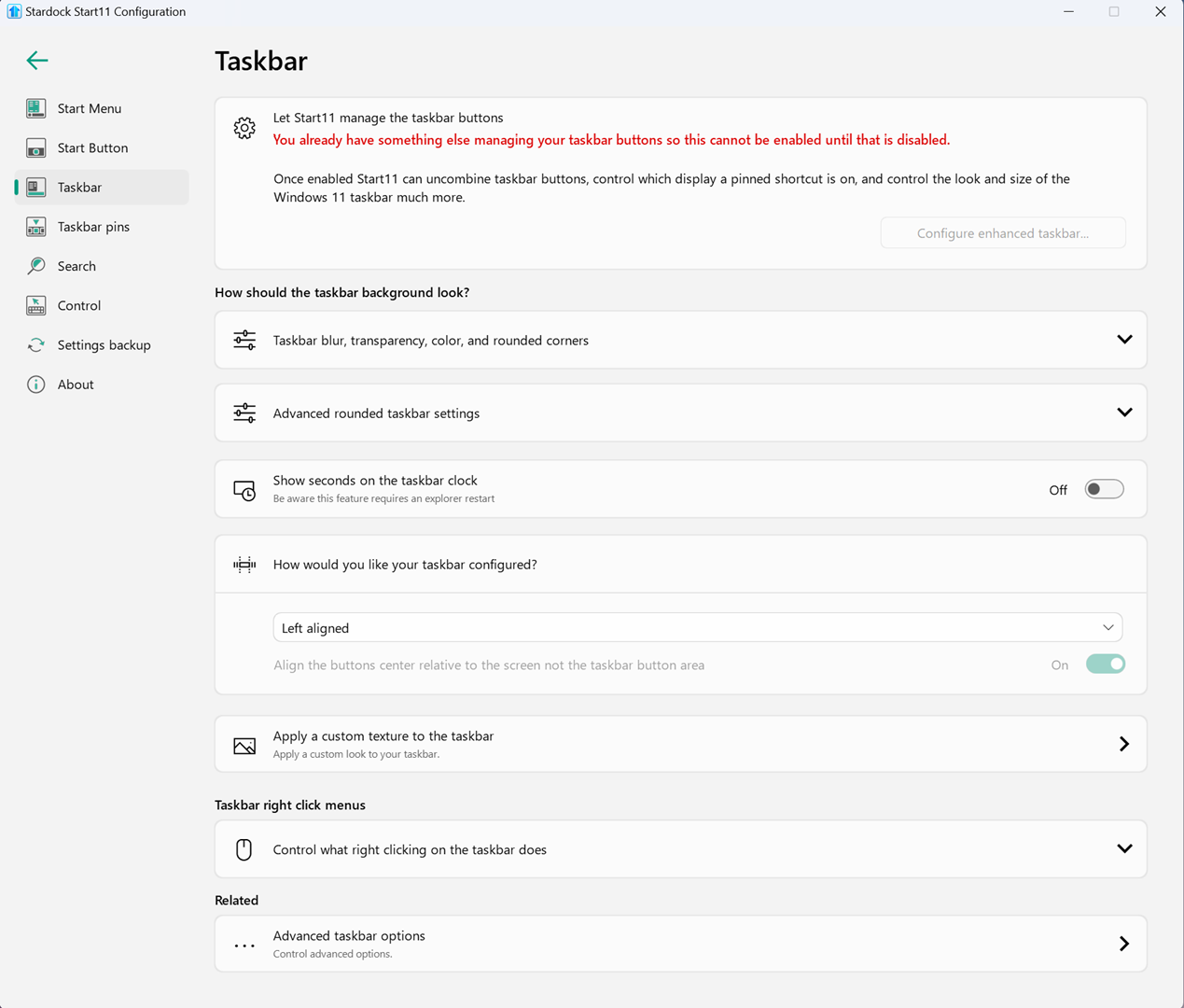
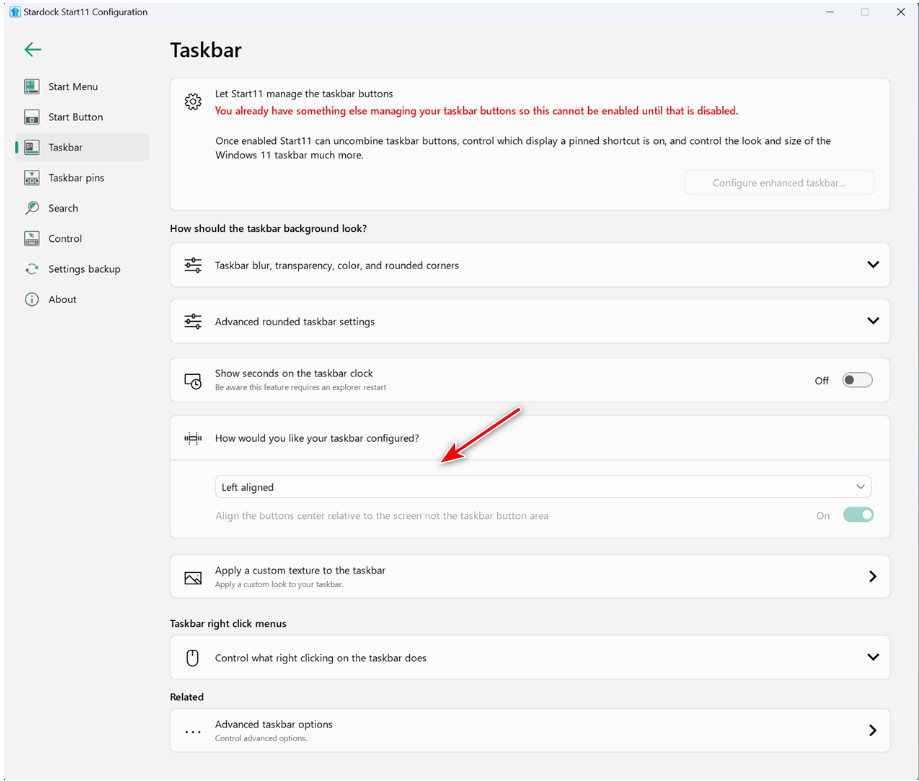
Taskbar settings already manged

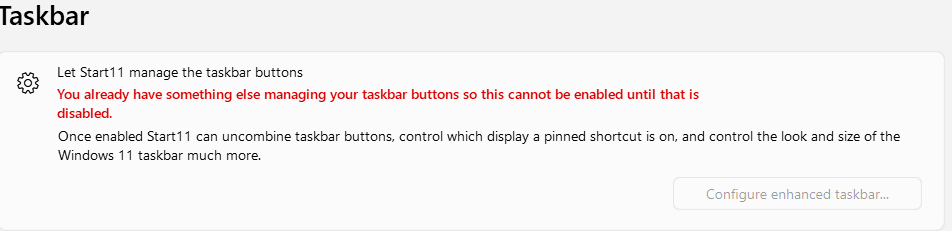
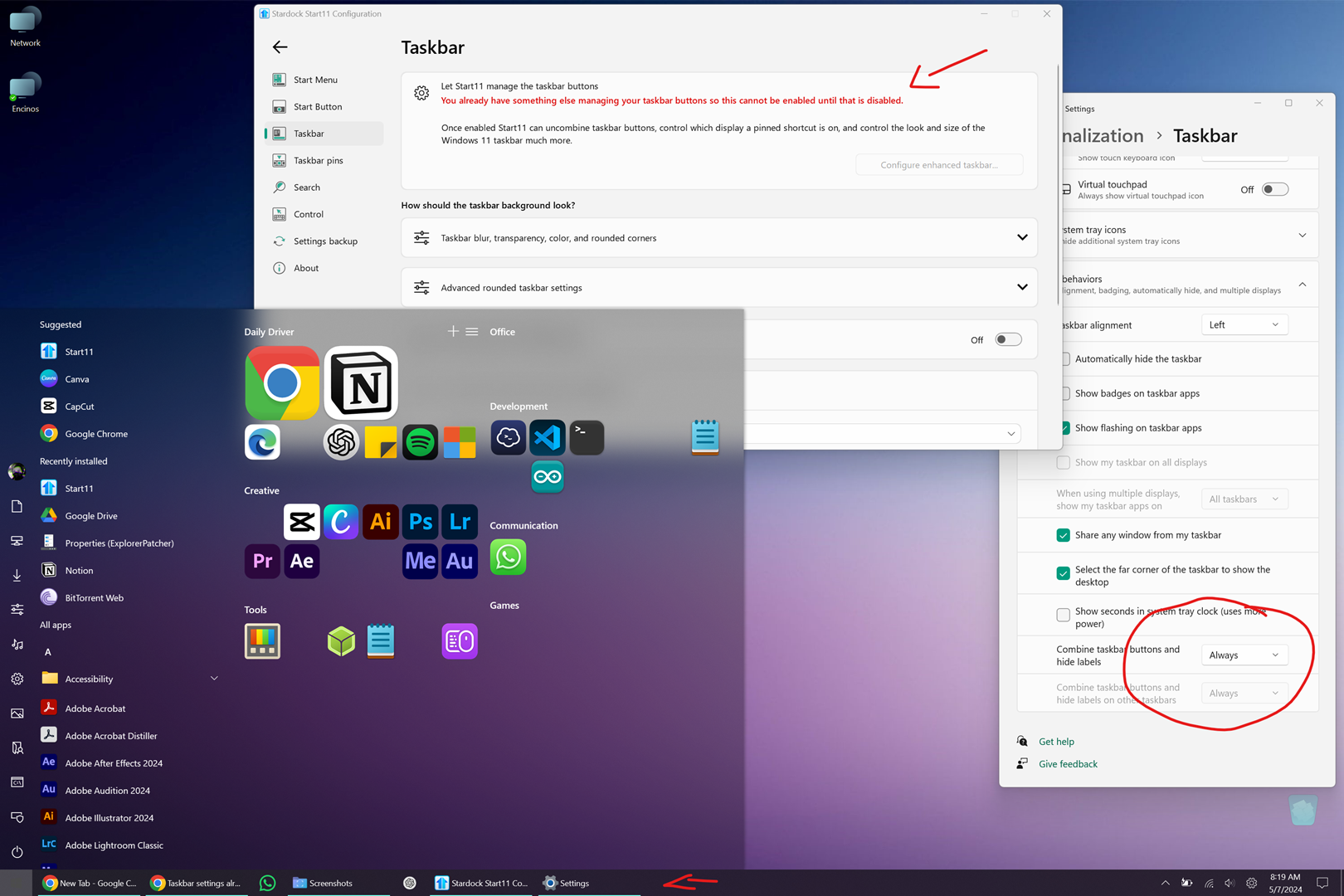
Hi, I purchased Start11 about 2 years ago and have been using it with Windows 11 without any issues, even after upgrading to version 2. Last week, I installed a fresh copy of Windows 11 on my laptop because it was getting slow. After finishing, I installed StartDock V2 and imported my backup settings. Since then, I'm no longer able to change the taskbar behavior; the menu works, but I cannot combine the buttons or hide the labels on the taskbar.


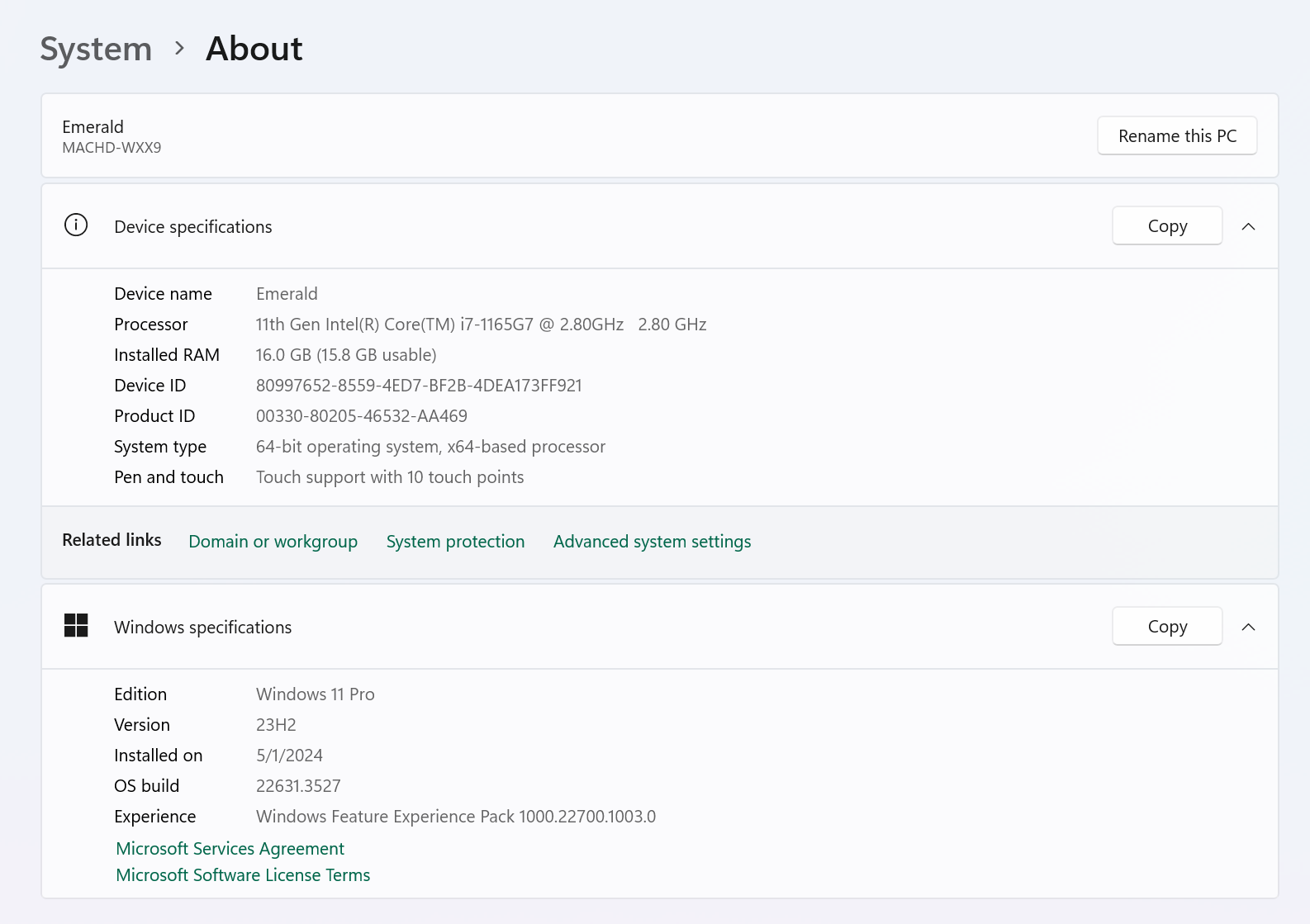
TBH, I don't know if my Windows version is messing with these. Already tried to fix with this:https://www.elevenforum.com/t/always-or-never-combine-taskbar-buttons-and-hide-labels-in-windows-11.15135/windows version
3,240 views 16 replies
Reply #1 Top

Hello,
Sorry to hear you are having issues. Please try this, uninstall Start11, reboot immediately after uninstall finished. Re-download latest version, install it. Reboot immediately again right after installation finished. Retest it and report back.

Thank you.
Basj,
Stardock Community Assistant.

Reply #3 Top

Please try purge and reinstall steps as mention here : [Link]. Just make sure to redownload the latest version from your account page. Reboot after the purge. Reinstall and reboot again after the installation. Retest and report back here.

Thank you,
Basj,
Stardock Community Assistant.

Reply #4 Top

Thanks, that kind of worked, my start menu configuration was restored, but still missing the adjustments to merge the apps in the taskbar and I got really used to the way it merged them :(


Reply #5 Top

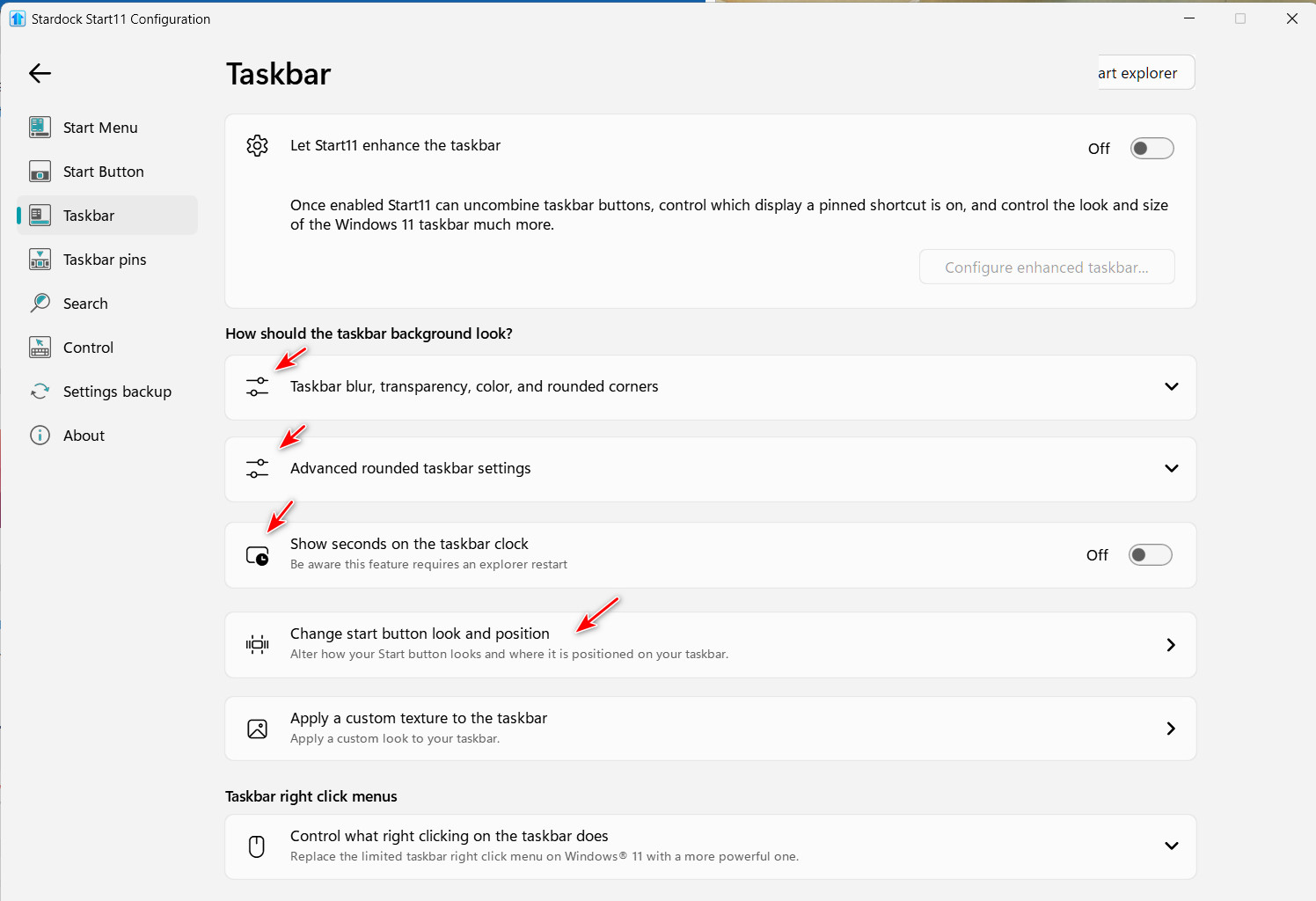
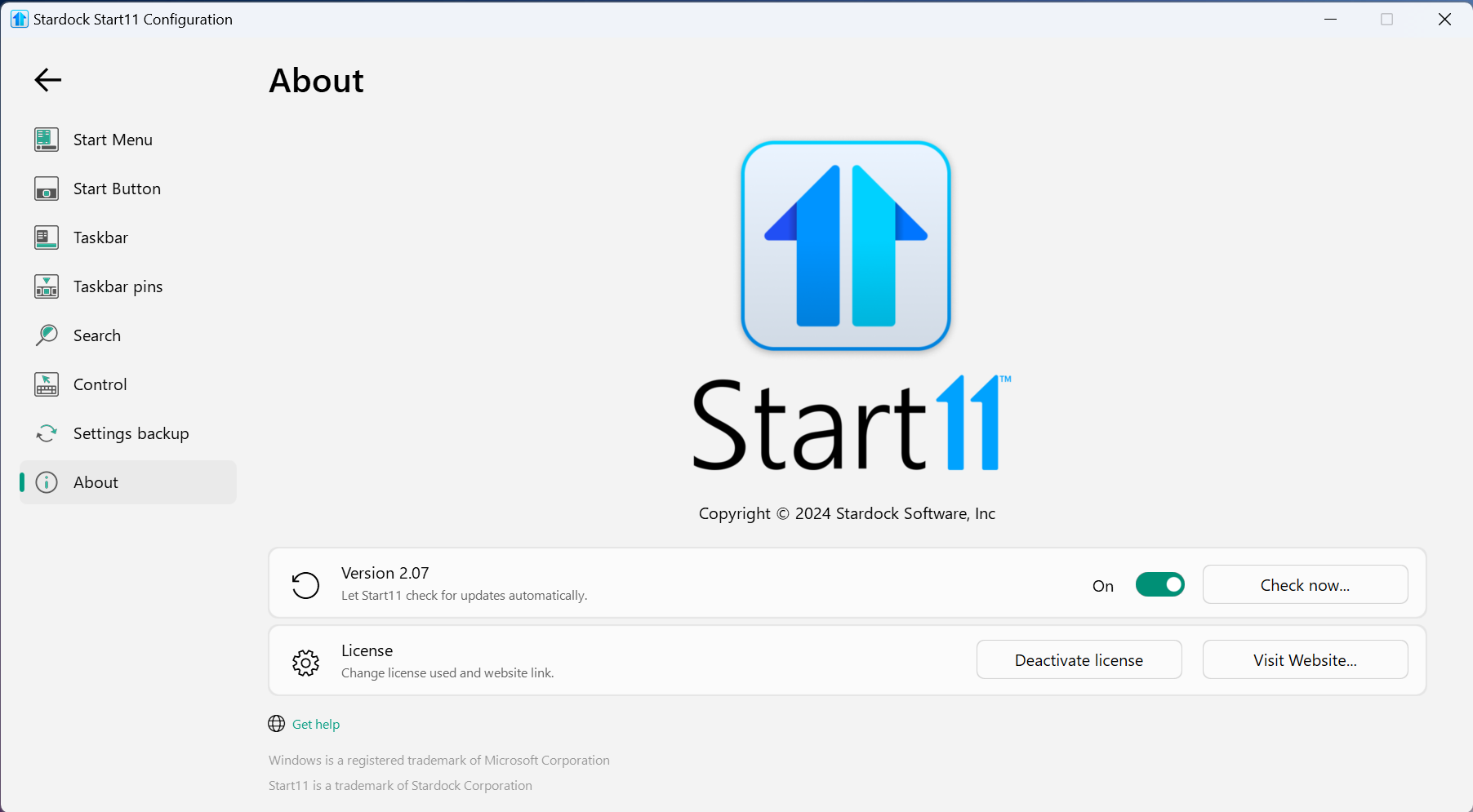
What version of Start11 do you have installed? Your screenshots don't look like the latest version. The icons in the config app are different from 2.07, and the "Change start button look and position" is also different.

Do you have Explorer Patcher or StartAllBack installed?

Reply #6 Top

Do you have any other 3rd party application installed changing your taskbar? I asked, since your taskbar button don't look like Windows 11 taskbar button. That look like Windows 10 taskbar button (long line at the taskbar button bottom).

Thank you,

Basj,
Stardock Community Assistant

Reply #7 Top

You said you installed a fresh copy of Windows 11 on your laptop, but as Basj says above, your taskbar looks like a Windows 10 taskbar. Something is altering the taskbar other than Windows 11 or Start11v2.

You also said you imported your backup settings from the other computer. Did you have the Enhanced taskbar enabled on the other computer? Also, did you have a different version of Start11 installed on the other computer?

Reply #8 Top

Currently, I'm running the latest version (at least is the one available for me to download on the site), regarding the external stuff that might be causing the problem...

The laptop is basically the same I use the same stuff, so the backup is (without the apps) the same customization options, so i though "this will be transparent".

I use just power toys (that never caused a problem in the past) but no taskbar, I even uninstalled Rain meter to be on the safe side of not having customization software.


version

Reply #10 Top

 I've gone back thru my old screenshots of Start11 and the icons on the your Start11 config app image in your above post and the layout of the settings are the ones used in Start11 ver. 1.

I have a feeling the registry settings for Start11 are messed up on your laptop. I think one version of Start11 thinks another version of Start11 is already controlling your taskbar.

I would suggest a purge of Start11 and then reinstall from a fresh download of the installer. Use the link below for directions.

https://support.stardock.com/space/SHC/1349320730/Start+Menu+purging+and+re-installing


Reply #11 Top

Quoting pelaird, reply 10

I would suggest a purge of Start11 and then reinstall from a fresh download of the installer. Use the link below for directions.
End of pelaird's quote

I believe, OP have done purged and reinstall steps as mentioned in his reply#4.

Thank you,

Basj,
Stardock Community Assistant

Reply #12 Top

Quoting basj, reply 11


Quoting pelaird,

I would suggest a purge of Start11 and then reinstall from a fresh download of the installer. Use the link below for directions.


I believe, OP have done purged and reinstall steps as mentioned in his reply#4.

Thank you,

Basj,
Stardock Community Assistant

End of basj's quote

Explain to me why the OP's Start11 config app is for Start11v1 and the About page shows 2.07. There is obviously something wrong here. Evidently the purge didn't work, or he applied the same backup again.

Reply #13 Top

Quoting pelaird, reply 12


Quoting basj,


Quoting pelaird,


I would suggest a purge of Start11 and then reinstall from a fresh download of the installer. Use the link below for directions.


I believe, OP have done purged and reinstall steps as mentioned in his reply#4.

Thank you,

Basj,
Stardock Community Assistant


Explain to me why the OP's Start11 config app is for Start11v1 and the About page shows 2.07. There is obviously something wrong here. Evidently the purge didn't work, or he applied the same backup again.

End of pelaird's quote

The icons are based on the OS fonts available.  If Start11 detects a win10 taskbar (or thinks it does), it will use the Win10 font hence the icon differences.

Reply #14 Top

I suspect whats going on here is a bad registry entry which is confusing the config.

If you open Regedit and go to HKEY_LOCAL_MACHINE\SOFTWARE\Microsoft\Windows\CurrentVersion\Shell\Update\Packages

Do you have an UndockingDisabled value?

Reply #15 Top

Quoting Neil, reply 13

The icons are based on the OS fonts available.  If Start11 detects a win10 taskbar (or thinks it does), it will use the Win10 font hence the icon differences.
End of Neil's quote

I understand, but look at the screenshot of the OP's config app and the "How would you like your taskbar configured?" section. This doesn't appear to be the 2.07 config app.

Also, the OP said they did a fresh install of Windows 11.

Reply #16 Top

Quoting pelaird, reply 15


Quoting Neil Banfield,

The icons are based on the OS fonts available.  If Start11 detects a win10 taskbar (or thinks it does), it will use the Win10 font hence the icon differences.


I understand, but look at the screenshot of the OP's config app and the "How would you like your taskbar configured?" section. This doesn't appear to be the 2.07 config app.


Also, the OP said they did a fresh install of Windows 11.

End of pelaird's quote

It does when it thinks you are on Win10