
Start11 v2 (2.07) Question about shortcut list icons

I bought Start11 yesterday and I'm really pleased with it so far, but I have a question about the shortcut list on the "Windows Pro Style":

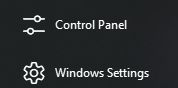
When I add a standard location like the control panel, downloads folder etc, I get a fitting icon for it:
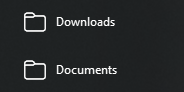
When I add other folders through the 'add custom location' option, I get a standardized folder icon:
Where do the icons in the first example originate? I like the monochrome look and would like to use them for my 'custom location' folders, since I usually have my downloads on a different drive and my documents, images etc. on network folders, but I can't find the icons that are being used anywhere.
2,561 views 5 replies
Reply #1 Top

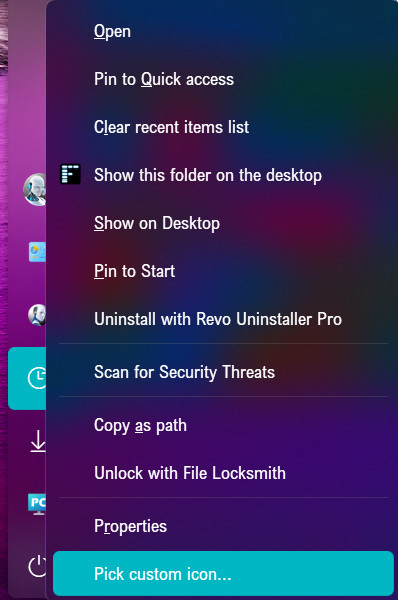
If you right click the icon you can pick a custom icon.

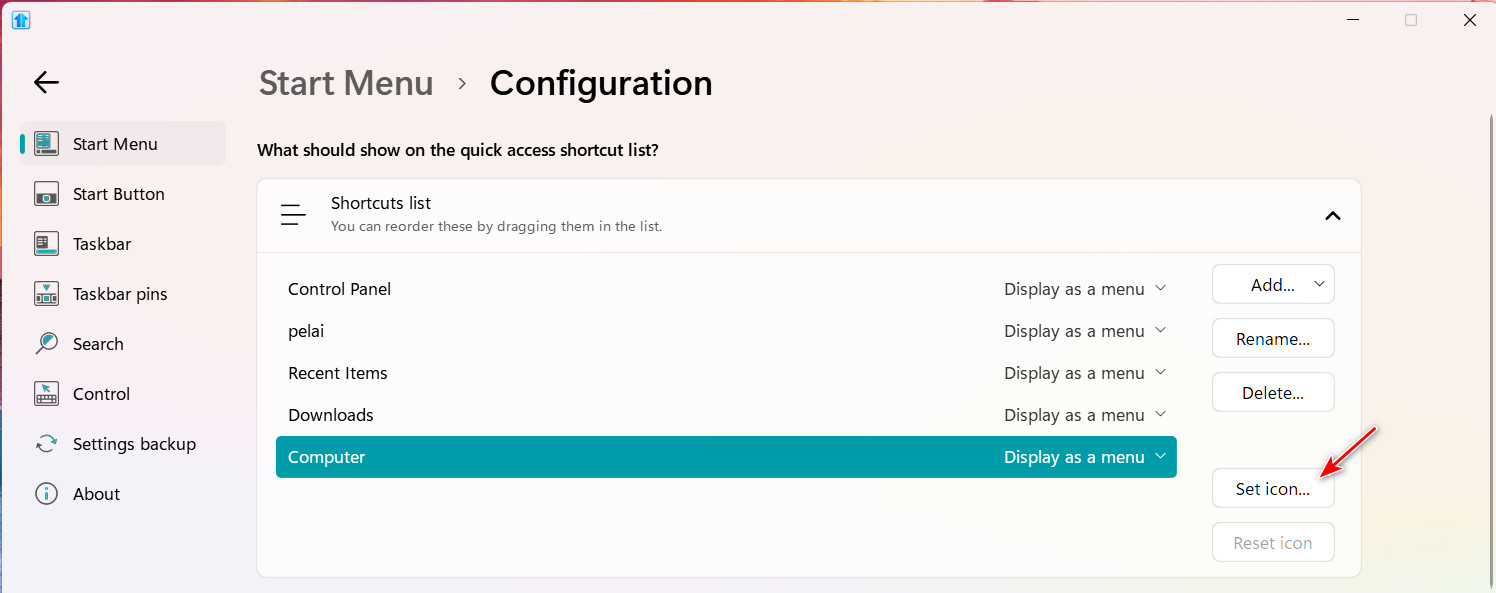
or, open Start11 and select the shortcut and click Set icon.

Reply #2 Top

That I know, yes.

But the dialogue that pops up just spits me out wherever and I don't know where to find the icons used in the 'standard locations'. I could search online for icons, but they might not be the ones I'm looking for, which are somehow already built-into start11 one way or another.

To summarize, the issue is not changing the icon, but finding the standard ones used by the program.

Reply #3 Top

Those icons are probably in an icon library .dll file.

If you are looking for Windows 10 icons they come from the font Segoe MDL2 Assets.

And Windows 11 icons come from Segoe Fluent Icons.

If you have "Character Map UWP" (available on the Microsoft Store), you can copy and save these icons in PNG or SVG images as black or white.

Hope this helps.

Reply #5 Top

You're welcome. Glad to help.