active window indicator shifting away with each row of icons

Hi,

I hate combining icons so my setting is never combine. As a result i have quite a lot of icons and i mostly  need 3-4 rows if icons. I noticed that active window indicator is calculated a bit off - the more rows i have, the more off the screen indicator gets. With 3 rows it is still visible but just barely. With 4 rows it is gone completely.

One row: 

Two rows:  

(here i noticed that when i first clicked on the icon in the first row, the display of an indicator shifter the bottom row a few pixels down).

Three rows: 

(here the horizontal misaligment appears on the bottom row)


Four rows: 
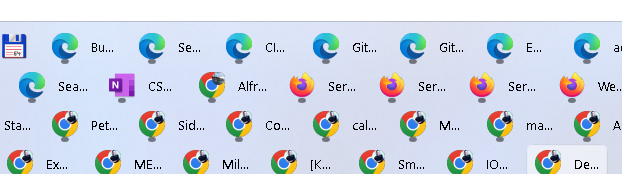
(here the horizontal misalignment is probably due to labels starting to appear)


IMO this is a clear defect (actually two - including the horizontal misalignment in 3 rows).


Regards,

Peter

1,618 views 7 replies
Reply #1 Top

Hello,
Sorry to hear you are having issues. Need to know more on your system.

  1. Windows 10/11 full version number. Please use Windows own Winver.exe to get it.
  2. Start11 version numbers.

Thanks
Basj,
Stardock Community Assistant.

Reply #2 Top

Btw this is what I get on my Windows 11 V23H2 (OS Build 22631.3374) system with Start11  v2.07

Thank you,

Basj,
Stardock Community Assistant

Reply #4 Top

I keep Win11 up to date - Windows 23H2 (OS Build 22631.3296).

Start11 2.07 (upgraded just yesterday - was behaving the same in 1.5 too).

My resolution is 1920x1200. I use scale 150% for fonts due to weaker eyesight - i would bet this is the rare factor that causes this.

Interestingly - it is not just 4 rows, as when i opened winver, it looked like this:

so the scrollbar fixes the issue by actually trimming at the top.

Reply #5 Top

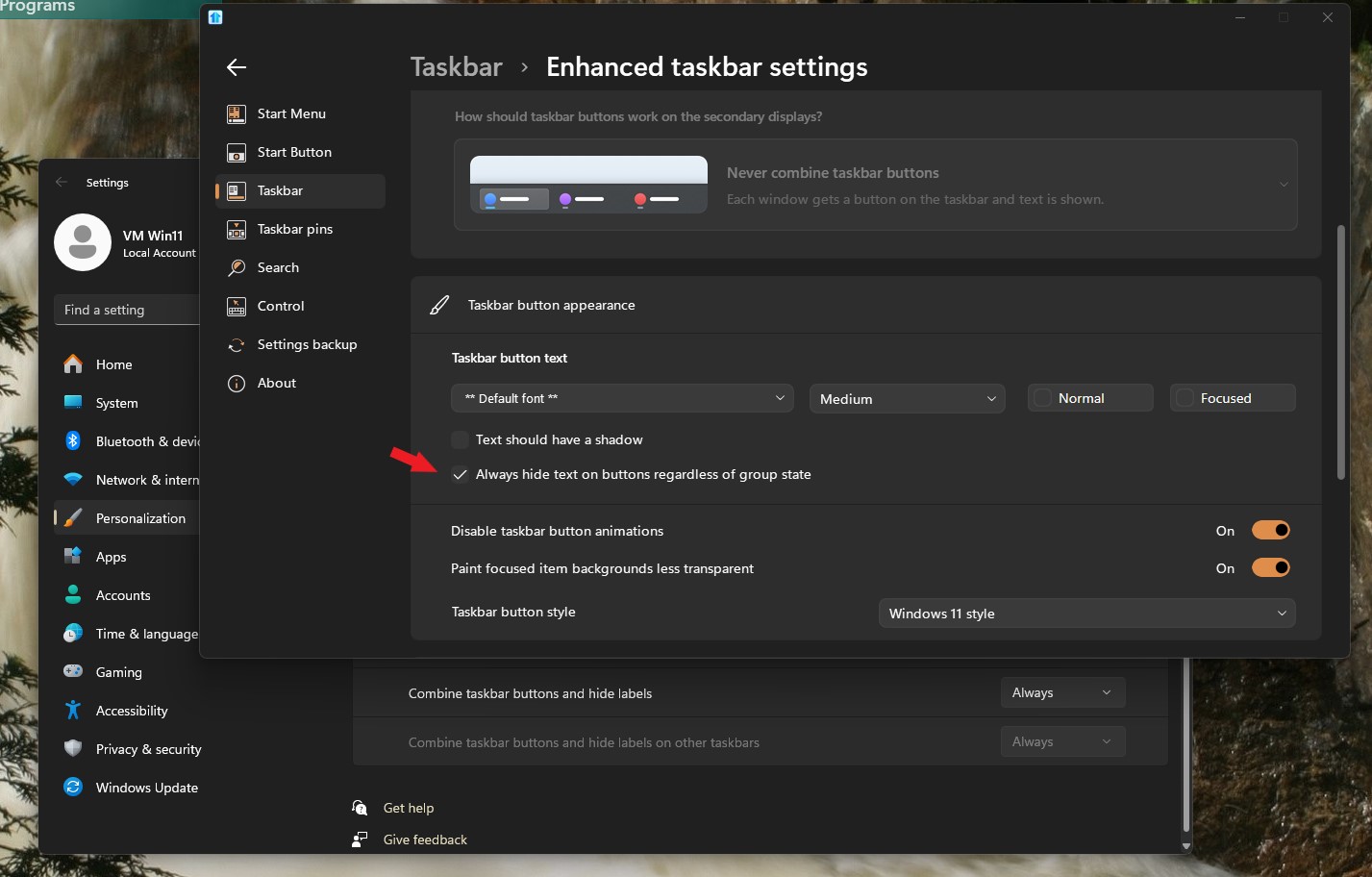
Interesting to see your taskbar button don't show text when on 3 rows or less and only appear on when you have 4th row. Try this setting and see if it help on your system.

Thank you,

Basj,
Stardock Community Assistant


Reply #6 Top

actually the only effect of hiding text always is that horizontal misalignment disappears - but vertically it stays the same (easily visible when togle hide always several times - there is no vertical movement (but i had to create 20 new windows because without text i would not fill 4 rows

so even without text, there is a same shift in the bottom edge of current window indicator:


1 row (scrolled to the top): 

2 rows (scrolled to the top): 

3 rows (no scrollbar): 

4 rows (no scrollbar): 

4 rows with text: 


So two visible defects are still clearly visible - (shifting current window indicator down, horizontal misalignment with text), 

Did you manage to try set scale to 150%


P.

Reply #7 Top

I tested on 150% scale factor and I still cannot reproduce your issue. Refer my video below.

Possibly something is interfering with Start11.

Might help to try Cleanboot. https://forums.stardock.com/505872/start11-support-faq#cleanboot

Thank you,

Basj,
Stardock Community Assistant