Updating Start11 to 2.07 taskbar disappeared!!
 Stardock Forums
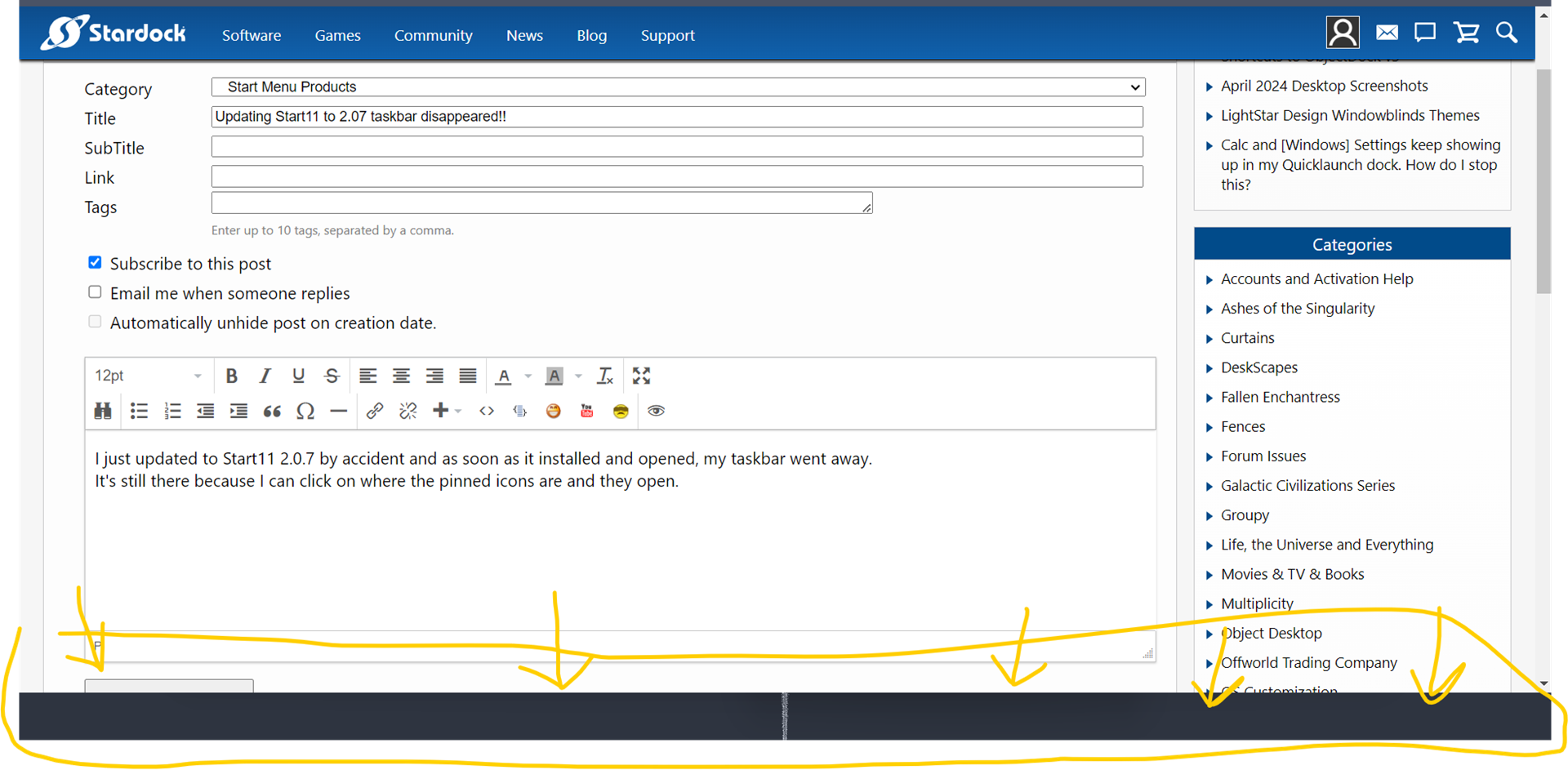
I just updated to Start11 2.0.7 by accident and as soon as it installed and opened, my taskbar went away.
It's still there because I can click on where the pinned icons are and they open.
I'll add a screenshot at the end to show you what I mean. In the screenshot you can see the space the taskbar should be. I have maximized my window to make sure the taskbar isn't hidden. As you can see the window will only maximize to where the taskbar is.
I have tried to uninstall Start11 and reboot - didn't fix it
I have tried to run SFC /scannow and then reboot - nothing found that needed to be fixed.
I have tried DISM.exe /Online /Cleanup-image /Restorehealth - didnt fix it
I have tried installing 2.0.6 - still didn't fix it
Auto Hide is off in windows settings, but when I got into windows settings and toggle it on and off a couple times, the taskbar will come back. But as soon as I click the mouse, it goes invisible again.
UPDATE: I just made a guest account to test it, and the guest account works fine. So Start11 2.0.7 did something messy to my profile