
How To Pin Task Scheduler Under Starft11

I can pin Task Scheduler under Windows 11 Start menu, but I cannot figure out how to do it under Start11.  The way I do it on Windows 11 Start is create a shortcut to Task Scheduler on the desktop.  I then right click the shortcut followed by Pin To Start.  There is no option to Pin to Start 11, since Start11 is a different utility not built into Windows.

Is there a way I can accomplish this?
1,351 views 3 replies
Reply #1 Top

Hello,
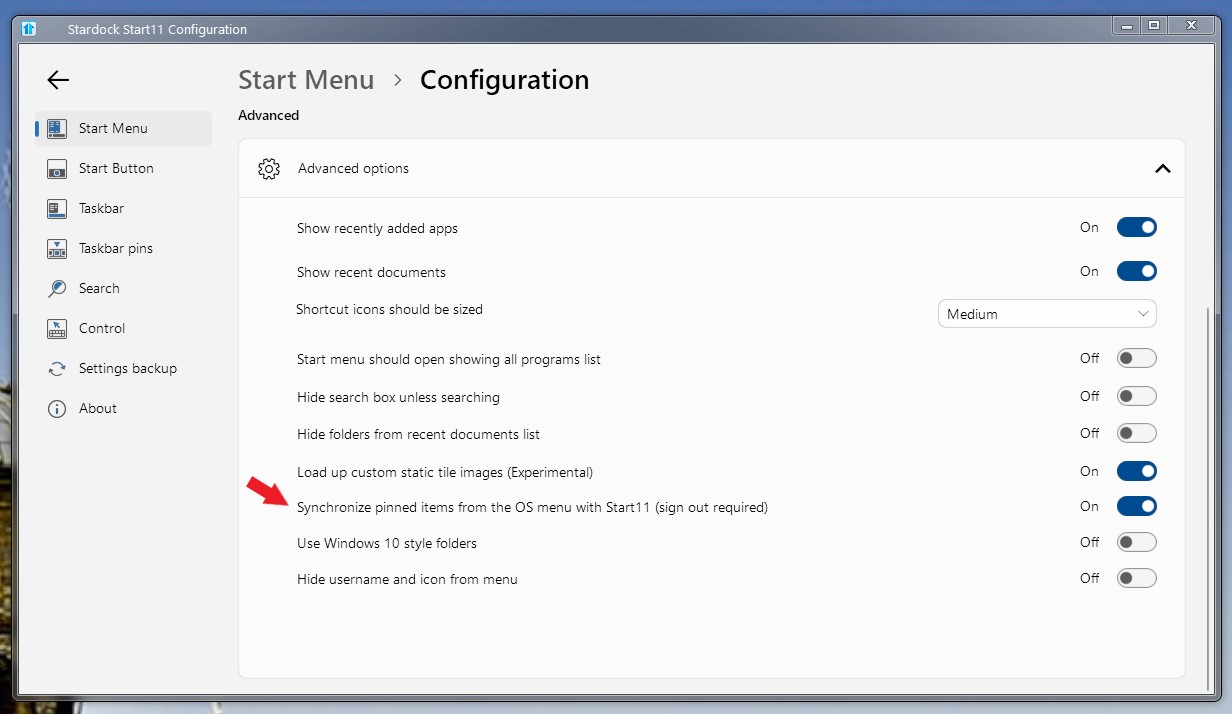
Sorry to hear you are having issues. But, if you have Start11v2 there is this option. Sync pinned items from OS menu to Start11 if you enable it. You just pinned to Windows default Start panel, and Start11 should sync it over.

Thanks
Basj,
Stardock Community Assistant.

Reply #2 Top

Thank you, and this worked.  Items pinned do not allow right clicking then pinning to Start11.  They remain at the top under pinned.  I did not try drag and drop to see if I can move it (perhaps I could have).  I did find a way to rlight click from Start11 Start menu then click Pin to Start11->Utilities group.

How you do it is add the shortcut to desktop as I stated initially.  Next, Copy the shortcut from the desktop to %APPDATA%\Microsoft\Windows\Start Menu\Programs.  After you do this, you will be able to find the shortcut under Start11 Start menu.  You may then right click it followed by Pin to group to move it Start11 Start menu.

Reply #3 Top

To accomplish pinning Task Scheduler (or any installed app) to the Start11 menu, try the following:

Right click the Start11 menu where you want to install it and select New>Pin installed application>Windows Tools (folder)>Task Scheduler

That should do it.
