Start 11

Configuration disappears mon Upgrade?

It seems that every time there is an upgrade to Start11, my previous configuration disappears??

AND I never remember how to restore it?

Prior to the last upgrade, when I clicked on the Start button, I would get the menu items alphabetically, and I would have commonly used icons to the right of the menu, that I could click on and activate from there, and these icons have now disappeared on me, again!!

Any info on same would be greatly appreciated.

Thanks
1,542 views 8 replies
Reply #1 Top

Hello,
Sorry to hear you are having issues. Not sure on your issue. Could you please post a screenshot of what you seeing now and what you expect it to appear? Also, need you Start11 version and Windows full version number. Use Winver.exe for Windows full version number.

Thank you.
Basj,
Stardock Community Assistant.

Reply #2 Top

Start 11 is version 1.11

Windows 11 is version 23H2 Build 22631.3155


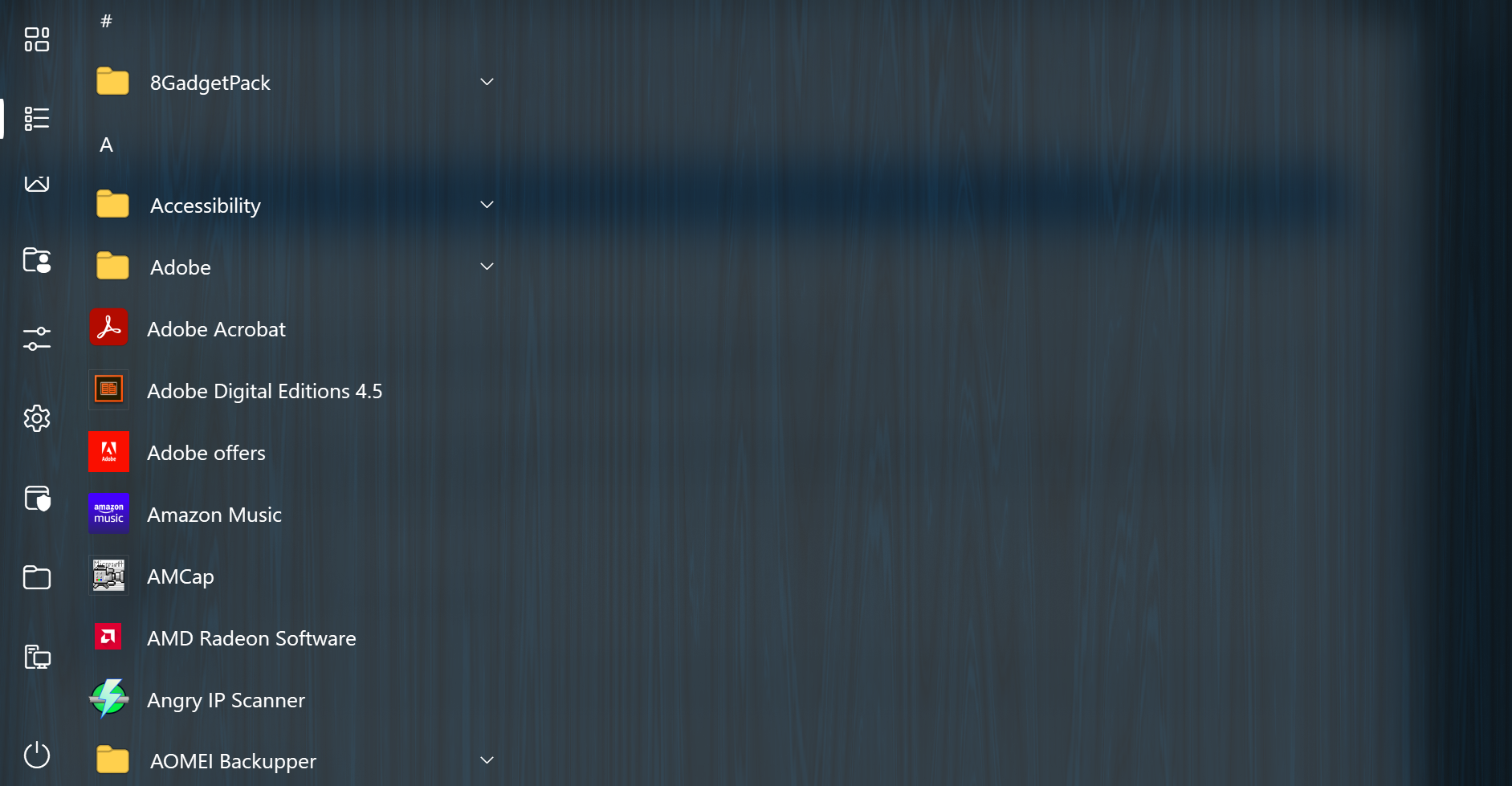
What is used to be able to see is the following picture plus to the right would be icons for programs that I used regularly but didn't want on the taskbar, That area is blank now, but showed those other programs prior to the last upgrade.
Hope this helps?

Reply #3 Top

There is Start11 v1.50 out recently, have you tried that version? If you have not, please do these steps. Uninstall Start11, do not remove setting when ask. Reboot immediately, after uninstall finished. Download the latest version, install it. Reboot again. Retest and report back.

Thank you,

Basj,
Stardock Community Assistant

Reply #4 Top

If you are really using 1.11 you would not have installed a Start11 update in 2 years as 1.5 is current for the 1.x series.

Looking at your screenshot it looks like you are using a full screen start menu with the apps list set to be on its own rather than on the left side.

If you see the very top left icon of the boxes and click it you should change page back to your pinned icons.

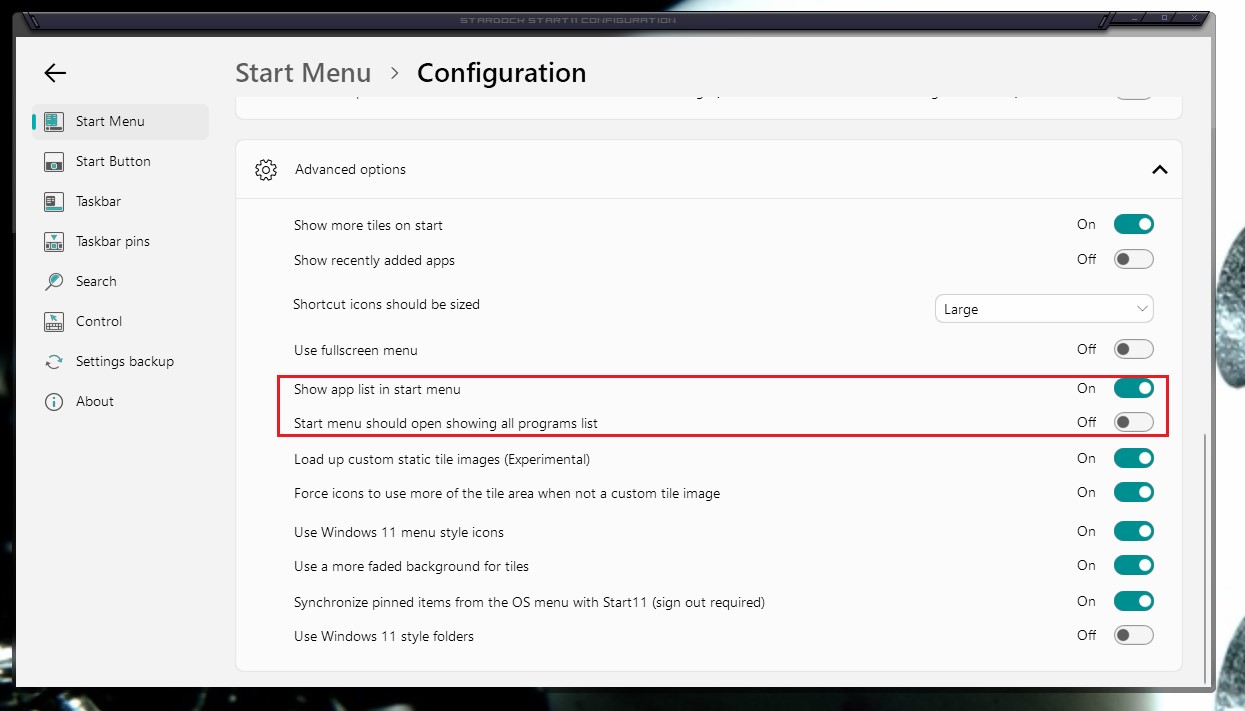
To change your settings you can open your Start11 config window and then click configure menu.  Scroll down to advanced and there should be settings relating to defaulting to the apps list etc.

Reply #5 Top

Thank for your reply.

Okay, I think what you are telling me to do, is click on the box that is to the left and up from 8Gadget Pack on my screen shot?

If so, that gets me the icons that I was looking for, however what I had was, the screen shot shown, plus those icons, to the right of the list of programs, all shown at the same time when you clicked on the Start button.


When things didn't show up as I wanted, after the last upgrade, I uninstalled and reloaded Start11 from a file I had in my Downloads, hence how I got back to Ver 1.1.

I know on one of the previous upgrades, I had to ask how to get back to what I wanted, but be darned if I can remember how it was done?


Reply #6 Top

Try this setting. Don't use fullscreen menu. Turn on Show app list in start menu. If you need a very large Start panel, you can click and drag your start panel to which ever size you like.

Thank you,

Basj,
Stardock Community Assistant

Reply #7 Top

Basj,

Thank you very much. That was it!

Now I will save this so don't have to come back and annoy people, again!

Thanks again for your time!

Reply #8 Top

Awesome, glad to help.

Thank you,

Basj,
Stardock Community Assistant