Start11 unremovable icons

Start11 taskbar contains white blank icons than cannot be removed

While setting up a quicklaunch folder I moved some links into that from taskbar (I believe that is was from c:\Users\<userrname>\AppData\Roaming\Stardock\Start11_Pins\). The result is a bunch of white blank icons pinned to the taskbar. I'm able to move them around on the taskbar but unable to do anything else with them. Could you please give me a hint, how to get rid of them? Do I need to remove some entries from the registry, remove some files/references or edit some file to recover from the inconsistent state?

Start11 version: 2.03

OS: Windows 11 Pro, 23H2, 22631.3085

1,512 views 6 replies
Reply #1 Top

Hello,
Sorry to hear you are having issues. Please update to latest Start11 v2.05 Beta and see if this issue still there. Please report back.

https://forums.stardock.com/524909

Thanks
Basj,
Stardock Community Assistant.

Reply #2 Top

Thank you for your quick answer! So far I'm a trial user and it appears that I cannot access the beta packages. The download section on the web is empty for me and Object Desktop also didn't give me that option. Is there a link from where I could download them, please?

I was able to remove most of the "bad" icons by turning off the Start11 taskbar. All but one icon were visible on the standard taskbar and I removed them using "unpin" option. Unfortunately one was not visible there and is still one haunting me.

Reply #3 Top

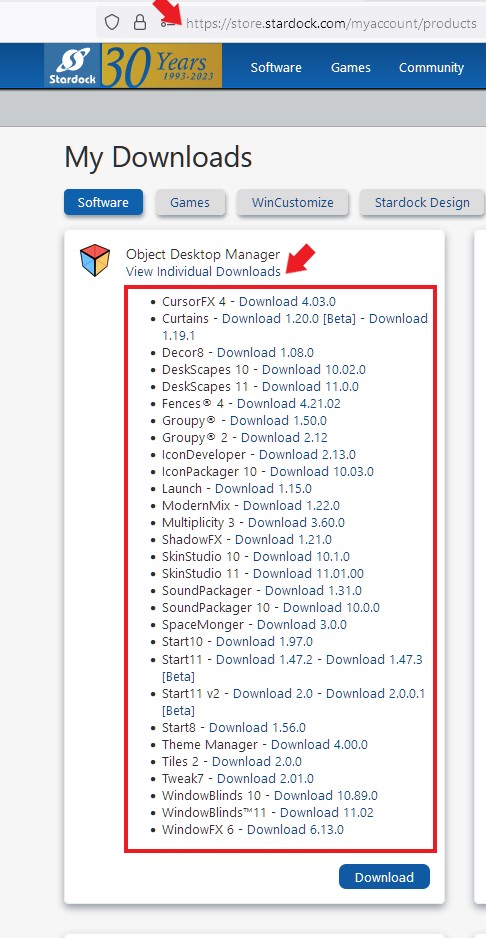
If your Object Desktop Subscription still active, you should be able to download Start11 beta from your product account page: https://store.stardock.com/myaccount/products . Something like screenshot below.

Thank you,

Basj,
Stardock Community Assistant

Reply #4 Top

I'm not exactly sure how you created this folder. Can you be more specific on the steps to create the folder.

I believe that you should create a new folder somewhere on your HD; then create shortcuts for the items you want to use and place them in this folder; and then pin that folder to the taskbar as a "Folder menu."

Reply #5 Top

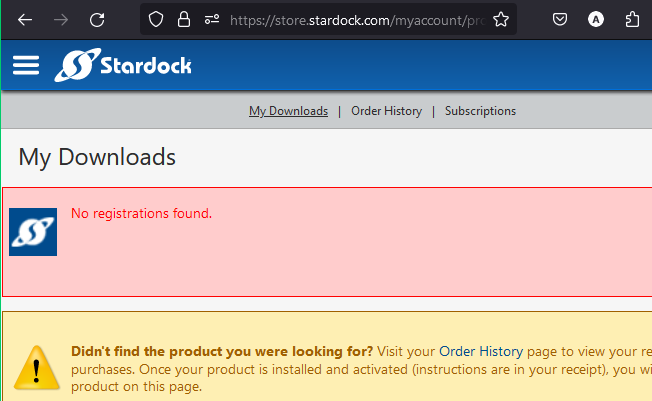
I'm only a trial user so far. Just found this tool during the weekend. It appears to solve that sadness, how Win11 start menu and taskbar looks and wanted to try it out before deciding. Downloads show me no options:

Regarding creation of the folder: Added Quic klaunch folder using Taskbar pins/Pin folder menu/Quick launch. After this I did that stupid thing: I simply used Total Commander to move the link files from the taskbar to the Quick launch folder. This caused the whole trouble.

Reply #6 Top

Glad you figured it out. Yes, Start11v2 is a really great tool. I think you'll find it very helpful.