Start11 v2.03 Windows 10 Style With Improvements

I am running Windows 11 Professional, and I absolutely hate the changes made by Microsoft.  Due to this, I purchased a license to use Start11.  I configured it to use Windows 10 Style With Improvements, because I did like the Windows 10 Start menu.  I liked the ability to pin to Start, resize and group the icons as well as give names to groups.  This was very convenient and made launching my frequently used apps very quick and easy.

I am looking at Start11 Start menu, and I only see Windows 11 icons pinned.  For reasons unknown, it also added Adobe Photoshop CS6 that I did have pinned to Windows 11 original Start.  That is the only icon that mysteriously decided to appear.  Everything else I have pinned is not showing.  It looks really bizarre.  Additionally, I am not finding a way of pinning new shortcuts to Start11 as I could under Windows 10.  My start menu looks quite empty.

Here is what my Windows 11 start menu looked like:

https://www.dropbox.com/scl/fi/tjofyf782w62emem35xre/Windows11_start_menu.png?rlkey=a7iv4vh81v3exju12zj2pabsg&dl=0

Here is what Start11 start menu looks like:

https://www.dropbox.com/scl/fi/8zlncrdns8qaehlha2vwo/Start11_start_menu.png?rlkey=o3jbha0vx1sf844bvowkbtj57&dl=0

Notice all pinned shortcuts are missing except for Adobe Photoshop.  It used to be completely empty.  I am unsure why Photoshop was added later.  How can I add more?  Windows 10 made this easy.
2,172 views 5 replies
Reply #1 Top

I am seeing that I may right click shortcuts under Start11 menu then click pin to Start11 menu.  This works, but I did not do this for the Photoshop shortcut.  Is there a way I can do this quickly via copy + paste of shortcuts?

Reply #2 Top

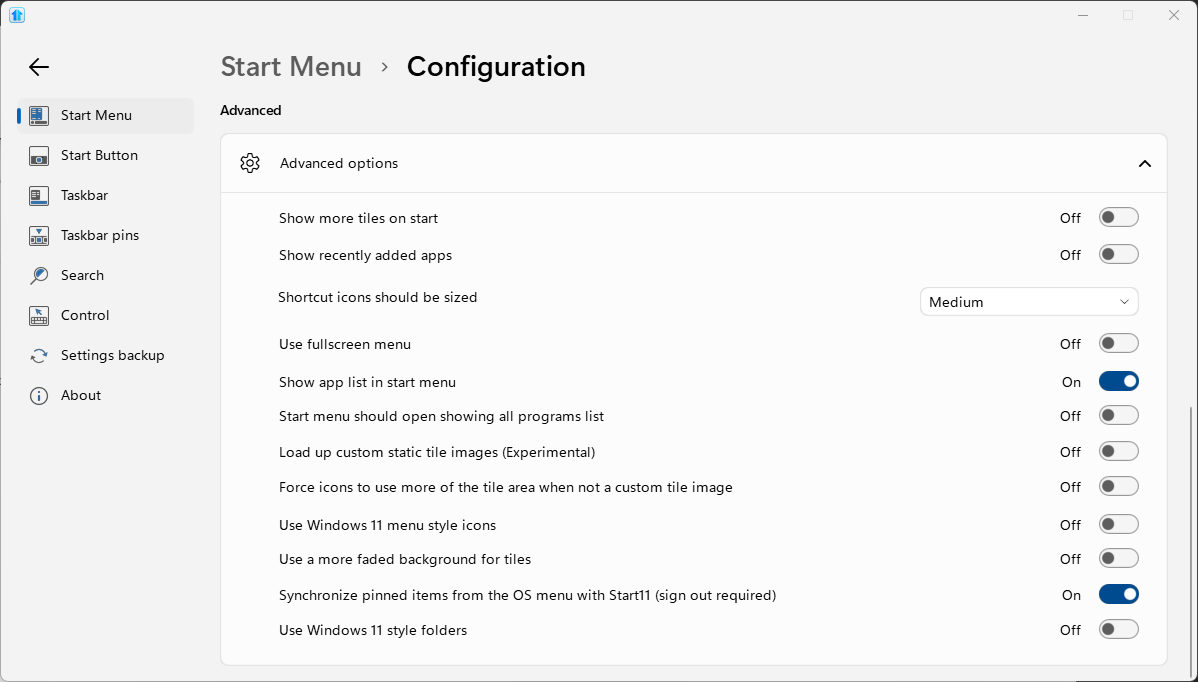
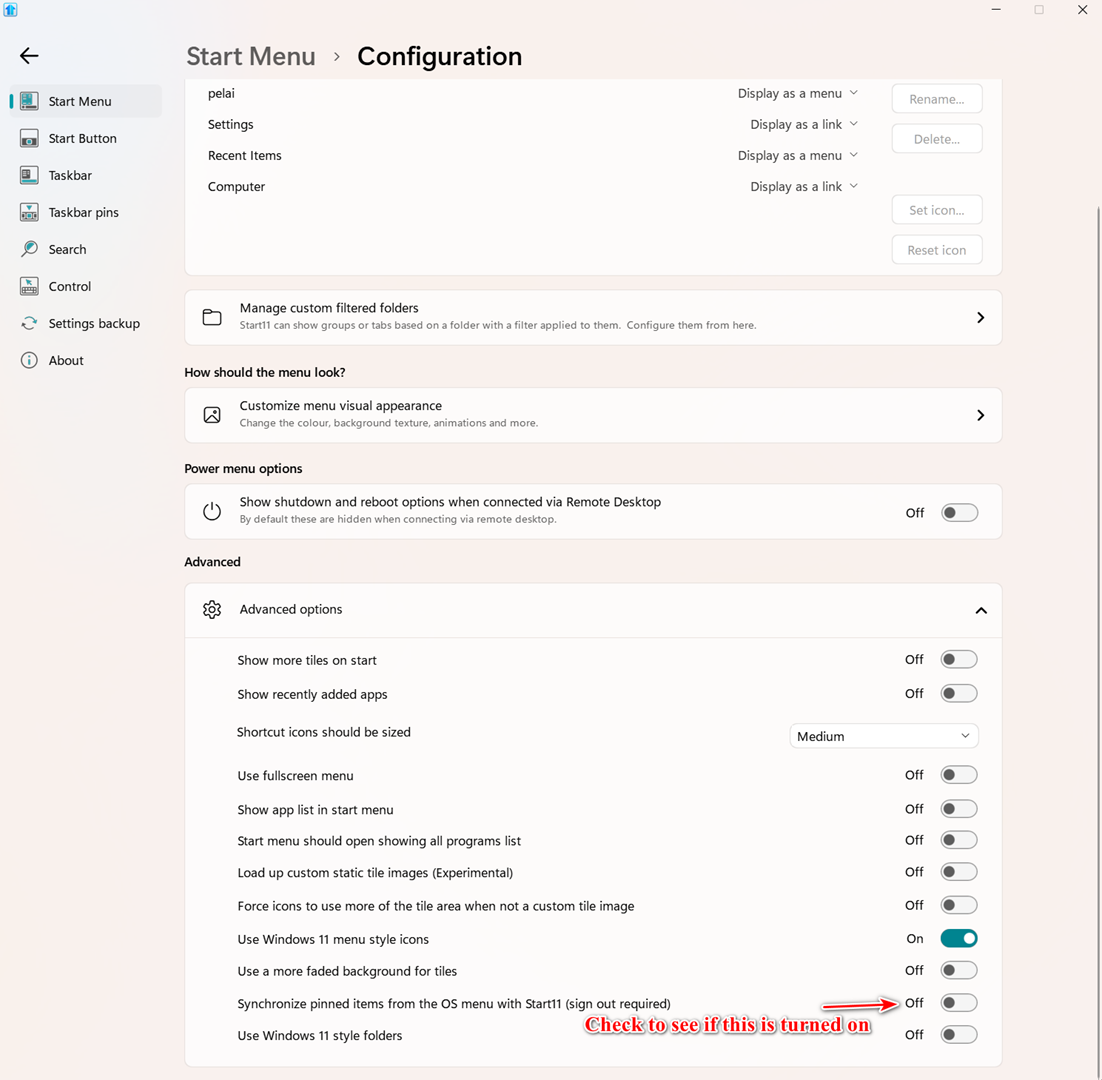
This setting will sync all your Windows 11 pins to Start11v2.

You have to sign out and then back in for it to take effect.

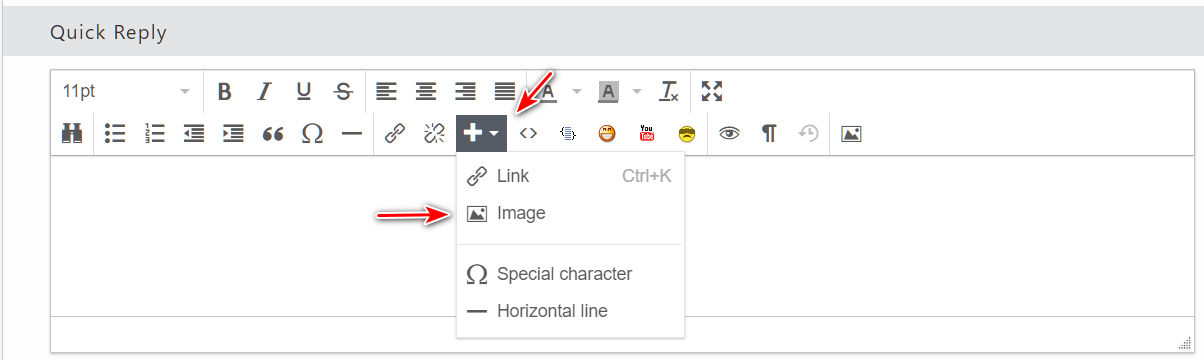
Also, you can post screenshots directly in your post using the Add Image tool.

Reply #3 Top

Thank you for posting.

Here are my current settings:

Start11 COnfiguration

That setting was already set.  I first rebooted Windows 11 to not see a difference.  I then signed out then back in to also not see a difference.

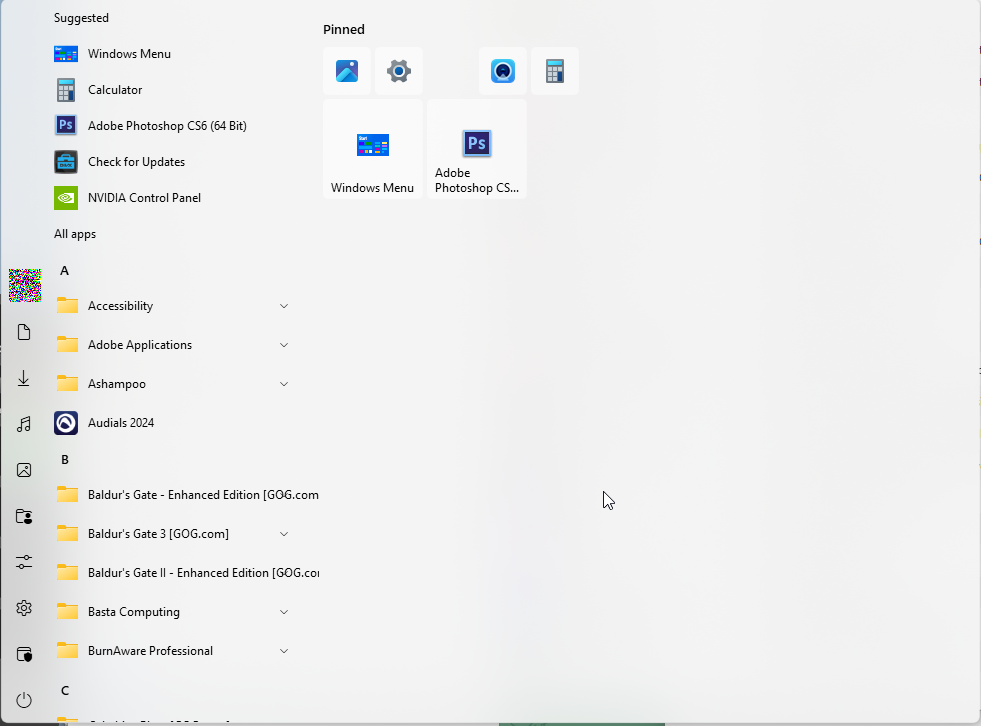
My Start11 start menu still looks as follows even though the native Windows 11 Start contains many shortcuts:

Start11 menu after sign out

I can manually right click items to add, but it looks like I have to start over from scratch adding each shortcut.

Reply #4 Top

Hello,
Sorry to hear you are having issues. Please try this. Uninstall Start11, reboot immediately after uninstall finished. Re-download latest version from your product page: https://store.stardock.com/myaccount/products. Install it, reboot again, retest it and report back.

Thank you.
Basj,
Stardock Community Assistant.

Reply #5 Top

I had already started rebuilding my start menu via selecting existing shortcuts then pinning that does work.  I am continuing with this method that has been working.