A Fences 5 tab got stuck covering over 2/3s of my right taskbar... only the date time shows. I can't seem to select it or delete it.  How can I fix without deleting all my other Fences?  Dumb me for dragging it there!  Didn't think it would join the Running Tasks!  Thanks I Snagged a pic. By the way this issue is on a second screen with a duplicated taskbar.

Win 11 pro- v23H2, build 23H2, Windows Feature Experience Pack 1000.22681.1000.0, Proc:11th Gen Intel(R) Core(TM) i5-11400 @ 2.60GHz, Mem 32.0 GB (31.8 GB usable)

https://www.dropbox.com/scl/fo/fit7qap8wc4rf4n8gu9qa/h?rlkey=b46cbhkvy1fiszx2dg1k6r219&dl=0

Thanks for the help.  John Walton

4,733 views 6 replies
Reply #1 Top

Hello,
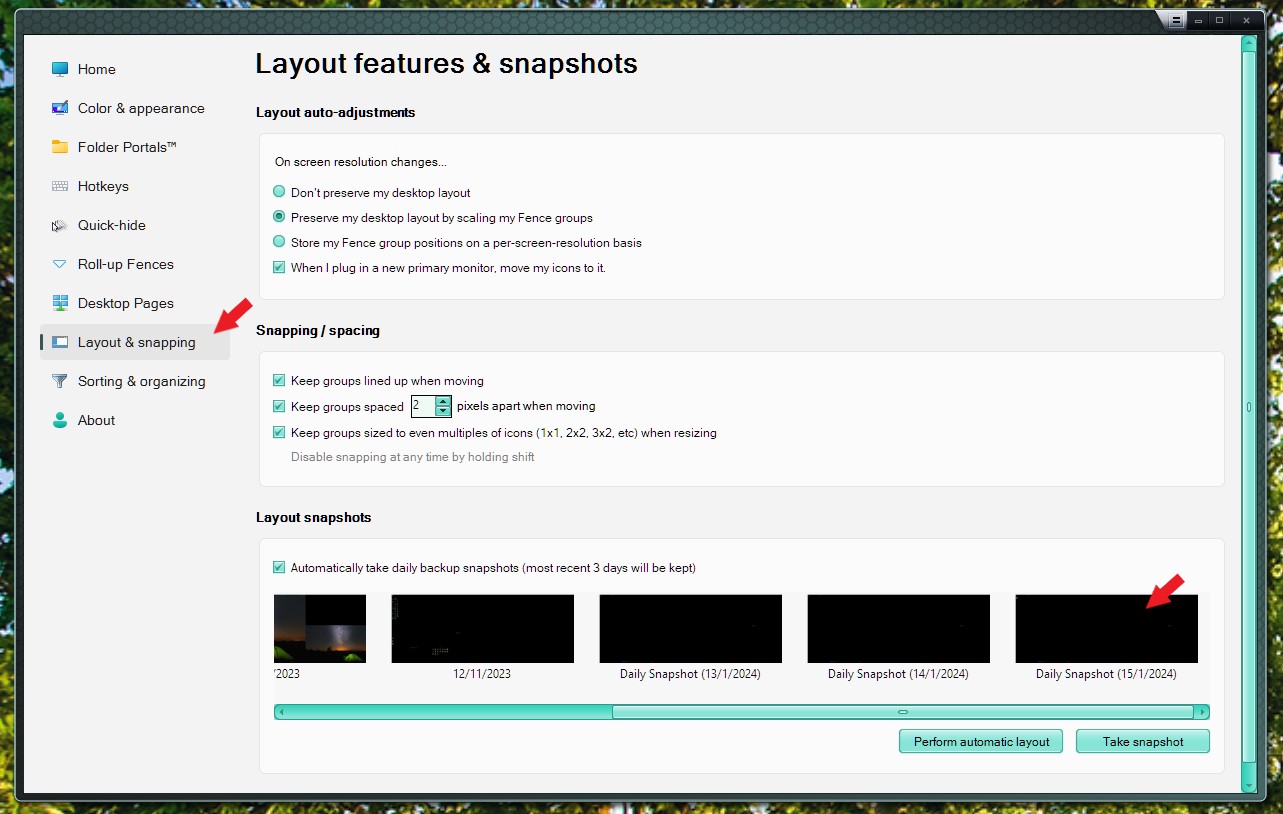
Sorry to hear you are having issues. Have you tried Restore layout snapshot?

Thank you.
Basj,
Stardock Community Assistant.

Reply #3 Top

Refer to screenshot below.

Thank you,

Basj,
Stardock Community Assistant

Reply #4 Top

Thanks... tried that but there was no earlier snapshot that worked besides the original blank.  Isn't there a Preferences file I can toss in App Data.  I can save all my Tab contents to another drive an start over?  I'll try to rebuild Fences...  but what concerns me is that the Orchid Care tab may be overwriting the taskbar and deleting Fences 5 Prefs won't fix it.  Any Thoughts?

Reply #6 Top

I found the file within by dragging the cursor deeper down and hitting enter... the file opened so I could copy it and the snapshotted way back to the start to delete it, finally.  Thanks for the help.  I  started over, but what I don't really understand is why I could not un-trap the Fence when it was over the taskbar (too close perhaps?)  Any way I learned a lesson.   Thanks folks.