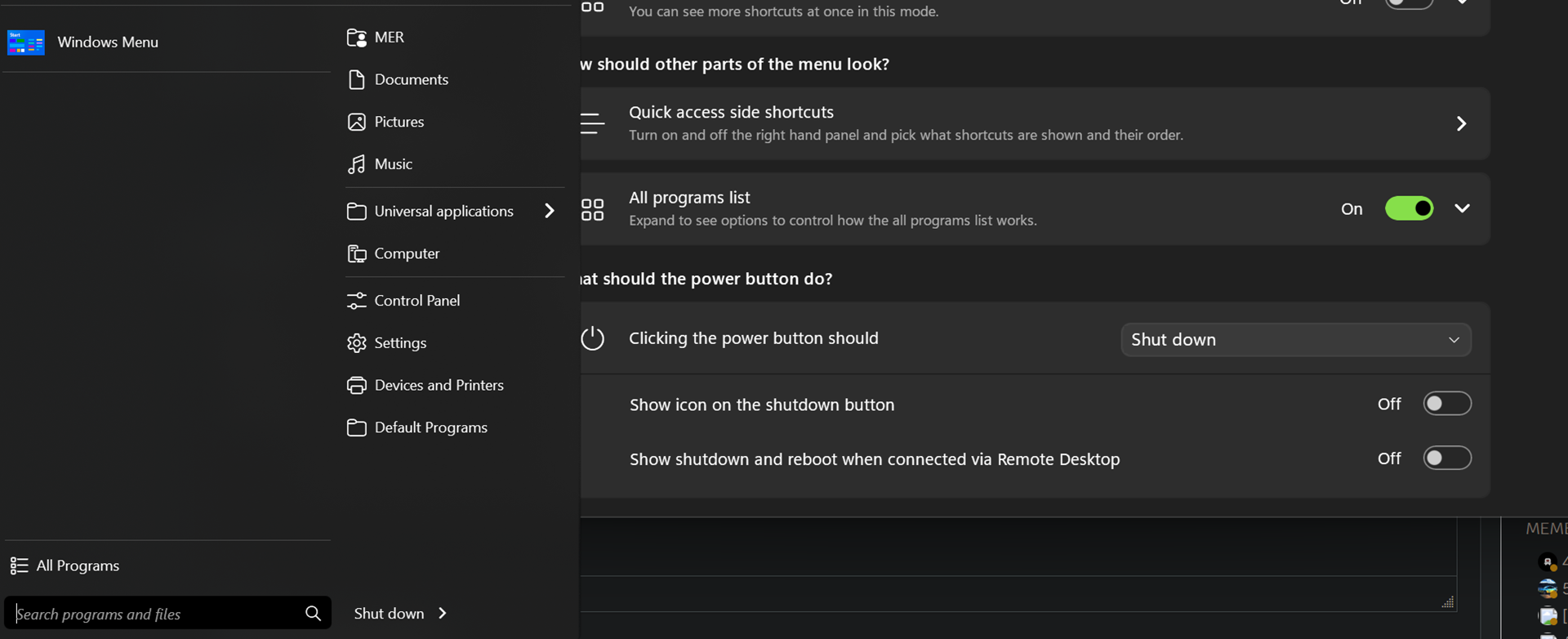
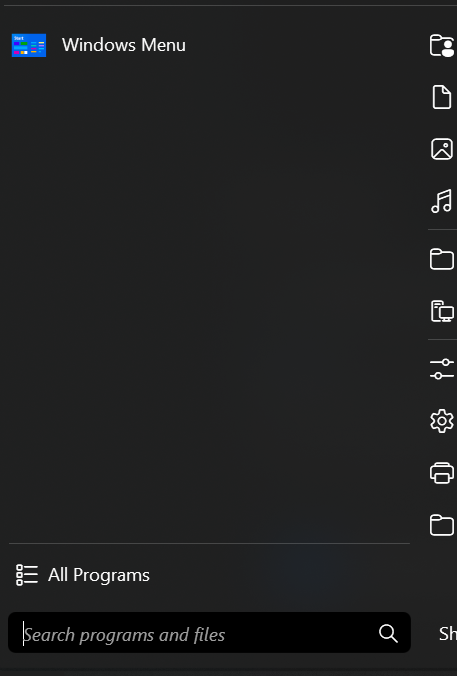
start 11 modern style left row

If i choose the modern style with start11 v2 the row where there should be recently used programms is completly empty and if i click on all programms there is no list displayedas well. Same for win7 style.

if i switch to win10 style a list of all programms is shown...what am i doing wrong
1,915 views 11 replies
Reply #1 Top

Hello,
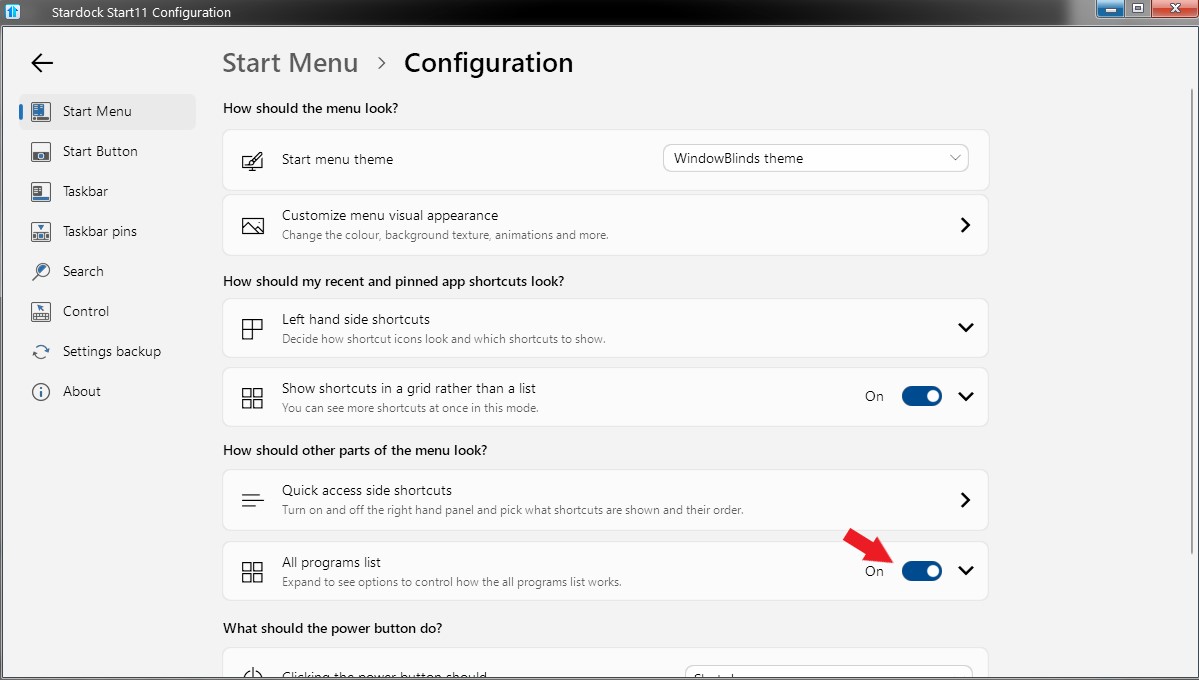
Sorry to hear you are having issues. Please check this settings


Basj,
Stardock Community Assistant.

Reply #3 Top

If you click on the "All programs" what will it look like?

Thank you,

Basj,
Stardock Community Assistant

Reply #4 Top

its not the problem.. "all programs" show up but the problem is that if i open the menu its empty so the last used stuff is not seen there

Reply #5 Top

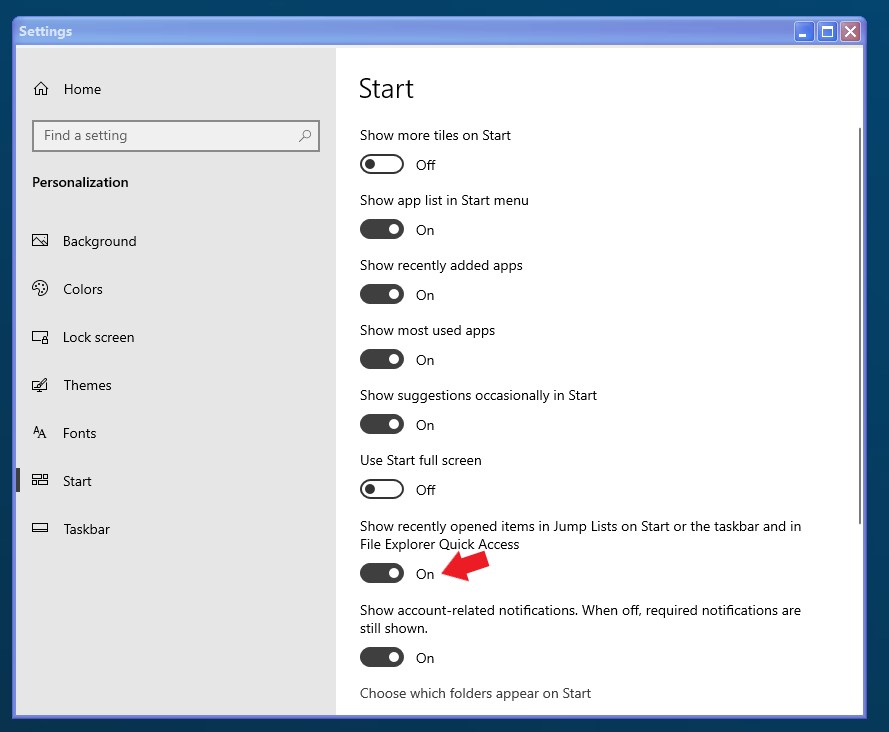
In Windows setting do you have "Show recently opened items in jump List...." turn on? If not please turn that on and open up several application and see if that opened application show up in the Start panel.

Thank you,

Basj,
Stardock Community Assistant

Reply #7 Top

Please try purge and reinstall steps as mention here : [Link]. Just make sure to redownload the latest version from your account page. Reboot after the purge. Reinstall and reboot again after the installation. Retest and report back here.

Thank you,
Basj,
Stardock Community Assistant.

Reply #11 Top

Not sure what you mean by that please post a screenshot please. Also, not sure what you mean by "deeinstalled"? You mentioned

Quoting Matze_ee, reply 8

tried it didnt work
End of Matze_ee's quote

Which to me, you have done the "purge and reinstalled steps fully and it did not work? And now you mentioned you "uninstalled" again?

Thank you,

Basj,
Stardock Community Assistant