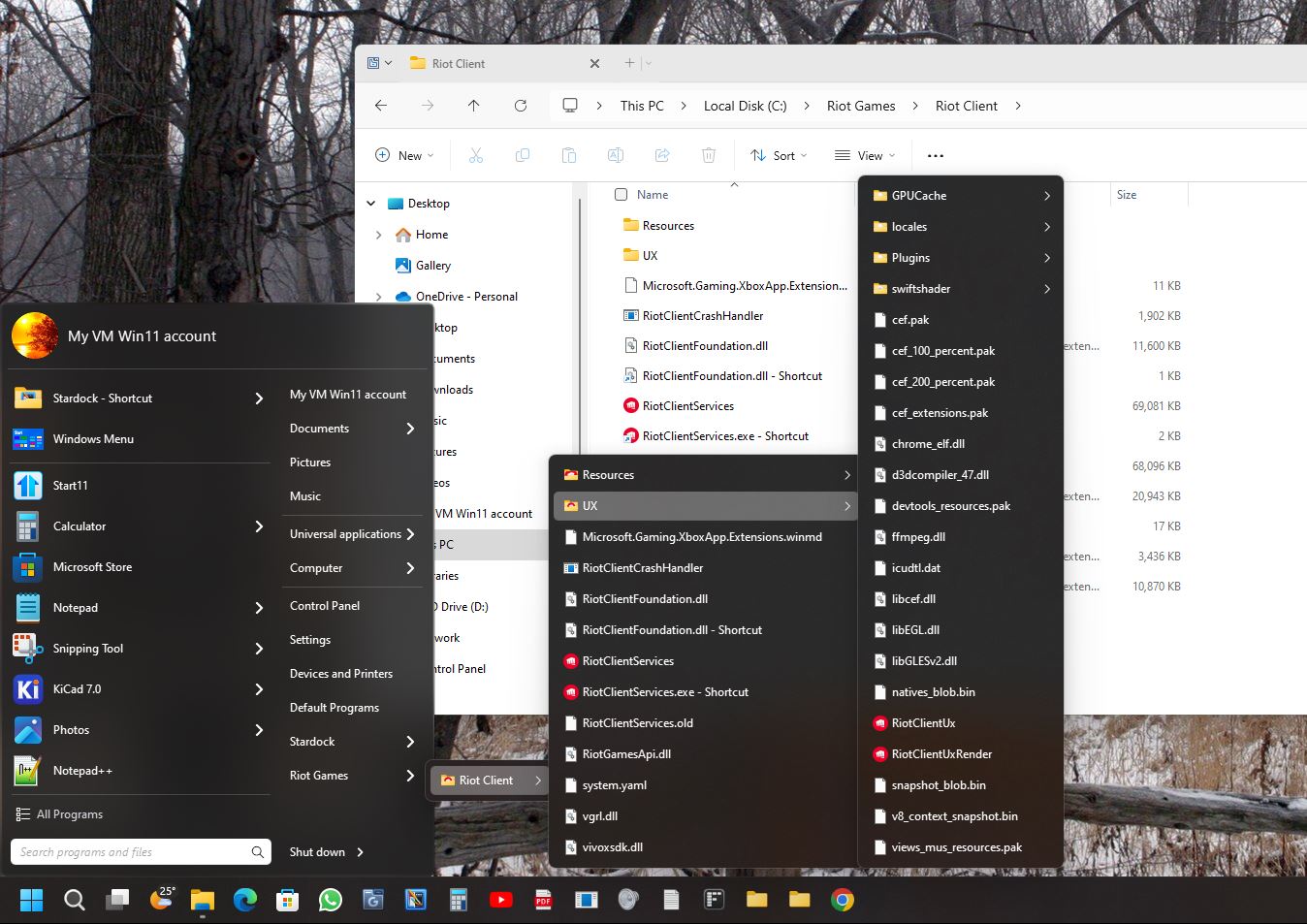
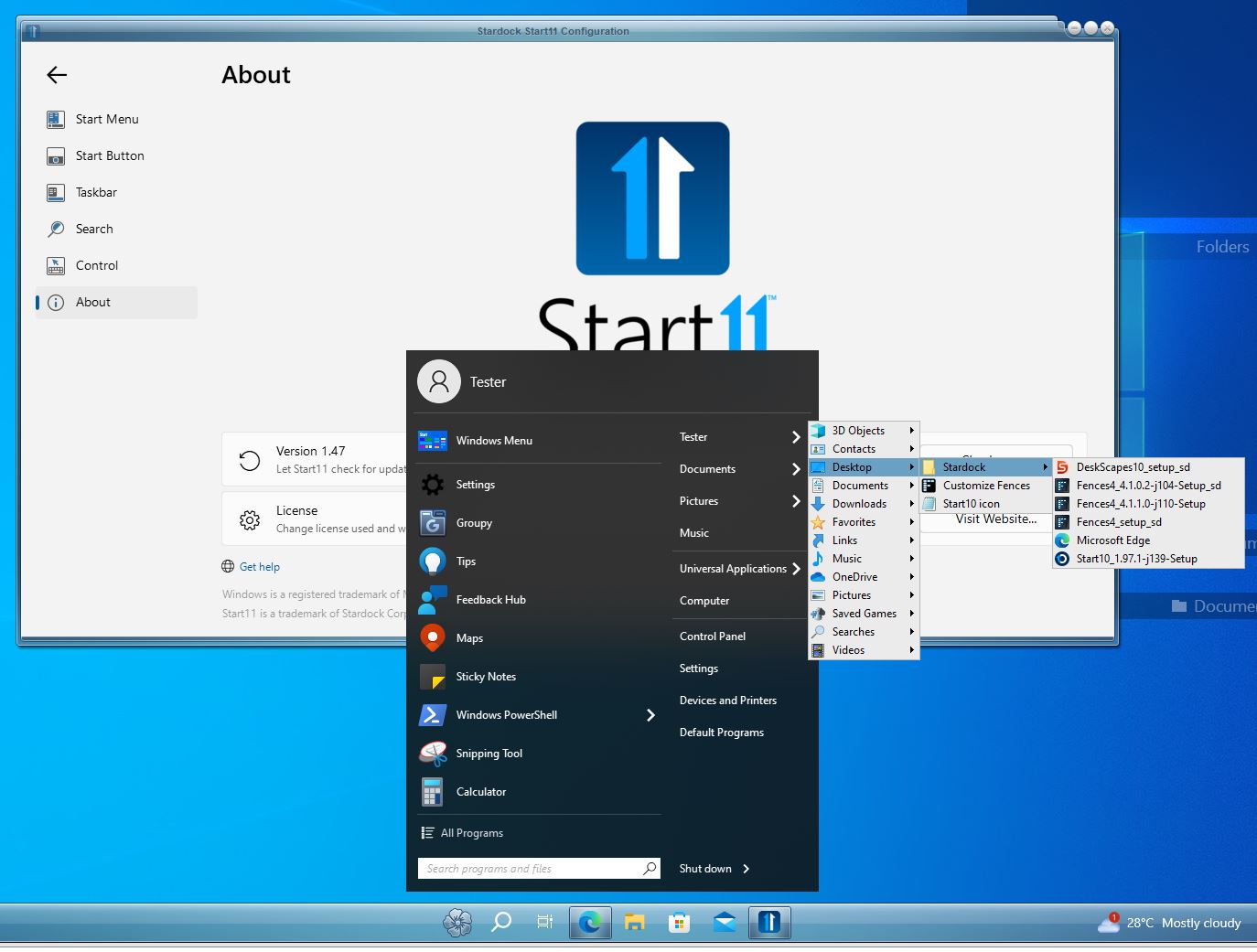
Behaviour of Shortcuts set to "Display as a menu"

Hello, I have recently switched from Start 11 v1 to v2. It looks like the behaviour of Shortcuts set to "Display as a menu" has changed between versions.

In v1 you got cascading menus so that you could navigate to the sub-folder and file you wanted without having to open a Windows Explorer window.

In v2 it seems that you only get one top level of folders, and clicking on a folder opens it straight away in Windows Explorer. In addition, it looks like folders and files are now shown mixed together in alphabetical order rather than being separated, and if you have more than one folder in a library (say a local Pictures folder and one on OneDrive) it doesn't differentiate them and shows everything mixed together.

Is there any way to switch back to the old behaviour?

Many thanks.

1,812 views 6 replies
Reply #1 Top

I'm not seeing this behavior on my system.

Please provide the following:

Windows version and build

Start11v2 full version number

Menu style you are using

Reply #2 Top

Thanks for the response.

I have Windows 11, version 22H2, build 22621.2861

Start 11 version 2.03

I'm using the Modern Style.

Thanks!

Reply #3 Top

It looks like you can't go beyond the first level of folders in this style.

Reply #4 Top

Hello,
Sorry to hear you are having issues. But, I can not reproduce your issue on my system. I still get cascading menu. Refer screenshot below. Not sure if there is an option where you can disable it. Does this happen on any folders or specific folder?

Thanks
Basj,
Stardock Community Assistant.

Reply #5 Top

I was able to get my Personal folder and a Custom location folder to work, but Documents folder, Pictures folder, and others don't work.

Reply #6 Top

Yes, I can reproduce the issue on Start11 v2 (Standard locations). It work on Start11 v1 as screenshot below. I have forwarded your problem/question to Stardock Support Team for their assistance. Please keep an eye on this thread for any updates. We appreciate your feedback and patience.

Basj,
Stardock Community Assistant