Start11 v2 'open file location' launching app

Start11 version 2.03

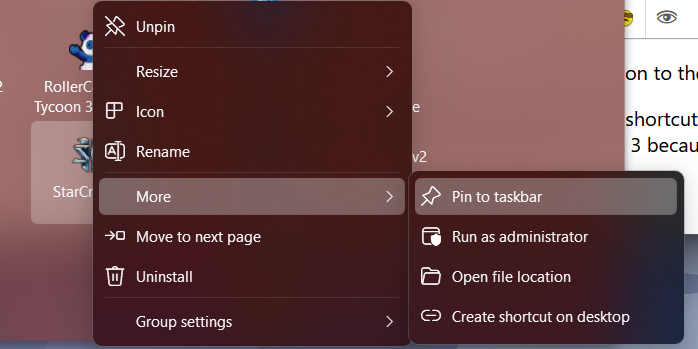
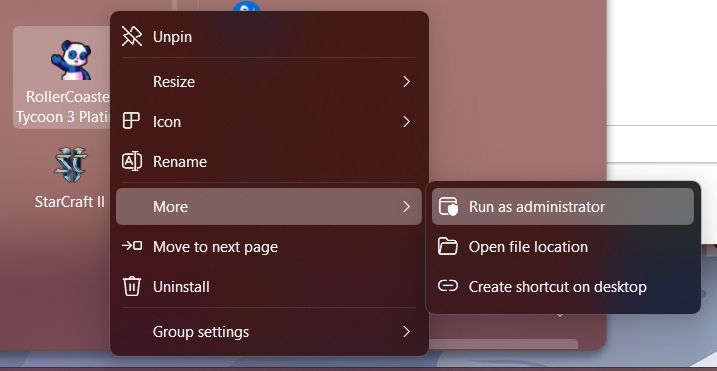
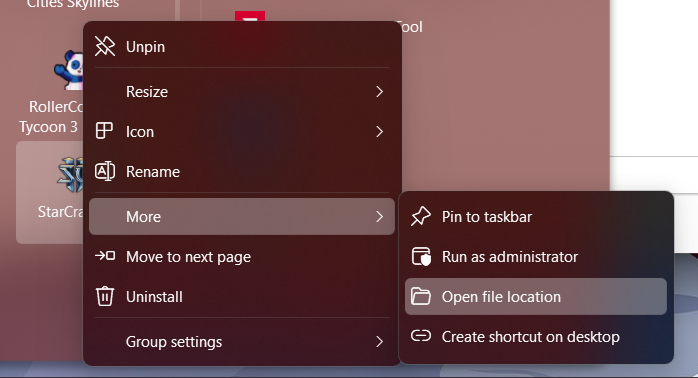
Issue: right clicking on any menu entry and going to 'Open File Location' in the 'More' sub-menu results in the app launching instead of the folder opening as expected.
3,592 views 5 replies
Reply #1 Top

What version of Windows are you running? Include the Version and OS build info.

Does this happen for every app or only certain apps?

Reply #2 Top

my apologies for forgetting to include that info. I am currently on the Windows 11 Beta branch, though I was still on the production ring when I first noticed the issue. And yes, it seems to happen on any app in the menu.


Edition    Windows 11 Home
Version    23H2
Installed on    ‎12/‎28/‎2023
OS build    22635.2915
Serial number    YX092GGY
Experience    Windows Feature Experience Pack 1000.22682.1000.0

Reply #3 Top

I am also running 22635.2915, except the Pro version. I can not reproduce this issue.

What Start Menu style are you using?

Reply #4 Top

I'm using the 'Windows App Style' menu as it feels like a worthy evolution to the Windows 10 menu.

I did a little more playing and it seems to only happen on Steam game shortcuts. What I was specifically doing when I came across the bug was trying to fix the icon for RollerCoaster Tycoon 3 because the icon is not on the main exe for some reason.

I think it's a placement issue in the menu because the 'pin to taskbar' option doesn't seem to show on the steam game shortcuts.


Normal app:


Steam Game:

Reply #5 Top

I think I remember something a while ago about issues with Steam games, but for the life of me, I can't remember what it was.

As far as pinning to the taskbar goes, try opening the Steam game and then right click the icon in the taskbar and click "pin to taskbar."