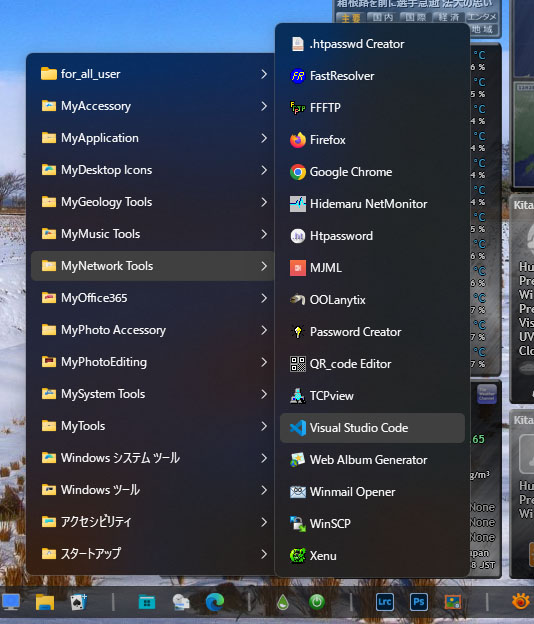
Pinned folder item background

Windows11: 23H2 (dark mode)

Start11: 2.03


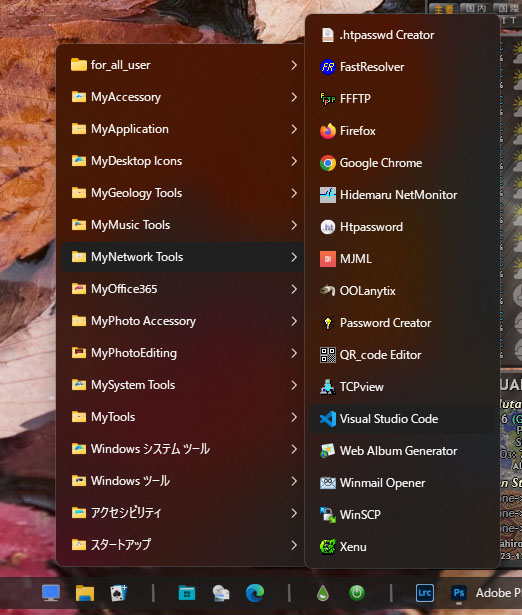
When click the pinned folder as menu, subfolder item list is shown up. But the mouseover background of the item is black or something dark, so I don't realize what item I mouseover. See the attached screenshot. In this example, mouseover item is "Visual Studio Code".

"Paint focused item background less transparent" option doesn't affect this item background.


Is there a way that I can configure this item background to some lighter color?
1,104 views 3 replies
Reply #1 Top

Hello,
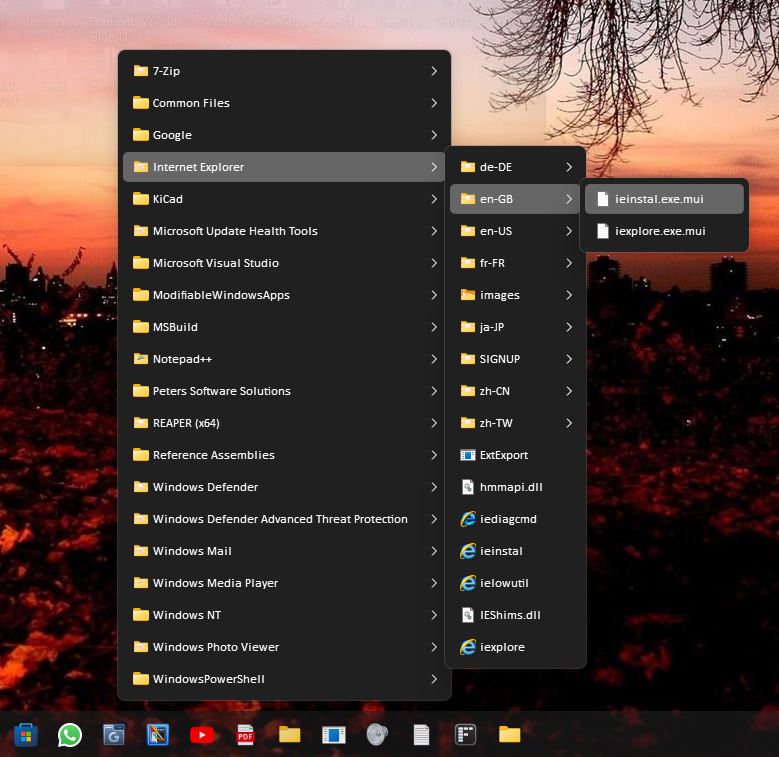
Sorry to hear you are having issues. This is what my pinned menu look like. Not sure, how do you get it to become transparent? Windowblinds or any other 3rd party software installed?

Thanks
Basj,
Stardock Community Assistant.

Reply #2 Top

Hi basj

Thank you for reply.


> Windowblinds or any other 3rd party software installed?

No, I don't use such 3rd party software modifying taskbar and other system elements.


And... Finally I got it!

To configure "Customize menu visual appearance" -> "Selected item accent colour" to RGB=96,96,96 solved my problem.

Anyway, appreciate for your support.

Reply #3 Top

Great, glad you figure it out.

Thank you,

Basj,
Stardock Community Assistant